


apoundofapples
Members
-
Joined
-
Last visited
Everything posted by apoundofapples
-
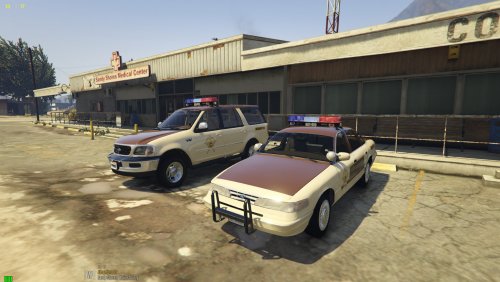 It will be possible. I have it in the plans already. I just wanted to upload a replacement pack for people that wanted a replacement pack. And hopefully when I upload that, it'll go more smoothly than this one. Lol!
- 92 comments
- 4 reviews
-
-

- 1
-
-
Do you have any other mods installed? If so which ones? Are any of them my packs, besides this one? It sounds like a carcols issue. But if you have other mods, then they may be interfering with each other.
- 92 comments
- 4 reviews
-
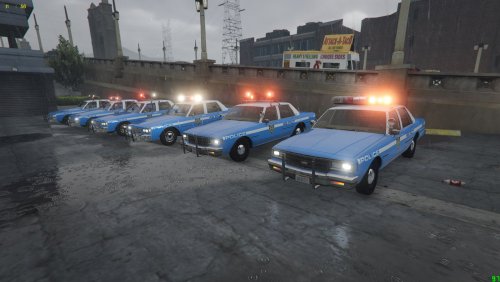 Can you send screen shot of what is happening? Are they not showing up in you trainer to spawn in? I need to know what the actual problem is. Not working is such a vague term, there is no way for me know what is happening.
- 37 comments
- 2 reviews
-
I didn't say to put it in that path. Follow the readme instructions. Walter's mentioned that path, as it worked for him. You are free to try it, and it should work that way also. I will continue to try and resolve any issues you or any future person is having. Only suggestion I have for the moment is to reinstall the pack, possibly on a fresh install of gta. If you still have issue then, then I can pin point more of what is happening and why it is not working for you.
- 37 comments
- 2 reviews
-
-
If you are having issues with the glass being black: Navigate to: mods\update\update.rpf\common\data\levels\gta5 Open/Edit the vehicles.meta file Look for the vehicle you are having the issue with: *fbi *fbi2 *lguard *police4 *policeb *pranger *sheriff2 Find the line <diffuseTint value="0x00xxxxxx" /> Copy and Paste <diffuseTint value="0x00FFFFFF" /> For each car you have the issue with. Sorry that there isn't any easier way. Until I find a better way. This is how it needs to be done.
- 92 comments
- 4 reviews
-
-
-
I fixed it. It wasn't a carcols issue. It was a another file that I forgot to add some text to. Uploading an update now.
- 92 comments
- 4 reviews
-
-
- 1
-
-
yeah, the 85 impala always does that. That is something I continue to try and fix. But I think I have found the issue, I may have had the wrong carcols taht I made added to the pack.
- 92 comments
- 4 reviews
-
What I did was try to make a DLC pack that would replace the stock vehicles. It look like it didn't work. So I'm going to do a little testing and editing, and probably reupload it as an add on instead. If I can't fix the other issues.
- 92 comments
- 4 reviews
-
-
- 1
-
-
I'm sorry you all are having issues with the lights and sound. I'm working on resolving this now. As for the sound. Not real sure what I could do. I suggest reverting back to the original sound. I put my sound files in in hopes it would work. But, apparently it doesn't work properly. So I will remove it from the pack. I hope to get the siren rotation issue fix today though.
- 92 comments
- 4 reviews
-
Follow the readme file instructions. If you install correctly, it should replace the stock cars, but also acts as dlc.
- 92 comments
- 4 reviews
-
An assorted pack of my favorite vehicles that I have modified and put together for you to enjoy. All are ELS. USE THE SOUND FILES AT YOUR OWN RISK. BACK UP YOUR FILES. Thank you to everyone who made the models Please report any issues you may have with this pack, and I will do my best to fix it. If anybody needs credit for something please let me know *********************************************************************************************************** If you are having issues with the glass being black: Navigate to: mods\update\update.rpf\common\data\levels\gta5 Open/Edit the vehicles.meta file Look for the vehicle you are having the issue with: *fbi *fbi2 *lguard *police4 *policeb *pranger *sheriff2 Find the line <diffuseTint value="0x00xxxxxx" /> Copy and Paste <diffuseTint value="0x00FFFFFF" /> For each car you have the issue with. Sorry that there isn't any easier way. Until I find a better way. This is how it needs to be done. Thanks to: Hatchetman
- 92 comments
- 4 reviews
-
-
-

- 9
-
-
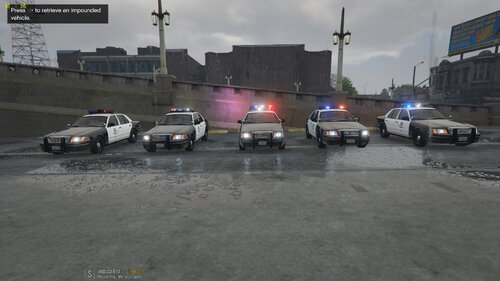 Not quite sure what you are asking. If you have a screenshot or video of what you are asking, I may be able to help. The els xml file has nothing to do with the speed of the rotation of the lightbar.
- 21 comments
- 8 reviews
-
-
I tells you in the readme of that file of what's what. ,5 is 50% x5 is 5 times the amount of normal traffic So if you want and outrageous amount of traffic. put the gameconfig file from the x5 traffic and ped folder into your game. If you want little bit of traffic, put the 0,1 file in. Or go through the others and try them out.
- 37 comments
- 2 reviews
-
Have you updated the config file? There is a link in the read me to download the most up to date one. If that doesn't work please let me know. When you download it you be able to pick which one you want to use. I hope you can get it working.
- 37 comments
- 2 reviews
-
Hello, I know it's been stated that sirens wail and quick 04 don't work. I was just wondering if there has been any progress in getting them to work? Seeing how this thread is 2 years old. If not oh well. But if it is, What do I need to do to get it working? I know how to edit the XMLs and how to use multiple siren tones for multiple xmls. I just wasn't sure if anybody has discovered the "code" to type out in the xml. I don't need siren 04 to work, but it would be nice.
-
-
Yes. All you need to do is add the name of the cars in the agency file in the LSPDFR folder.
- 21 comments
- 8 reviews
-
-
-
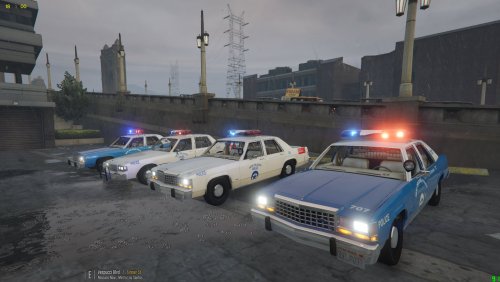 A Retro 1980's NOPD Pack that I created on special request. All are ELS and converted by myself I will be uploading another Retro NOPD pack that will be compatible with this pack Thank you to everyone who made the models Lundy: 1987 Crown Victoria 1989 Caprice SPOTLIGHT: Spotlight Created By Turn10Studios; Converted And Edited By Shmurda Textures By Shmurda SKINS: Officer KSlimm If anybody needs credit for something please let me know
- 8 comments
- 1 review
-
-
- 3
-
-

