


apoundofapples
Members
-
Joined
-
Last visited
Everything posted by apoundofapples
-
-
 If I can find an unlocked version of the tahoe and suburban, sure. But no luck thus far. I have a link to my discord group in my profile.
- 24 comments
- 6 reviews
-
Thank you! I am working on a pack of 98 CVPIs, same lightbars, and a pack of 89 Chevy Caprices, same lightbars. Me and Hatchetman have a discord group. Check my profile.
- 24 comments
- 6 reviews
-
-
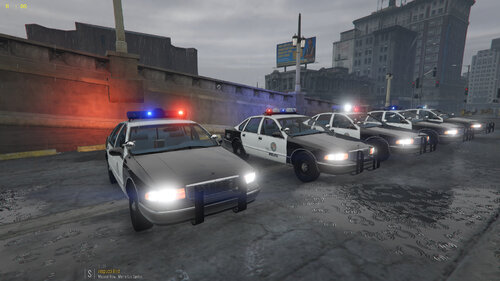
1994 Chevy Caprice Pack with 5 different lightbars. All are ELS. I converted all but the MX7000 to ELS. I edited the MX7000 so the emissives show. Thank you to everyone who made the models.
- 24 comments
- 6 reviews
-
-

-

- 7
-
-
 Try changing the sirensetting in the carvariations to another ID in the carcols.
- 42 comments
- 6 reviews
-
Check to see if you have any siren IDs in you main carcols file that have the same sirensettings ID as the 97cvpi_4.
- 42 comments
- 6 reviews
-
-
Technically, you could add the dlc. Then go to the vehicles folder inside the dlc, and delete the vehicles you don't want. Thank you. This is my first upload and pack. I'm still working on an Aerodynic. And I've also got a 90's caprice, 80's caprice, and a 98 CVPI with all 5 of the light bars that are in this pack.
- 42 comments
- 6 reviews
-
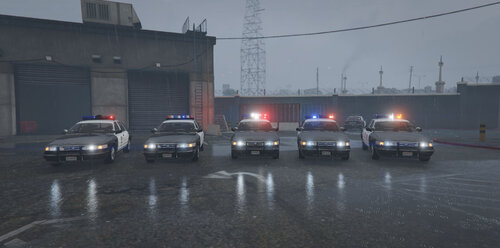
1997 CVPI Pack with 5 different lightbars. All are ELS. I converted all but the MX7000 to ELS. Fixed the blinding Head and Taillight emissive. Thank you to everyone who made the models.
- 42 comments
- 6 reviews
-
-
-
- 11
-
-
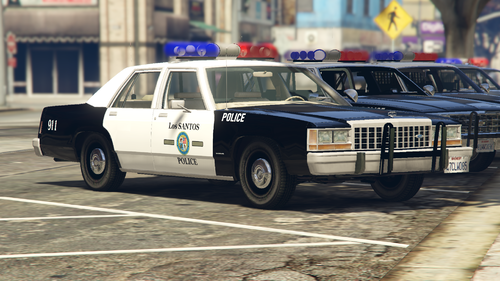 From the looks of the screenshot, you were trying to open the carcols file. In order to do that you need to export it and open it with notepad or notepad++. If you add anything to the file, yes, it will be bigger than the default carcols file, because you've added to it. I responded to your screenshot, because from my guess, it look like you were trying to open it to modify it. But if you're trying to open it, just to open it, I don't know how to help. But, if the light on the Diplomat are not working, then make sure that the correct carvaritions is installed, and is installed to the correct path. If it is, Look at the "sirensettings" for the Diplomat in the carvariations file. Check the number in the siren setting. Go back to the carcols file you exported to your desktop. Press Ctrl+F and search for sirens. Look for the "siren ID" that matches the diplomats sirensetting. Should be "13." Try changing the number to "8513." Save it, re-import it back to openIV. Now go back to the carvariations file, look for the Diplomates sirensettings, change it to 8513. Save it. Open the game try it. If it doesn't work, undo everything you did.
- 45 comments
- 3 reviews
-
-
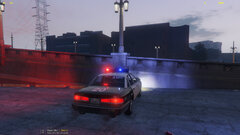
1996 CVPI. I think I've fixed the headlight and taillight issue.
-
 GTA5 2020-01-19 16-41-25-083.jpg
-
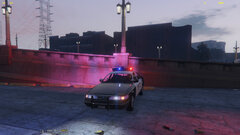 GTA5 2020-01-19 16-41-06-971.jpg
-
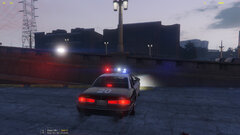 GTA5 2020-01-19 16-38-44-299.jpg
-
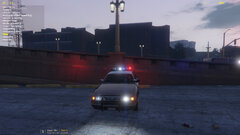 GTA5 2020-01-19 16-38-25-394.jpg
-
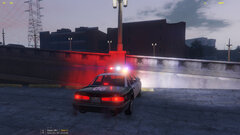 GTA5 2020-01-19 16-34-32-396.jpg
-
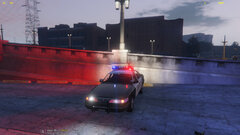 GTA5 2020-01-19 16-33-58-245.jpg
-
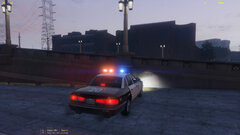 GTA5 2020-01-19 16-30-51-838.jpg
-
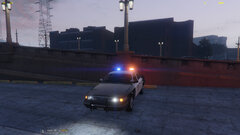 GTA5 2020-01-19 16-29-46-233.jpg
-
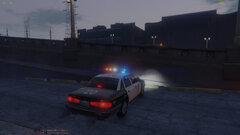 GTA5 2020-01-19 16-27-31-351.jpg
-
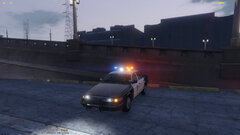 GTA5 2020-01-19 16-26-49-089.jpg
-
-
From the album: WIP
-
From the album: WIP
-
From the album: WIP
-
From the album: WIP
-
From the album: WIP
-
From the album: WIP
-
From the album: WIP
-
From the album: WIP
-
From the album: WIP
-
From the album: WIP
-
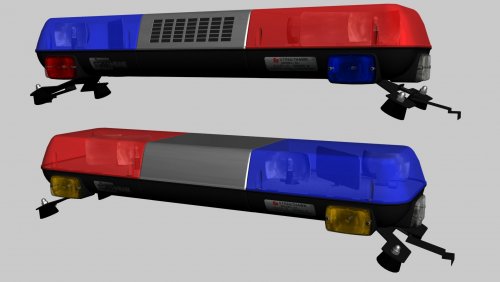 Is this ELS?
 -

