apoundofapples
Members
-
Joined
-
Last visited
Everything posted by apoundofapples
-
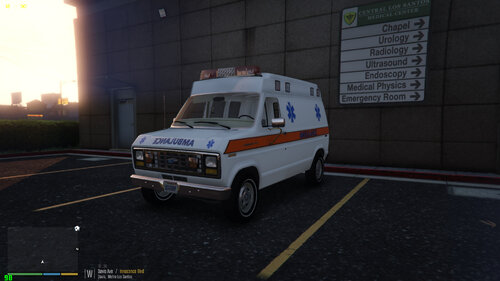 1982 Ford E150 Ford Ambulance Is ELS Template included Thank you to everyone who made the models. Thanks to Hatchetman. Please report any issues you may have with this pack, and I will do my best to fix it
- 23 comments
- 3 reviews
-
-

-

- 13
-
-
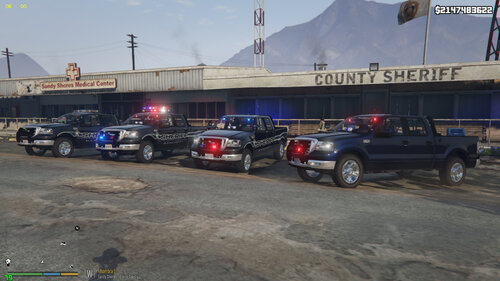 Not yet. I'm still having difficulties with that. When I figure out how to get them to work, I will update the pack. Sorry.
 -
Yes, I think you should reinstall it. lol! And have fun with the f150s!
-
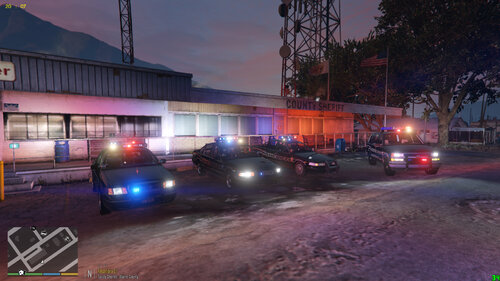
This is another pack I made for a good buddy of mine. Decided to upload it also. Enjoy. All are ELS. Please report any issues to me. And I will try to fix it. PLEASE DO NOT UPLOAD ANYWHERE ELSE WITHOUT MY PERMISION If you need credit for something, please let me know.
-
 Yeah. I know. I meant to fix them a long time ago. Then the pack got forgotten about. I came across it the other day and decided to upload it. If I get to it, I'll fix them. I think the streethawk is proportionate width wise. Just too tall.
 -
Nevermind what suggested then. If you change stuff in the file, of course it's not going to work. Delete the dlc folder and re download.
-
Have you changed anything? Weird. If one works they should all work. They all use the same siren ID. Try deleting the ELS xml file and copying one of the others. Rename the copy to that car.
-
This is a pack I made for a good buddy of mine. Decided to upload it for all of you to enjoy. All are ELS. *** Game Config in file is out dated make sure to update to the latest gameconfig file *** Please report any issues to me. And I will try to fix it. PLEASE DO NOT UPLOAD ANYWHERE ELSE WITHOUT MY PERMISION
-
-
-
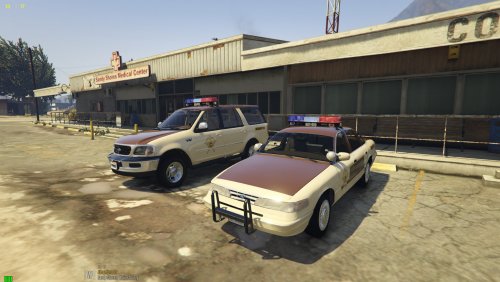 Yes, it's supposed to rotate. It's got a custom made whelen advantedge lightbar on it. I'm glad you like the pack. Thanks.
- 92 comments
- 4 reviews
-
-
Yeah I know about Lozano71's Pack. I like the non els stuff he does. I have his pack installed too. But I prefer ELS and I couldn't find anything I wanted, so I made it.
- 92 comments
- 4 reviews
-
-
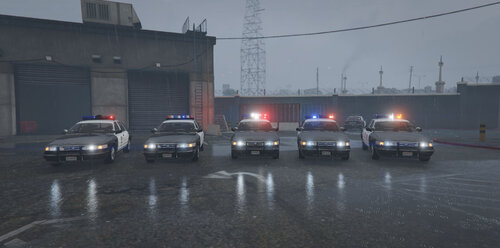 Is there a way you can send me a video of what going on? I can't really determine what happening unless I can see what is going on. But, if you look in the vehicle els file, make sure that extra_1 is set to true.
- 42 comments
- 6 reviews
-
Should be fixed now. I just read what I said last time. I guess I had a stroke?
- 92 comments
- 4 reviews
-
-
- 1
-
-
-
Lol! I just loaded up the game, and you're tightbtheybare there. They're not supposed to be. I will update it as soon as I can to make them work. Lol. Sorry man.
- 92 comments
- 4 reviews
-
-
- 1
-
-
-
-
It's in the carcols in the dlc pack. I'm currently working on adjusting the settings to dim down the env. If you want to do it yourself, if you know how to: copy and paste/ replace these lines for each siren ID: <lightFalloffMax value="60.00000000"/> <lightFalloffExponent value="200.00000000"/> Other than that, I will update it when I'm am done with a few other issues I have come across.
- 92 comments
- 4 reviews
-
-
- 1
-
-
It's not a replacement pack. It's an add on pack that act as a replacement. Follow the read me instructions and it should work. It installs Like a dlc, but the vehicles are named for the stock vehicles.
- 92 comments
- 4 reviews
-
Thank you. It's nice hear that. It just takes a little extra time. Time I have, and that others may not. I just want to make it as easy as possible.
- 92 comments
- 4 reviews
-
-
- 1
-
-
Correction, they are extra_11. I made it that way for a little bit of variation. For people that what them on, and for who don't. If you use a controller for els, it's right on the d-pad to turn them on, and "]" on the keyboard.
- 92 comments
- 4 reviews
-