Asuna
Members
-
Joined
-
Last visited
Everything posted by Asuna
-
I haven't tried any of those yet..i just have...lets see if I can remember what I have being at work and away from the computers......albos British policer, traffic policer, lspdfr+, arrest manager, seatbelt chime with my seatbely chime heard in the vid from my 01 tahoe....EUP,police radio, dashcamv, els, panic button...im sure I have more but I can't remember all of them while at work I can probably help via team viewer later i get outta work at 1am us cst
-
Dispatch? You mean calls? I've only had a single button issue and some times it doesn't work unless I'm staring at the car and am 2 inches from it....my in foot checks for names is from albos British police script watch my issue...im tied to run the plate and call a tow like 3 times
-
ive used a gtx760 and a gts970 both seem decent since i got the 970 for like 120 bucks on ebay
-
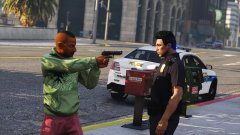 I WAS JUST 3 DAYS FROM RETIREM*BANG*...................................... X_X
 -
if you know how to add a new vehicle you gotta set it up right with the right features...like emergency vehicle or something...i know theres a something you need to flag...but ive installed alot of cars that were labeled one thing but are in another slot. theres an informational around here some where
-
site is fine for me
-
if you did what the installation says...its 3 patches old and needs to be put in patchday14's vehicles file
-
xts5k? want refs for an apx7k?
-
check the description
-
albos mods that are located on here are NOT the latest versions...he has betas on his youtube channel
-
ElsTrafCtrlOn = true to ElsTrafCtrlOn = false in els.ini
-
one of these says "Welp...i was 3 days from retirement..."
-
thats just my 2 cents on it given you are using an older processor with a newer GPU so you are gonna have to reduce some of your settings
-
it means your cpu is throttling to keep heat low " Adjusting the speed of the CPU. Also called "dynamic frequency scaling," CPU throttling is commonly used to slow down the computer whenever possible to use less energy and conserve battery. It is also used to make the system quieter. At slower speed, the CPU chip generates less heat, and the fan, which is typically the noisiest component in a computer, can be made to run slower." its a pain when one wants to use high end gfx cards and lower gpus, I run an i5 6600 and an gtx 960 or 970 and i dont see a major issue
-
-
to me...it sounds like something its being throttled.....possibly the CPU is being throttled
-
my guess is he installed a file he missed
-
ha....considering you did tell me you were drunk last night..that didnt help the issue! lol
-
from what i see on rockstars site...it may be an issue with communication between steam and RSSC or your social club is borked....try this "navigate to your steam folder and locate the GTA5 folder. In the root you will see a folder called installers. Double Click the file Social Club v1.1.6.8 Setup.exe inside. It will update and should allow you to continue with your gaming. "
-
default on the controller is Right Dpad
-
You start going through clips and edit crap together When you get bored again......pardon the voice over...some one in my domicile was asleep
-
-
then the car isnt turned on as ELS......what do you have in your VCF folders
-
Change the els keys....i always do to avoid conflicts ...i have mine set to / * and - on the numpad
-