


Creators: Due to background reprocessing of files, approvals and file security checks may be delayed. Thanks for your patience.

Asuna
Members
-
Joined
-
Last visited
Everything posted by Asuna
-
Tell that to people who post in support that they don't know what the heck is going on Needs to be bigger...cuz no one reads it and posts topics almost every hour with out seek g if there s another topic on the issue.....it gets annoying seeing nothing but OMGWTF ITS NOT WORKING IT SAYS THIS "game version xXxX supported version yyyy
-
im having an issue with the Mimic Function, no matter what i do...mimic will not work even if it says the car is mimicing...also..cant test solution till RPH updates.....1032 -.-
-
every time a new patch gets released..theres a sudden flood of "OMGWTFBBQ WAI NO WORK" topics in support....is it possible to put something in the support sections "if your rph says Unsupported version, it means it updated, wait for new rph or revert to older version?" this historically happened with GTA IV as well when it updated
-
depends on the pack
-
Just install Radiance v...super easy and makes lights look gooodddd
-
its possible the car doesnt have takedowns at all, there are a decent amount of cars with them on the bar..but not coded if you dont have TKD on the ELS panel, the car isnt equiped with em as for all the black lights...might be an issue with the meta, did the cars come with a vehicles.meta file? if so put that where it belongs
-
-
did you install the VCF files for ELS?
-
welp ive used it..its touchy with voice recognition....but it generally works though i had to do darn near every trigger for code 3 and pursuit back up
-
i just got roped into watcing GITS Arise sooo my streams out...i still need to play with it before i try using it in stream
-
i havent had a chance to use it, i just put it in...but im in the middle of a table top game...maybe i'll stream tonight
-
debating if i wanna use it in any videos or future streams....
-
either redo your mods folder like you did for the last version or go in to open iv and do something in edit mode in your mods folder and ist should prompt for an update...not to mention there about 100+ topics already on this in the support areas
-
if you 1) have it installed already as transferring game files with out the proper registries in the system bork alot of things..and 2) you have networking set up correctly, you cant just put computer to computer least thats what im awareof less some where along the lines MS just said "LETS DO DIS" you need to go through a switch/router...if you have them networked already for internet, then you just need to set up the networking protocols up in the systems...ex....my Desktop and laptop run on my home network..i have my GTA folder on my desktop set in my secondary drive for games, my desktop is set to allow anyother computer on the network to access this driev, ergo, GTA v directory....so i can transfer files freely back and forth
-
its as i feared....the lights are all mapped to the SAME red lamp on the light texture...its impossible...when i say impossible..it is with out the z3d model....and idk how to use those yet
-
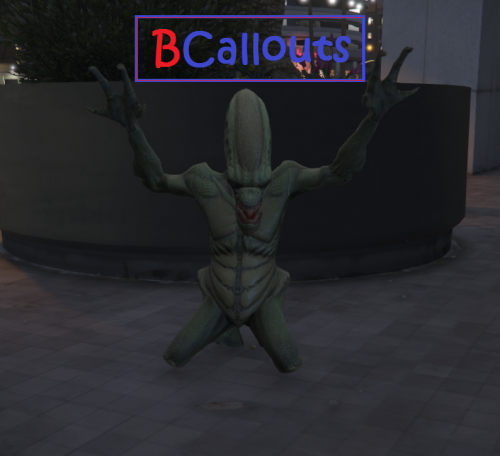 *puts on the sunglasses and nerualizes*
 -
no, i need all the cars, in order to map the part of the light the texture is for, i need to go in, change all the lights to random colors, and then mark which ones are which then see what i can do
-
it'll take me a little while as i need to pinpoint the light its mapping to the only concern is if the modeler mapped them to the same part of the texture..if thats the case....i might not beable to do anything...
-
if its just those lights, those are done via the texture in the ytd file of the car..its pin pointing what part of the texture is mapped to that if the hard part....like i said...i'll look...but my internet is having a bad day its gonna take about an hour to DL all the mega pack files and to be sure...its this pack right?
-
the strobes in the headlights can be changed in the els ini, everything else would need to be done in either the textures or modeling in some cases also..you double posted......what car is it in the pack and i'll take a look at it and you're talking about the Mirrors and the Push par lights right?
-
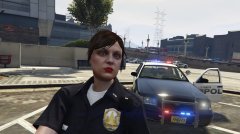
From the album: Asu's Pics
LEMME TAKE A SELFIE! -
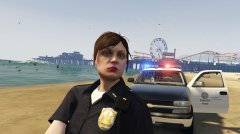
From the album: Asu's Pics
they hatin on the beach! -
screencap your gtav directory
-
not the place to post this..... but update your mods folder
-
also...havent heard that name in a while



