



SamForrester
Members
-
Joined
-
Last visited
Everything posted by SamForrester
-
Went back to square one with a new PC, and have been fighting like hell to get ELS working. I was having the SAME issue that I was back in 2019, but I finally figured it out via a totally different thread. I KNEW that at one point in time, I'd gotten ELS working but couldn't for the life of Me figure out HOW I'd done it.... What I needed was ScriptHookV. For some reason I didn't have it then OR now. NOW onto the next "problem"...figuring out what flash pattern I want.....LOL #CaseClosed
-
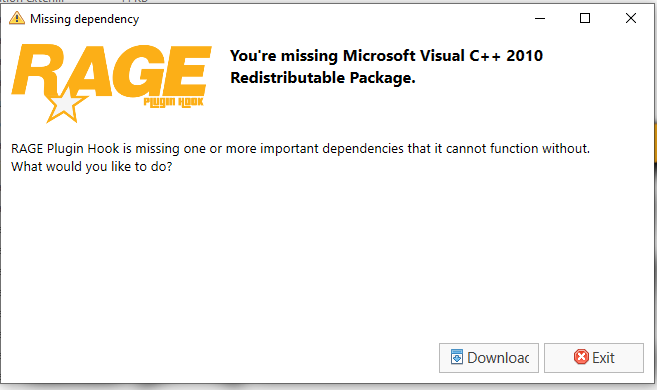
So, I got LSPDFR installed but when I goto run it I get the message below. However, I can't install it as I have the latest version installed. Do I just need to uninstall the latest, then install 2010 then RE-install the latest, or what??? I just got a brand new custom built desktop Tuesday, and am in the process of installing all My stuff on it, including LSPDFR (on a fresh install of GTA at that).
-
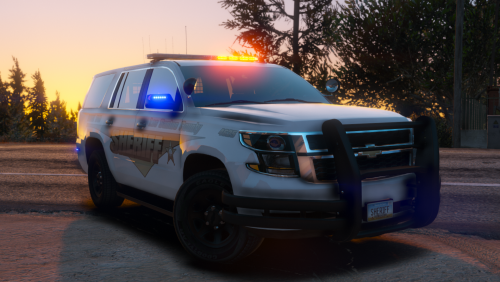 Just got this after not having much luck with a different model and WOW!! couple things though.. 1) how about a warning about the "holy sh*t where are the sunglasses?!?!" lightbar? LOL; and 2) any chance you can modify this to include a beer cooler (only kidding!) That I can help you with! I was honestly a BIT confused and overwhelmed at the thought of having to re-do a vehicle's textures but it was easier than I thought! You just need to extract the two dds files to wherever you can get to them easily, open up the sheriff2.ytd file in Open IV (in edit mode obviously 🙂 ) and then just replace those two textures.
- 11 comments
- 21 reviews
-
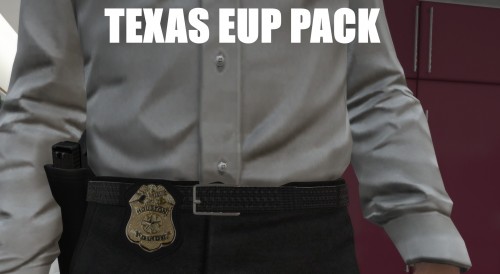 I am completely lost here and totally new to uniforms and cannot for the love of Me figure out where some of this stuff goes! 😫 I got the preset wardrobe installed no prob but the rest of the DPS ones I can't seem to figure out. Plus with the pre-set....it's only short sleeve, and the lower part of the arm isn't showing.... 0419 CST Update: got the arm issue solved still confused about where to put the other stuff lol #LostAndConfused
- 20 comments
- 1 review
-
The one he's doing HAS a dlc file. This one doesn't... The megapack is actually split between two rar files. each folder has the following.. Extras Folder, which contains a "copy of VCFs" folder which has the xml documents for all the CHP vehicles in that set; a skins folder which contains 2 text files with links to a google drive. Installation Files folder, which contains 8 & 9 folders each (respectively) for the vehicles. each vehicle folder has the 2 .yft files, 1 ytd file, folder for ELS Files, which has the xml doc for that particular vehicle. Pictures folder with of course.....pics of the vehicles in game.
-
at first I was using 10, then switched to the latest which is 20, and there was no change what so ever. Even tried 18, nothing changed. The vehicles show up no prob but the lights still don't work...
-
in the 2017 CHP MegaPack file it says, I did all that with the exception of the last part as I didn't see any meta files.... All the files are where they need to be from what I can see... This is where I got the vehicles from..
-
yes that's in the dir. shows latest version as 8/7/2016....
-
GTA5? yes. I did some pretty sick mods for GTAIV back in the day (mostly weapon tweaks) but um.... it's been a "few" years 🙂
-
those go in "Grand Theft Auto V\ELS\pack_default" correct? IF so...then yes. oh and NO...NOT remotely silly (at least to Me)! I fix..or used to fix computers....so yeah I always ask what seem like silly questions at first 🙂
-
I have GTA V for steam installed, along with LSPDFR 0.4, LSPDFR+, Assorted Callouts (Kudos to everyone involved in making those possible by the way! 5 stars across the board!!!!) I also installed the 2017 CHP MegaPack, or at least...parts of it. I'm only using the K9 Crown vic, the Tahoe, and Harley. The problem I'm having is I can't get ELS to work (the vehicles are ELS compat)....and I'm honestly clueless here. While I may be a guy, and generally speaking we men don't like reading directions...I did do so. I'm pretty sure I did it how I'm supposed to yet I can't figure out why the lights won't work. I can only get the normal headlights to work and the tail lights flashing....
-
-
-
-
-
-
Maybe it just seemed harder than it was? IDK. I just remember it ORIGINALLY being a ROYAL pain in the @$$ to install cuz you had to do this and that. gta iv is up and running LCPDFR is installed ELS installed and that's as far as i've gotten. been playing COD: MW3 most of the night. i'm off to bed. tomorrow...eh who knows what tomorrow brings. GTA? COD? idk. for now..it brings SLEEP I do thank you, and do apologize for being snarky. :) Case CLOSED :) EDIT: FOR FUTURE REFERENCE... order is... GTA IV Patch X-Box (windows live gaming? or WHATEVER that is called) then the other goodies.
-
That was a lot of help! THANKS!! ~insert sarcasm~ Might have been better off sticking to COD.... -.- I had better luck with google
-
I KNOW this has been answered before, and I've had to do this a few times in the past but it's been so long that yeah...I kinda forgot..LOLL what do I install, and in what order? I KNOW GTA IV has to come first..lol I've been having major GTA Withdrawals and wanna play again
-
I used Spark IV to install the truck and the texture
-
That's nothing :-)
-
Can't seem to figure out WHY the Truck is doing this....WACKY bouncing thing in the vid.
-
your video alone was enough to convince me to download this :-) that and I have your CVPI used for the Fort Worth Skin Pack :D 5 stars on that btw!
- 33 comments
- 22 reviews
-
love it! The instructions are CRYSTAL clear! THANK YOU for that! Would love if you could do a Tahoe as well :-)
- 15 comments
- 13 reviews
-
WHAT?????? ~innocent look~ I HAVE added some of the vehicles from EFLC into mine, BUT I'm having trouble adding in the APC Cannon to the Weaponsinfo.xml file.. anyone know anything about this? :-)


