


![LSMPD 'Addon DLC' [Part two]](http://s3-gallery.int-cdn.lcpdfrusercontent.com/monthly_2017_12/small.20171226213955_1.jpg.92f6ff687061ce5cff145a96d57d7e63.jpg)
![LSMPD 'Addon DLC' [Part one]](http://s3-gallery.int-cdn.lcpdfrusercontent.com/monthly_2017_12/small.20171226123659_1.jpg.557c579427066aec6ffa2890157864fc.jpg)

.gif.67f97e2d727f2a0d8f97497ee135a44c.gif)


Rookie Blue

By Jedahdiah
- 2,754 views
- View Jedahdiah's images
Los Santos Police Service (LSPS)
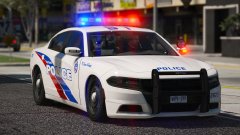
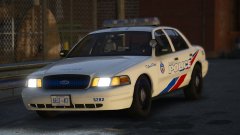
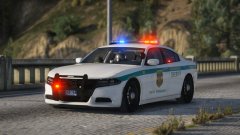
This is one of the new packs I'm building for you guys. It's based off the Toronto Police Service, and features a full halogen rotor light bar based of the Excalibur light bar. It also features a unique dual middle rotor, complete with functioning coronas on both sides.
There will be 12 vehicles in this pack, including traffic units, patrol units, slicktop and unmarked units and some unique units I've decided to throw in.
So... One down, 11 to go...
Special thanks to Harrison90 for letting me use his Toronto based LSPD skin as a base for mine! It's much appreciated!
Oh, and if you don't hear from me over the next few days: Merry Christmas/ Happy Holidays/ etc. :)


Recommended Comments
Join the conversation
You can post now and register later. If you have an account, sign in now to post with your account.