


.gif.65500374f563f72a23c113592ec2c7f0.gif "Coronas Test")
![LSMPD 'Addon DLC' [Part two]](http://s3-gallery.int-cdn.lcpdfrusercontent.com/monthly_2017_12/small.20171226213955_1.jpg.92f6ff687061ce5cff145a96d57d7e63.jpg)
![LSMPD 'Addon DLC' [Part one]](http://s3-gallery.int-cdn.lcpdfrusercontent.com/monthly_2017_12/small.20171226123659_1.jpg.557c579427066aec6ffa2890157864fc.jpg)

.gif.67f97e2d727f2a0d8f97497ee135a44c.gif)


Coronas Test

By Jedahdiah
- 1,719 views
- View Jedahdiah's images
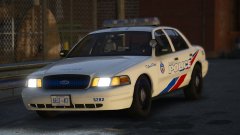
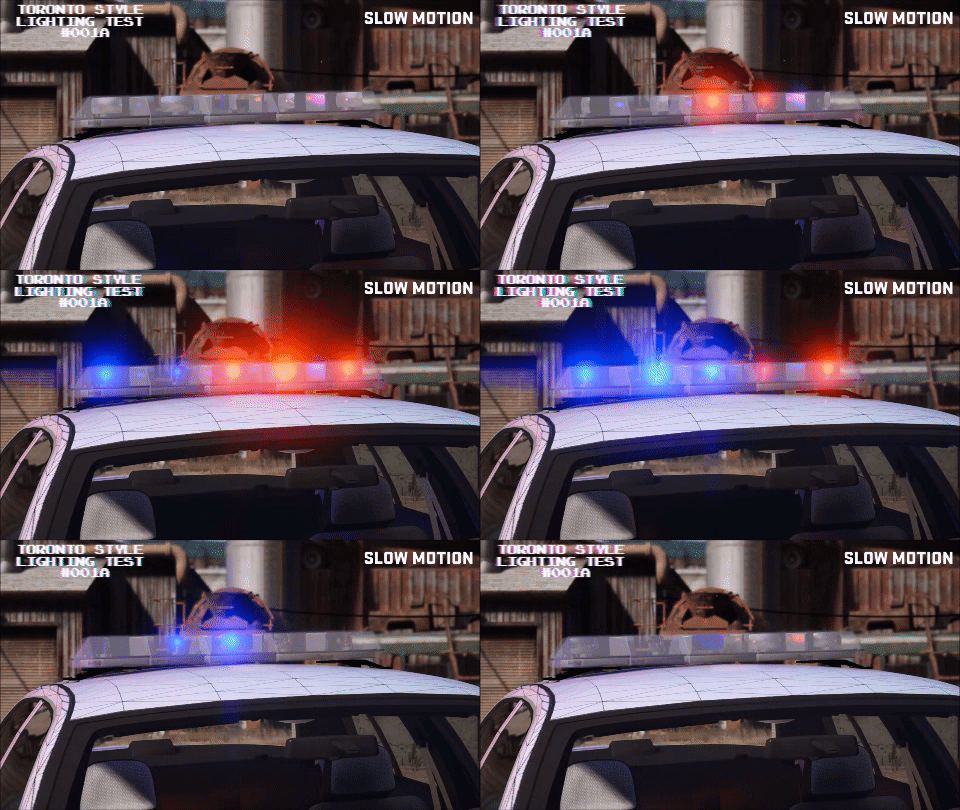
For a new pack, I'm planning on making an LSPD themed pack based off the Toronto PD. For this I've been working for about 7 hours on getting the middle rotor to be multi-coloured, featuring two coronas.
This is the closest I've come, and I feel I'm able to share this with you now. Yes, the timing it still off by a few milli-seconds (seen best in slow-mo) but I don't think I can come any closer to this.
The video and GIFs below shows off the light bar's features:
.gif.851274c5024fc27dde8871b27f24884d.gif)
Video:
Spoiler
Copyright
© Jedahdiah
Recommended Comments
Join the conversation
You can post now and register later. If you have an account, sign in now to post with your account.