Skip to content
View in the app

A better way to browse. Learn more.

LCPDFR.com

A full-screen app on your home screen with push notifications, badges and more.

To install this app on iOS and iPadOS
  1. Tap the Share icon in Safari
  2. Scroll the menu and tap Add to Home Screen.
  3. Tap Add in the top-right corner.
To install this app on Android
  1. Tap the 3-dot menu (⋮) in the top-right corner of the browser.
  2. Tap Add to Home screen or Install app.
  3. Confirm by tapping Install.

Which livery?

Vote on your favorite livery!

  1. 1. Which one seem more practical?

    • Keep the red/blue!
      7%
    • Keep the luminous yellow!
      92%
  2. 2. Which one looks better?

    • The red/blue one!
      21%
    • The luminous yellow!
      78%

Please sign in or register to vote in this poll.

Featured Replies

So, some time back the Norwegian police decided they may wanted to change the looks of their cars, and they have released a few test-cars, so i just wanted to hear your thoughts on both the new and old livery, and which one you think they should keep!

So, i don´t know about you, but i prefer the old one, as the first thing that hits me when i see the new livery is: Construction worker

biggrin.gif

So, here is the old red/blue one:

1306477629463_66.jpg

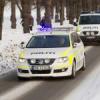
And here is the new luminous yellow one:

nye_biler_politi_81111516x9.jpg

yes i think the yellow one is better

76561198026310847.png
Twitter: @taximan_5 - PSN: Sheriff_Taxi - Xbox Live: taximan5 - Steam: taximan5 - Social Club: Sheriff_Taxi

Yellow is sort of copycat of the Dutch police vehicles.

[center][url="http://styragressor.tumblr.com/post/33331898333"][img]http://i.imgur.com/b2aNE.gif[/img][/url][/center]

Yellow one is practical and cool, but I think no one has found a way to modify the spec of liveries... so I guess any of them?

  • 2 weeks later...

I like red/blue on police cars, especially if it has the right light bars i like and my favorite light pattern.

The red/blue looks better, but the yellow would definitely do a good job in the snowy areas outside of the cities, even though you're right, it reminds me of construction workers xD

Join the conversation

You can post now and register later. If you have an account, sign in now to post with your account.

Guest
Reply to this topic...

Recently Browsing 0

  • No registered users viewing this page.

Account

Navigation

Search

Search

Configure browser push notifications

Chrome (Android)
  1. Tap the lock icon next to the address bar.
  2. Tap Permissions → Notifications.
  3. Adjust your preference.
Chrome (Desktop)
  1. Click the padlock icon in the address bar.
  2. Select Site settings.
  3. Find Notifications and adjust your preference.