Skip to content
View in the app

A better way to browse. Learn more.

LCPDFR.com

A full-screen app on your home screen with push notifications, badges and more.

To install this app on iOS and iPadOS
  1. Tap the Share icon in Safari
  2. Scroll the menu and tap Add to Home Screen.
  3. Tap Add in the top-right corner.
To install this app on Android
  1. Tap the 3-dot menu (⋮) in the top-right corner of the browser.
  2. Tap Add to Home screen or Install app.
  3. Confirm by tapping Install.

LAPD Realistic Yelp 1.0.1

(0 reviews)

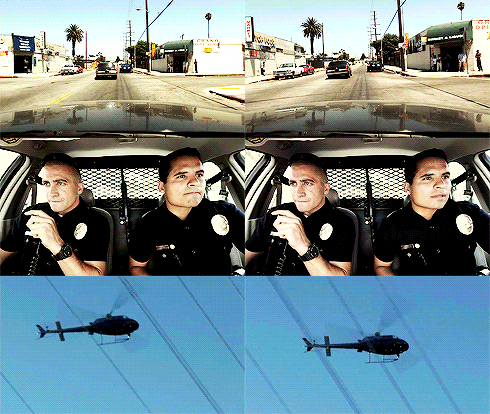
1 Screenshot

Go to C:\Program Files\Rockstar Games\Grand Theft Auto V\mods\x64\audio\sfx\RESIDENT.rpf\
Export the vehicles.awc you need to add my 2 files and then you go to import openFormats and you need to choose the vehicles.oac. 
done!  


the wail tone is not included!

only the yelp!


GTA Siren : https://www.youtube.com/watch?v=H2aKJ1FIt5U (The wail tone in the video is not included!)

in real : https://www.youtube.com/watch?v=nNTRO322Cmk

User Feedback

Recommended Comments

xxWANTEDxx

Members

Nice !

JackLabs

Members

I can not figure out the install.  How do you add the files to vehicles.oac once it is exported, openIV doesn't work

Steele1925

Members

21 minutes ago, jackmadden said:

I can not figure out the install.  How do you add the files to vehicles.oac once it is exported, openIV doesn't work

https://youtu.be/gCAuilz1nbs?t=38m15s Jeff will help you :thumbsup:

OfficerLukas504

Members Author

24 minutes ago, jackmadden said:

But there is no .oac file in the download.  how do I add the two files to one?

just export your vehicles.awc and drag the to files in there

JackLabs

Members

4 hours ago, OfficerLukas504 said:

just export your vehicles.awc and drag the to files in there

How do I drag the files in though, that's what the problem is.  I can't open it with OpenIV, or anything else.

OfficerLukas504

Members Author

1.  Go to C:\Program Files\Rockstar Games\Grand Theft Auto V\mods\x64\audio\sfx\RESIDENT.rpf\

2.  export the vehicles.awc with openFormats to a folder.

3.  drag and drop the 2 sound files in the vehicles folder.

4.  So now you click on Import openFormats in OpenIV and choose the vehicles.oac in your folder.


joe25

Members

all i want to do is add a Yelp only Sound when Holding the button "A" on my controller (so it must be configurable), instead of holding down the Left Thumb button (G). Siren on press once, siren off press again, which is also my steering for gta v, so i can Speed down and navigate properly on intersections. anyone know how i can do that ?

> if i Hold (G) (Siren) which is Left Thumb button on controller + (Left thumb is my Steering) that will Yelp + Crashing into Cars in intersection = Bad Experience :(

if anyone knows how, please let me know. thanks


LtSnoDawg69

Members

On 12/28/2015 at 2:51 PM, joe25 said:

all i want to do is add a Yelp only Sound when Holding the button "A" on my controller (so it must be configurable), instead of holding down the Left Thumb button (G). Siren on press once, siren off press again, which is also my steering for gta v, so i can Speed down and navigate properly on intersections. anyone know how i can do that ?

> if i Hold (G) (Siren) which is Left Thumb button on controller + (Left thumb is my Steering) that will Yelp + Crashing into Cars in intersection = Bad Experience :(

if anyone knows how, please let me know. thanks


why not use the controller for vehicle controlling and use the keyboard for your sirens and lights.

Create an account or sign in to comment

Latest Mods

Account

Navigation

Search

Search

Configure browser push notifications

Chrome (Android)
  1. Tap the lock icon next to the address bar.
  2. Tap Permissions → Notifications.
  3. Adjust your preference.
Chrome (Desktop)
  1. Click the padlock icon in the address bar.
  2. Select Site settings.
  3. Find Notifications and adjust your preference.










