


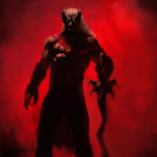

🏙️ HoodCalm — uninvolved gang members flee from gunfire instead of joining it
❌ The problem
You make a stop in Davis. It escalates, you have to fire — and suddenly the entire hood is on you. It doesn't even matter whether the person you stopped was a gang member. One shot, and every gang member on the block draws a weapon and comes for you.
It gets worse in the situation you run into constantly on patrol: you stop a group inside the hood, and two or three other groups are standing around nearby. The moment shots are exchanged, all of them join in. A single contact turns into a twenty-man firefight that no patrol officer would ever survive — or cause.
✅ What HoodCalm does
Now only the group you actually dealt with fights back. The others clear out.
A ped keeps fighting — exactly as before — if:
• you aimed at them
• you damaged them
Everyone else leaves the area.
That's the whole point. The stop still escalates. The people you confronted can still pull guns on you, and it can still turn into a proper gunfight. What no longer happens is the three groups standing around the corner deciding to join in.
🚫 What it does not do
It does not make anyone permanently peaceful. It does not touch relationship files, weapon files, or anything else in your game. It reacts to gunfire, redirects uninvolved peds, and releases them again.
📋 Requirements
• ScriptHookV
• ScriptHookVDotNet 3 (nightly build recommended)
No other dependencies. Works with or without LSPDFR.
💾 Installation
Drop HoodCalm.dll and HoodCalm.ini into your "scripts" folder.
⚙️ Configuration
Everything is adjustable in the INI: reaction radius, flee distance, how long someone counts as involved, and whether armed gang members flee too or stand their ground.
Two settings worth knowing:
• AffectArmedPeds — set to false if you want armed groups to stay dangerous instead of scattering.
• ShowNotifications — shows how many peds were sent away on each event. Useful while tuning, easy to switch off.
A log is written to Documents\HoodCalm.log with one line per gunfire event, so you can see exactly what the mod decided and why.
⚠️ Known limitation
The mod can't query LSPDFR, so it can't tell whether a ped belongs to an active callout. It only affects peds whose relationship group is an ambient gang group, which callout suspects normally don't use. If you write callouts that spawn suspects using ambient gang groups, please test before relying on it.
🤖 AI disclosure
This plugin was written with generative AI. The C# code was produced by Claude Opus 5 (Anthropic) in an iterative process: I defined the behaviour, ran every build in-game, reported what went wrong, and the code was corrected over several revisions until it worked.
The documentation and this description were written with the same assistance.
Everything was tested by hand in-game before release. No third-party code was copied or decompiled — the plugin uses only the public ScriptHookVDotNet API and GTA V natives.
📂 Source
Source code is included. Do with it what you like.
Edited by GermanModz
Short Description
AI disclosure
The author has disclosed that AI tools were used in creating the following aspects of this file:
- Description
- Mod and Mod Content (Substantial)
Problem was gang NPCs started shooting if i shoot someone in Gang Areas, i created a script with Claude to fix that.






![[ELS-HYBRID] [ADD-ON] 2023 Georgia State Patrol Camaro Pack](http://s3-screenshots.int-cdn.lcpdfrusercontent.com/monthly_2026_09/Screenshot_3588.thumb.png.bd7969659ee0087cd3cf2b0a2201b65d.png)
![[ELS-HYBRID] [ADD-ON] 2017-24 Georgia State Patrol Mini-Pack](http://s3-screenshots.int-cdn.lcpdfrusercontent.com/resize/500/-/monthly_2026_09/Screenshot_3643.thumb.png.bfa68294135f2c877ff7557e4aeed0d0.png)
![Audi RS7 Glasslight [FiveM Ready] (GL Customs)](http://s3-screenshots.int-cdn.lcpdfrusercontent.com/resize/500/-/monthly_2026_10/Screenshot2026-10-13135212.thumb.png.932d4ba10d18100886e31ace7f9f63cf.png)



Recommended Comments
Create an account or sign in to comment