




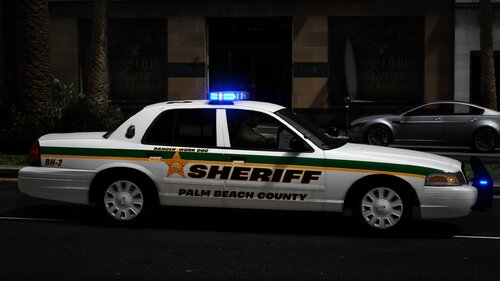
This is a quick and easy to install config file so you can use Dynamic Lighting System with the Vanilla Vehicles. I do not own DLS or any of the vehicles used.
Please note I am always looking for feedback on my work!
TO USE THIS YOU NEED DLS V2
Dynamic Lighting System:
My Plans
- Add More Vanilla Vehicles
- Make Custom Stage 3
Edited by Oliver Raw
Short Description
A simple XML file so you can use DLS with vanilla vehicles
@TheMaybeast - DLS
@PNWParksFan - LiveLights plugin
@PNWParksFan - LiveLights plugin
![[FiveM Ready] LACoFD Battalion 6 Chevrolet Suburban | Non-ELS | 32 Sirens](http://s3-screenshots.int-cdn.lcpdfrusercontent.com/resize/500/-/monthly_2026_10/photo1.thumb.png.a26737ac0dbfebf3d7207875866d0f75.png)






Recommended Comments
Create an account or sign in to comment