


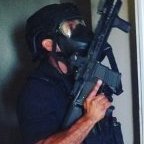


All screenshots are taken from discord server of gta-world.ru
install - drop folder "LoadingScreens" to your gta5 main folder, open RPH, go to settings - advanced, enable custom backgrounds for loading screens.
ru - Все скриншоты были взяты с дискорда gta-world.ru.
установка - перекиньте папку "LoadingScreens" в корень игры, откройте RPH, зайдите в настройки, advanced, включите custom backgrounds for loading screens.

What's New in Version 0.3
Released
screenshots from the fire department have been added
Short Description
LSPDFR Loading Screens
komuuk, kord, militarization of law enforcements, AllBoutDaBones,




![[ELS-Hybrid | DLC/Addon] Oroville Police 2020-2025 FPIU Pack](http://s3-screenshots.int-cdn.lcpdfrusercontent.com/monthly_2026_07/4.thumb.png.643c4e7b1565412c94a6df71a9e2202c.png)


Recommended Comments
Create an account or sign in to comment