
Skip to content
View in the app

A better way to browse. Learn more.

LCPDFR.com

A full-screen app on your home screen with push notifications, badges and more.

To install this app on iOS and iPadOS
  1. Tap the Share icon in Safari
  2. Scroll the menu and tap Add to Home Screen.
  3. Tap Add in the top-right corner.
To install this app on Android
  1. Tap the 3-dot menu (⋮) in the top-right corner of the browser.
  2. Tap Add to Home screen or Install app.
  3. Confirm by tapping Install.

Improved Pursuit AI 1.2.0

(8 reviews)

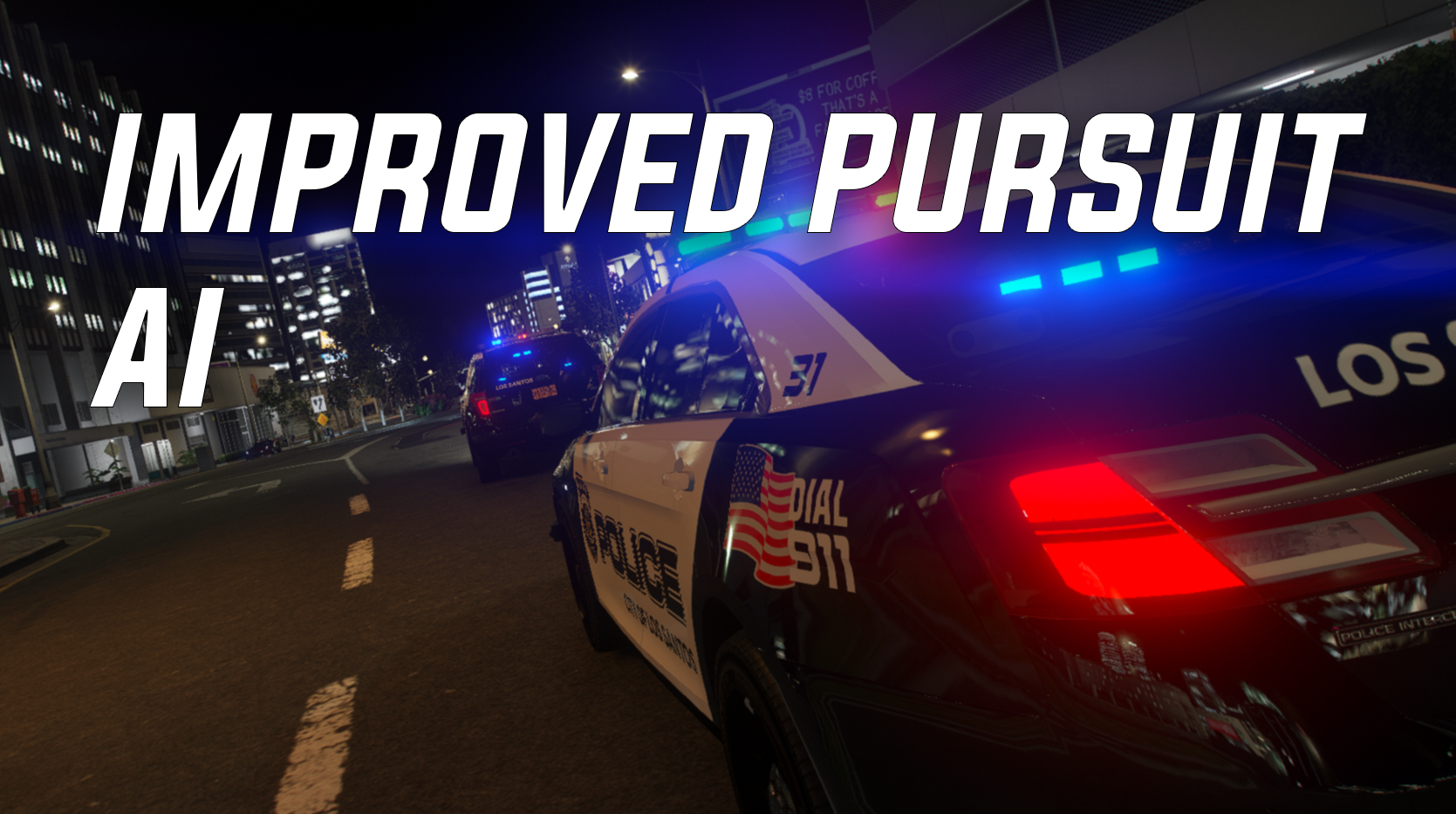
1 Screenshot

This mod improves the behavior AI backup in pursuits. Tired of seeing AI constantly and randomly go for pits on suspects? Tired of seeing AI drive out in front of a suspect for no reason and cause a major accident? Well I was, the default LSPDFR pursuit menu (keybind is N by default) seemed to be very inconsistent with its ability to stop backup units from utilizing tactics such as pits on AI, so I decided to fix that. With this mod installed, you now have complete control over when backup units go in for a pit on the suspect vehicle (by utilizing the pursuit menu and enabling/disabling tactics, which actually works properly now!). AI is also a bit more tame, when tactics are disabled, AI will just follow the suspect in a proper line. backup AI units will even slow down for you if you attempt to take primary, and they do not fight you for primary position in a pursuit. This mod does not change suspect AI, or any AI that is not labeled as police.


What this mod does:

AI units no longer drive out in front of suspects when joining pursuits to try and "block" the suspect (weirdly enough this was an intentional feature)

AI units are more tame and will follow the suspect in a line (especially when tactics are disabled)

AI units no longer crash into each other constantly during pursuits to fight for a position

AI units do their best to stay behind the suspect vehicle, they do not try and drive out in front of the suspect to block them

The default LSPDFR pursuit menu works properly now, if tactics are disabled, AI units do not try and pit the suspects, they will only move in for pits when tactics are enabled.

AI units slow down for you if you try and pass them to take primary, and if you want the AI to take primary you pull over and let them pass (you need to make a complete stop on your car or else it may look a bit buggy)


NOTE: Tactics in the pursuit menu are usually enabled by default when the pursuit starts, so make sure to disable it if you do not want AI to go for pits.


KNOWN ISSUES: Sometimes, even though you disable tactics in the pursuit menu, the AI will still try and pit the suspect, this can be fixed by simply cycling the tactics between enabled and disabled. 


To get the best result from this mod, I recommend you install AI Traffic Fluidity and Discipline (link to the mod below). if you do not install it, you may not get the same results that I did. But it is not required, this mod will work just fine without it.


Wanna see WIPs of future mods and plugins? Join the discord!: https://discord.gg/xerjdGeTA7


Edited by Echooo

What's New in Version 1.2.0

Released

Update 1.1
- Made some adjustments to the police and FBI handling lines in the "handling.meta". This will improve AI units ability to dodge other vehicles in the roadway.  This will NOT change the actual handling of the vehicle. It only changes how good AI units are at driving the police vehicles. 


- I believe I found the reason why traffic drives so slow when using AI Traffic Fluidity and Discipline. Check the readme for instructions on how to install that mod without getting the slow traffic issue. 


- Made some improvements to the way AI backup units approach a pursuit if they fall behind. They should now slow down a bit sooner as they approach the pursuit from behind. This should fix the issue some players may occasionally get when an AI unit falls behind, then approaches the pursuit at really high speeds, which may cause them to ram into your vehicle or other units.


- Updated the readme with more detailed instructions to avoid conflicts with other mods. Please read through it to avoid possible issues with other mods or personal edits.


Feedback is always appreciated!


Update 1.2
- Slightly lowered the "speed boost" that AI units get when they fall behind in a pursuit.


- Slightly increased the distance at which units follow the suspect, this should give you more room to work around as a primary unit without having to worry about AI units passing you.


Short Description

More control over AI units in pursuits!

User Feedback

Recommended Comments

DarKKlusteR

Members

Thanks for this. It's honestly so annoying to have to worry about my backup rear-ending me causing me to spin out, and then having to catch back up for like 20min in an active pursuit. Or to see 5 other units crashing each other while being the only unit to keep up. A preview video would be nice so others know what to expect when it comes to this mod. 

Echooo

Members Author

(edited)

12 hours ago, Mh Sucio said:

Your Mod made all my AI drive slow on the freeways now. Not one car goes over 50mph

Not sure what would cause this, the changes I have made has no affect on that. AI Traffic Fluidity and Discipline might be the cause of this, however I haven't had this issue with that mod installed either. 

10 hours ago, andy22296 said:

Could you make 1 hotkey to enable/disable pusuit tactics? or (if possible) make them disabled by default?

I'd have to make a plugin to be able to do that most likely, which I do not plan to do. The goal is to improve AI without causing any loss of fps. Maybe in the future though

9 hours ago, DarKKlusteR said:

Thanks for this. It's honestly so annoying to have to worry about my backup rear-ending me causing me to spin out, and then having to catch back up for like 20min in an active pursuit. Or to see 5 other units crashing each other while being the only unit to keep up. A preview video would be nice so others know what to expect when it comes to this mod. 

Working on that!

Edited by Echooo

Robbie X

Members

On 5/1/2022 at 3:47 AM, Mh Sucio said:

Your Mod made all my AI drive slow on the freeways now. Not one car goes over 50mph

It’s defiantly traffic and fluidity. I had the same problem and i found out it was only one of the files and after I took it out it worked perfectly fine. 

MRFLAME's

Members

Not work

Echooo

Members Author

(edited)

9 hours ago, Rob turner said:

It’s defiantly traffic and fluidity. I had the same problem and i found out it was only one of the files and after I took it out it worked perfectly fine. 

Yeah thought so, its not required for this mod to work, but recommended. You can still use this mod without it if you'd like, but the results may very. When the next update comes out ill update the description to mention that issue with traffic fluidity and discipline. 

1 hour ago, GeoffreyGamer said:

Just did a tutorial showcase! Love it!!!

Thanks! Currently working on an update for this mod with more features and improvements 👀

Edited by Echooo

Mh Sucio

Members

12 hours ago, Rob turner said:

It’s defiantly traffic and fluidity. I had the same problem and i found out it was only one of the files and after I took it out it worked perfectly fine. 

The issue I am having is, I already had traffic and fluidity downloaded before this mod and cars were going fast. Now they don't go over 50mph, but I will still be able to clock cars going 78mph when its clearly going the same pace as the other vehicles in heavy traffic.

Echooo

Members Author

On 5/2/2022 at 6:41 PM, Mh Sucio said:

The issue I am having is, I already had traffic and fluidity downloaded before this mod and cars were going fast. Now they don't go over 50mph, but I will still be able to clock cars going 78mph when its clearly going the same pace as the other vehicles in heavy traffic.

I have no idea what could be the cause of this then, the mod makes no edits to any AI besides AI flagged as "cop" or "swat." If possible try removing my mod using the backup I included and let me know if that fixes it, if it doesn't then the issue is not caused by my mod. 

londonrials

Members

Looks good. Saw this a few days ago but going to try it out today hopefully. Can't wait to give it a review.

AllIsVanity

Members

(edited)

Hey this is nice but you can actually change whether AI uses ramming. blocking and pitting in the combattasks.ymt (inside update.rpf/x64/data/tune)

search for CTaskVehicleChase and you can set the WeightToRamFromPursue to 0 

I think this would be a nice addition to the mod

Edited by AllIsVanity

SpartanGaming

Members

is this also supposed to change their ramming desire? cuz i installed it but they still slam their car in the suspect like a crazy maniac lol

Echooo

Members Author

5 hours ago, AllIsVanity said:

Hey this is nice but you can actually change whether AI uses ramming. blocking and pitting in the combattasks.ymt (inside update.rpf/x64/data/tune)

search for CTaskVehicleChase and you can set the WeightToRamFromPursue to 0 

I think this would be a nice addition to the mod

I have been looking into combattasks.ymt for a few days, future updates will likely involve that file. 

41 minutes ago, SpartanGaming said:

is this also supposed to change their ramming desire? cuz i installed it but they still slam their car in the suspect like a crazy maniac lol

You need to disable tactics in the pursuit menu for them to stop pitting the suspect. 

SpartanGaming

Members

7 hours ago, Echooo said:

I have been looking into combattasks.ymt for a few days, future updates will likely involve that file. 

You need to disable tactics in the pursuit menu for them to stop pitting the suspect. 

ah cr*p then i have to re-enable the pursuit menu cuz i disabled the key for it so it won't intervene with something else yikes 

Echooo

Members Author

3 hours ago, SpartanGaming said:

ah cr*p then i have to re-enable the pursuit menu cuz i disabled the key for it so it won't intervene with something else yikes 

Yep, this mod (at least... the first version) revolves around the pursuit menu. Future updates will expand beyond that.

Echooo

Members Author

(edited)

In the next update I will also include a more detailed description on what files to install for AI Traffic Fluidity and Discipline and what files to NOT install. After looking at the files for that mod, I am pretty sure it is a specific file in that mod that causes the "AI driving slow" issue some people have reported. 

Edited by Echooo

Trooper Max

Members

Ok so what do you do if you have a modded combatbehaviour.meta?

Echooo

Members Author

5 hours ago, Trooper Max said:

Ok so what do you do if you have a modded combatbehaviour.meta?

Add the flags "BF_DisableBlockFromPursueDuringVehicleChase BF_DisableSpinOutDuringVehicleChase BF_DisableCruiseInFrontDuringBlockDuringVehicleChase" to "cop" and "swat" in the combatbehavior.meta

Corrupt412

Members

(edited)

Nice work!

Edited by Corrupt412

Vireo

Members

What's the car pack in the picture?


Echooo

Members Author

5 hours ago, Vireo said:

What's the car pack in the picture?


this pack with different vehicle textures, forgot the name of the texture pack sadly. 

DooVan

Members

On 5/9/2022 at 8:13 PM, Echooo said:

In the next update I will also include a more detailed description on what files to install for AI Traffic Fluidity and Discipline and what files to NOT install. After looking at the files for that mod, I am pretty sure it is a specific file in that mod that causes the "AI driving slow" issue some people have reported. 

Do you have a backup file of the Pedpersonality,ymt file ?? it will be so helpful my AI drive slow now... I forgot to not install the pedpersonality,ymt from AI Traffic & discipline..

Echooo

Members Author

1 minute ago, DooVan said:

Do you have a backup file of the Pedpersonality,ymt file ?? it will be so helpful my AI drive slow now... I forgot to not install the pedpersonality,ymt from AI Traffic & discipline..

Just go into your game directory (outside your mods folder) and find the default gta ped personality file, extract it, and replace the one in the mods folder with it.

Lemurrinio

Members

Unfortunately, after a few minutes I get an error and the game crashes.

Create an account or sign in to comment

Account

Navigation

Search

Search

Configure browser push notifications

Chrome (Android)
  1. Tap the lock icon next to the address bar.
  2. Tap Permissions → Notifications.
  3. Adjust your preference.
Chrome (Desktop)
  1. Click the padlock icon in the address bar.
  2. Select Site settings.
  3. Find Notifications and adjust your preference.







