
Skip to content
View in the app

A better way to browse. Learn more.

LCPDFR.com

A full-screen app on your home screen with push notifications, badges and more.

To install this app on iOS and iPadOS
  1. Tap the Share icon in Safari
  2. Scroll the menu and tap Add to Home Screen.
  3. Tap Add in the top-right corner.
To install this app on Android
  1. Tap the 3-dot menu (⋮) in the top-right corner of the browser.
  2. Tap Add to Home screen or Install app.
  3. Confirm by tapping Install.

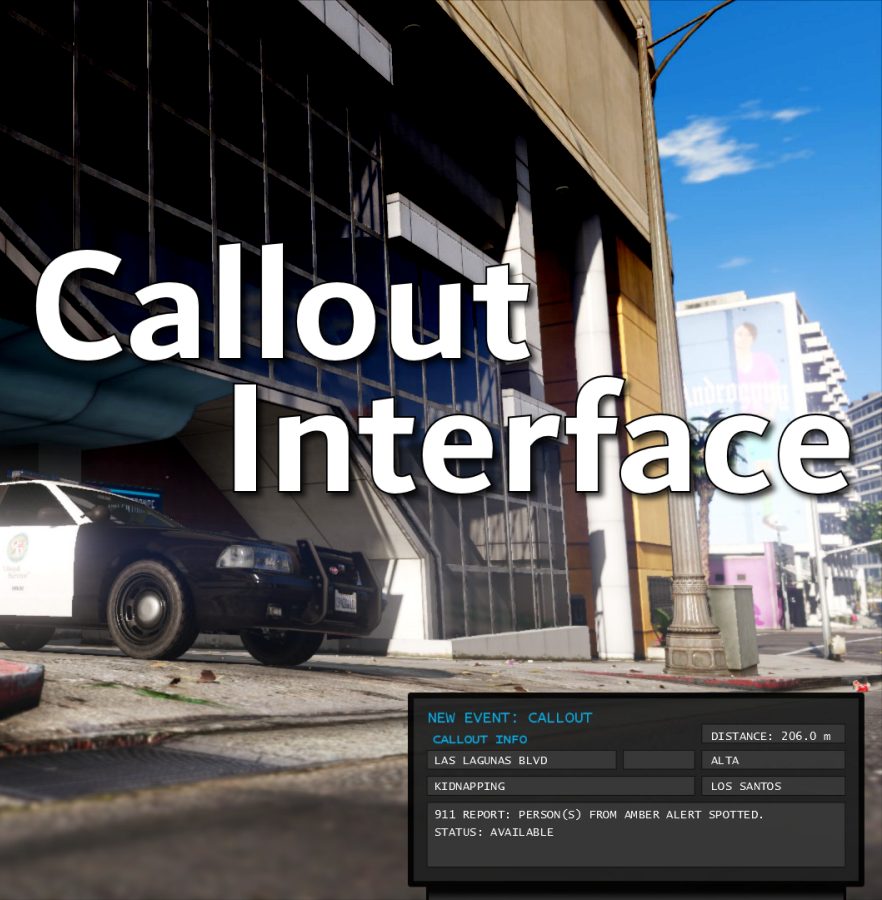
Callout Interface 1.4.1

(46 reviews)

7 Screenshots


Callout Interface
A new way to interact with callouts.
 

Features:

  • RAGENativeUI menu front-end to start a callout
  • Force a random callout via keybind
  • Advanced MDT with multiple status buttons and tabs
  • Callouts can be sent to the MDT while you're on another callout
  • A fully functioning ALPR system with advanced camera layouts
  • External license plate display


Support:
Discord Serverhttps://discord.gg/AuJCUag

Developer API https://github.com/Immersive-Plugins-Team/CalloutInterfaceAPI


Recommended Callout Packs:

686 Callouts  link
Chaos Calloutslink
Super Calloutslink


New in Version 1.4.1


Edited by opus49
added latest dev diary and some new screenshots

What's New in Version 1.4.1

Released

New in Version 1.4.1

Added

  • Dependency checker
  • Hot key for toggling ALPR key on/off
  • Automatic tab switching (when enabled)
  • Automatic blips for ALPR
     

Changed

  • Toggling off MDT will exit interactive mode
  • Delayed and put checks around camera object creation


Fixed

  • Fixed a bug with ALPR debug mode where the graphics would get stuck


New in Version 1.4

Added

  • Realistic multi-camera ALPR system
  • Dynamic traffic stop that nobody someone likes
  • External license plate display widget
  • Silent callout system and log

Changed

  • Completely overhauled the MDT
  • Migrated graphics handling to RawCanvasUI

Short Description

Interface with callouts.

User Feedback

Recommended Comments

opus49

Insiders Author

11 minutes ago, javier0911 said:

You have some kind of bad plugin:


Spoiler

[1/9/2022 12:52:34 PM.858] LSPD First Response: Unable to load one or more of the requested types. Retrieve the LoaderExceptions property for more information.   at System.Reflection.RuntimeModule.GetTypes(RuntimeModule module)
[1/9/2022 12:52:34 PM.858] at System.Reflection.Assembly.GetTypes()
[1/9/2022 12:52:34 PM.858] at NTejdbcFZyvoUcpfMyHzsTELHujL.xduSSqkAfQjcGfDYvIThKKPvCkiqA() in E:\GTA V\LSPD First Response\LSPD First Response\Mod\Callouts\CalloutManager.cs:line 738


It's either ClassLibrary12 or whatever is after it alphabetically.

flyme

Members

Hello Sir , Can you make an option to hide or turn off the callout information that is displayed over the map HUD - If this mod is going to handle the information of callouts there is no need to have the other information repeating over the (mini)map radar HUD . It would be best to have an option to turn this completely off or as an option to leave . thanks .

opus49

Insiders Author

(edited)

23 hours ago, flyme said:

Hello Sir , Can you make an option to hide or turn off the callout information that is displayed over the map HUD - If this mod is going to handle the information of callouts there is no need to have the other information repeating over the (mini)map radar HUD . It would be best to have an option to turn this completely off or as an option to leave . thanks .

Hi and thanks for the suggestion.  Those notifications are part of LSPDFR and AFAIK there is no way to disable them  someone posted below how to turn them off.  Cheers.

Edited by opus49

Nemesisx101

Members

Pity scanner audio for callouts exceeding distance limit still come through… 

opus49

Insiders Author

4 minutes ago, Wolfx101 said:

Pity scanner audio for callouts exceeding distance limit still come through… 


Well thanks for focusing on the negative. 😆

jacalapar

Members

Love the new update! Just 1 thing, is there any way you could make it so that I don't have to press the keybind to bring up the terminal when in my car when i first get on patrol and just have it automatically turned on whenever i get in my vehicle? I like the feature where after i press the terminal key it comes up then whenever im in a car it will only show, but id love to not have to press that terminal key when getting on duty initially and have it pop up automatically whenever im in a vehicle. Hopefully this makes sense!

opus49

Insiders Author

30 minutes ago, jacalapar said:

Love the new update! Just 1 thing, is there any way you could make it so that I don't have to press the keybind to bring up the terminal when in my car when i first get on patrol and just have it automatically turned on whenever i get in my vehicle? I like the feature where after i press the terminal key it comes up then whenever im in a car it will only show, but id love to not have to press that terminal key when getting on duty initially and have it pop up automatically whenever im in a vehicle. Hopefully this makes sense!

Do you mean like an "always on while in car" setting?

jacalapar

Members

1 minute ago, opus49 said:

Do you mean like an "always on while in car" setting?

no, even when i have that option on, when i initially go on duty and get into a car, i have to initially press the terminal key. I dont want to have to press the terminal key at all and just have it automatically turn on when i get into my FIRST vehicle. Hopefully that helps. And when does our callsign pop up on all of our callout packs installed?

opus49

Insiders Author

1 minute ago, jacalapar said:

no, even when i have that option on, when i initially go on duty and get into a car, i have to initially press the terminal key. I dont want to have to press the terminal key at all and just have it automatically turn on when i get into my FIRST vehicle. Hopefully that helps. And when does our callsign pop up on all of our callout packs installed?

Still trying to clarify - do you want it to *always* be on when you are in a car?  Or do you want it to just be toggled on by default?  Or you want it to be toggled on automatically when entering a car?


I don't understand your callsign question.  You should see your callsign in the log when you accept a callout.  The callout packs do not have access to it (yet).

jacalapar

Members

OK so when I go on duty, and get into my first car. I already have the terminal set to on automatically when I get into a car. When I get into my car though, I have to press the terminal key (first off) to bring up the terminal for the first time went on duty. I don't wanna have to press the terminal key initially. I want to have it on in the first place. When in a car.

opus49

Insiders Author

2 minutes ago, jacalapar said:

OK so when I go on duty, and get into my first car. I already have the terminal set to on automatically when I get into a car. When I get into my car though, I have to press the terminal key (first off) to bring up the terminal for the first time went on duty. I don't wanna have to press the terminal key initially. I want to have it on in the first place. When in a car.

I appreciate your patience.  I think the disconnect is because there currently isn't a setting for "have the terminal set to on automatically when I get into a car."  That doesn't exist.  The setting you do have is for it to work *only* while in car, such that if you get out of a vehicle, it disappears.


I think there are multiple solutions here and I want to pick the right one. 


Let's say you're in the car and you've manually toggled the MDT off.  Then you exit your vehicle and then re-enter your vehicle.  Do you want the MDT to appear then?  If so, then what I can do is offer a "automatically turn on when entering vehicle" flag which doesn't currently exist.


If that's not what you want, I can offer a "InitialToggledOn" flag that you could enable such that you start the game with it toggled on and as long as you don't manually toggle it off, it will show whenever you get in a car.  But I need clarification on which option you're looking for.


jacalapar

Members

3 minutes ago, opus49 said:

I appreciate your patience.  I think the disconnect is because there currently isn't a setting for "have the terminal set to on automatically when I get into a car."  That doesn't exist.  The setting you do have is for it to work *only* while in car, such that if you get out of a vehicle, it disappears.


I think there are multiple solutions here and I want to pick the right one. 


Let's say you're in the car and you've manually toggled the MDT off.  Then you exit your vehicle and then re-enter your vehicle.  Do you want the MDT to appear then?  If so, then what I can do is offer a "automatically turn on when entering vehicle" flag which doesn't currently exist.


If that's not what you want, I can offer a "InitialToggledOn" flag that you could enable such that you start the game with it toggled on and as long as you don't manually toggle it off, it will show whenever you get in a car.  But I need clarification on which option you're looking for.


If that's not what you want, I can offer a "InitialToggledOn" flag that you could enable such that you start the game with it toggled on and as long as you don't manually toggle it off, it will show whenever you get in a car.  But I need clarification on which option you're looking for.


THIS IS BINGO!! SPOT ON!! Please add it that way i never have to press that terminal key anymore and it will be on in the first place when starting my game lmao

Dippa

Members

@opus49 You knocked this right out of the park!! I LOVE this mod! Is it possible to be able to manually config the empty Agency box on the ini? I would love to be able to put in what ever agency I am using at the time in there!

opus49

Insiders Author

34 minutes ago, Dippa said:

@opus49 You knocked this right out of the park!! I LOVE this mod! Is it possible to be able to manually config the empty Agency box on the ini? I would love to be able to put in what ever agency I am using at the time in there!

HI and thanks.  The intent of the agency is for callout developers to specify an agency so you know whether or not the callout is something that matches the agency you are playing.  Having said that, once you accept a callout, it should default to whatever agency you are playing. 

Thinking about it - it would be possible to have a setting where you could specify a "default" agency in case the callout doesn't set it.  i'll give it some thought.

Dippa

Members

(edited)

42 minutes ago, opus49 said:

HI and thanks.  The intent of the agency is for callout developers to specify an agency so you know whether or not the callout is something that matches the agency you are playing.  Having said that, once you accept a callout, it should default to whatever agency you are playing. 

Thinking about it - it would be possible to have a setting where you could specify a "default" agency in case the callout doesn't set it.  i'll give it some thought.

That sounds great! The thing is, I've changed the game agencies to fit where I live such as Maryland State Police for hwy patrol, PG County police for the county etc. Those angencies would not appear in the allotted box regardless of callout developers yanno? And I personally do not load or put in say FBI callouts if I am playing as State troopers. Great stuff anyway you slice it though.

Edited by Dippa

9Lincoln20

Members

(edited)

Is anyone having an issue when you ignore a call out no other units attach themselves. After installing the new update other units picked up the calls I ignored and the data showed up on the MDT on which unit took the call.
 

However after a few calls the other units stopped taking calls the audio of other units responding and has stopped playing and no data of other units displays on the MDT. 

Edited by 9Lincoln20

opus49

Insiders Author

5 hours ago, 9Lincoln20 said:

Is anyone having an issue when you ignore a call out no other units attach themselves. After installing the new update other units picked up the calls I ignored and the data showed up on the MDT on which unit took the call.
 

However after a few calls the other units stopped taking calls the audio of other units responding and has stopped playing and no data of other units displays on the MDT. 

They only attach to ignored callouts over the max distance.

It's explained here:

https://www.youtube.com/watch?v=JIkFidXifqA

MadMaks

Members

what is MDT?

opus49

Insiders Author

14 minutes ago, MaksimHand said:

what is MDT?

Mobile Data Terminal

MadMaks

Members

45 minutes ago, opus49 said:

Mobile Data Terminal

ty ❤

no29rules

Members

Love the plug in. Is it possible to add an on/off selector for the callouts. What I mean is say I have five callout packs installed but I only want to work with one callout pack I can turn the other ones off

Create an account or sign in to comment

Latest Mods

Account

Navigation

Search

Search

Configure browser push notifications

Chrome (Android)
  1. Tap the lock icon next to the address bar.
  2. Tap Permissions → Notifications.
  3. Adjust your preference.
Chrome (Desktop)
  1. Click the padlock icon in the address bar.
  2. Select Site settings.
  3. Find Notifications and adjust your preference.





