


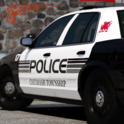


I mostly made this for personal reasons, but figured I'd upload them for anyone else interested in having some cool loading screens. There are in total 12 of them, 9 Philadelphia PD, 2 Pennsylvania State Police, and 1 Philadelphia Fire Department (Medic 17).
I did not create any of these vehicles myself, full credit goes to the people who created the vehicles and uniforms. Speaking of which;
Philly PD Pack I used:
(Wonderful looking pack, highly recommend)
This is the ambulance seen in the one screenshot:
I made the Philadelphia FD skin myself, might release that in a little bit, time will tell. (This ambulance is also very nice, I'd recommend 100%)
What's New in Version 1.0.1
Released
Change log:
-Made changes to the sizing of 8 of the pictures so vehicles were not centered behind the RPH Loading Box
-Added 2 new Philadelphia FD pictures
-Trimmed some pictures to get rid of the cursor being in view
-Let me know if you notice any issues on the pictures so I can fix them, enjoy!
(I plan on releasing the skins for the fire truck and ambulance after I polish them up a bit, stay tuned for those if you are interested)





![SAST Livery [FIVEM]](http://s3-screenshots.int-cdn.lcpdfrusercontent.com/resize/500/-/monthly_2026_10/Screenshot2026-10-19162023.thumb.png.9aa1104bd82b43df65f54a108bcb764f.png)


![[ELS-HYBRID] [ADD-ON] 2026 Clayton County Sheriff's Office Mustang](http://s3-screenshots.int-cdn.lcpdfrusercontent.com/resize/500/-/monthly_2026_10/Screenshot_3737.thumb.png.091f4e1157973200842907e47c4d6dae.png)


Recommended Comments
Create an account or sign in to comment