
Skip to content
View in the app

A better way to browse. Learn more.

LCPDFR.com

A full-screen app on your home screen with push notifications, badges and more.

To install this app on iOS and iPadOS
  1. Tap the Share icon in Safari
  2. Scroll the menu and tap Add to Home Screen.
  3. Tap Add in the top-right corner.
To install this app on Android
  1. Tap the 3-dot menu (⋮) in the top-right corner of the browser.
  2. Tap Add to Home screen or Install app.
  3. Confirm by tapping Install.

GrammarPolice 1.8.3

(82 reviews)

4 Screenshots


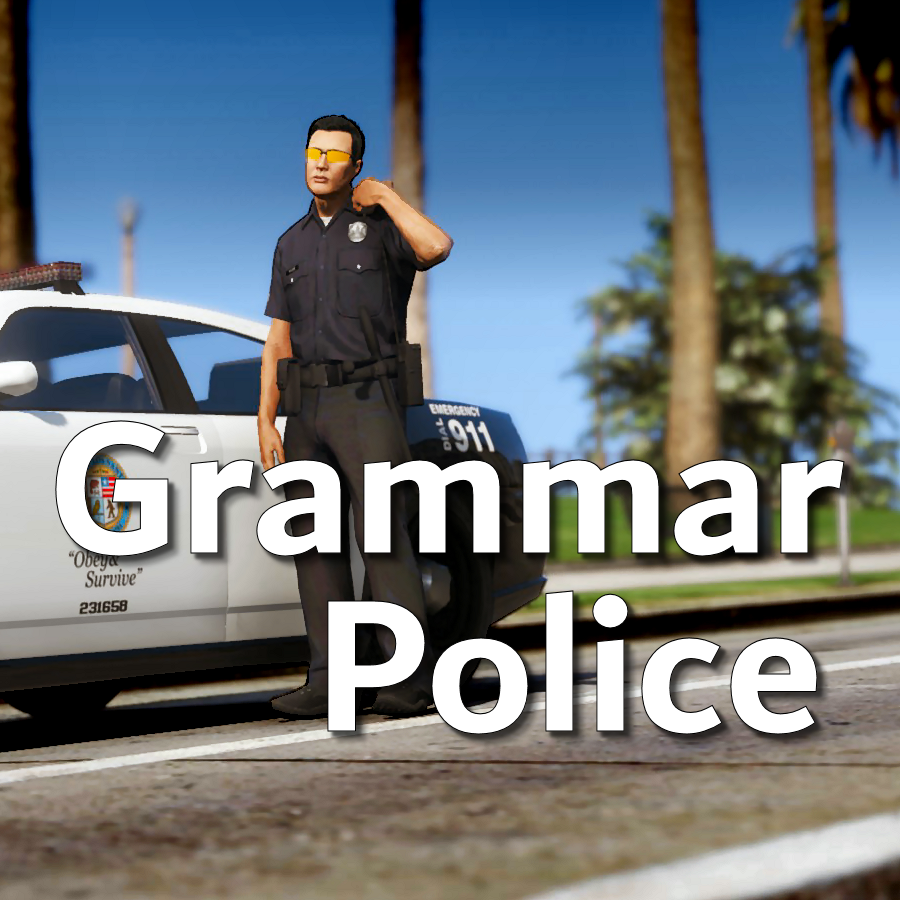
Welcome to Grammar Police!  This plugin began as a replacement for VocalDispatch but has grown into much more!


Speech Recognition

  • Issue commands to the dispatcher using your microphone
  • Includes a "hold to talk" feature that simulates a real radio
  • Supports StopThePed and UltimateBackup out of the box
  • Contains multiple sets of "10 codes" or customize yourself
  • Request backup, run plate checks, accept callouts and more!


Non-Verbal Interactions

  • Use an on-screen radio to interact with the dispatcher
  • Also includes a Officer Plugin Status style menu system
  • Both systems are fully customizable!


Language Support

  • English
  • French
  • German
  • Spanish


Technical Support


Tutorial Videos

Edited by opus49

What's New in Version 1.8.3

Released

Grammar Police 1.8

  • Restored player status display on PTT release (thanks OfficialFlipPlayz)
  • Restored the "say again" and generic response functionality
  • Restored emergency status on panic (thanks L’ère de l’a-paix)
  • Hardened radio check to prevent crash when there aren't any results
  • Adjusted timings of (non-chest) animations to look and sound more natural
  • Invalid callsigns no longer cause a failure but instead fallback to default
  • Moved speech engine handling to a separate thread to minimize UI freezes
  • Updated the radio check feature and added it to the settings menu
  • Fixed bug in felony backup request where it incorrectly saw no pullover
  • Detect Dynamic Traffic Stop from CalloutInterface and set status accordingly
  • Made configuration loading more resilient, no longer crashing on bad values
  • HoldToTalk now defaults to true and should benefit from engine worker thread
  • Made the delay between speech recognition and action execution configurable
  • Added config option for using the LSPDFR animation when using on screen radio
  • Added support for multiple handlers (e.g. UltimateBackup, PolicingRedefined)
  • Added command for cancelling backup without ending callouts, pullovers, etc
  • Fixed bug with INI where it wasn't allowing the hotkey modifier to be none
  • Added script generated HTML-based speech guides for all languages

    NOTE: THIS VERSION REQURES MICROSOFT SPEECH PLATFORM
    Microsoft has removed the interface for Windows Speech Recognition in recent versions of Windows 11.  Starting with this version of Grammar Police you will need to install Microsoft Speech Platform and the language pack you wish to use:


    Instructional video here:

    Microsoft Speech Platform: https://www.microsoft.com/en-us/download/details.aspx?id=27225
    Language Packs:  https://www.microsoft.com/en-us/download/details.aspx?id=27224
    Community Translations:   https://github.com/Immersive-Plugins-Team/GrammarPolice-Translations

Short Description

Interact with the dispatcher.

User Feedback

Recommended Comments

javier0911

Members

37 minutes ago, opus49 said:

Watch the 1.8 video on the front page

my langue say error still i just want regular English  

Could contain: text, screenshot, menu

FreddCop

Members

Hey bro, it works fine. However, it doesn't work as well as before; it's harder to understand.

Chriscrash

Members

(edited)

So installed everything the other week and it worked fine. Speech engine all of a sudden stopped working. Any ideas?


UPDATE: I figured out the issue. No help needed.


Could contain: text, screenshot, digital compositing

Edited by Chriscrash

GTA Fanatic

Members

(edited)

2 hours ago, Chriscrash said:

So installed everything the other week and it worked fine. Speech engine all of a sudden stopped working. Any ideas?


As Stated Above.

"Microsoft has removed the interface for Windows Speech Recognition in recent versions of Windows 11.  Starting with this version of Grammar Police you will need to install Microsoft Speech Platform and the language pack you wish to use:"
Microsoft Speech Platform: https://www.microsoft.com/en-us/download/details.aspx?id=27225
Language Packs:  https://www.microsoft.com/en-us/download/details.aspx?id=27224
Community Translations:   https://github.com/Immersive-Plugins-Team/GrammarPolice-Translations


Could contain: text, screenshot, digital compositing


Edited by GTA Fanatic

cristian304

Members

Good evening is there the possibility to customize the units I can call??like police sheriff snowpolice patrol police ??

cristian304

Members

On 29/07/2025 at 04:45, javier0911 said:

la mia lingua dice ancora errore, voglio solo l'inglese normale  

Potrebbe contenere: testo, screenshot, menu

You have download the speech of site microsoft ??

0pheIia

Members

Grammar Police was working on the 2 updates before this but now since this latest version my status gets stuck on the license plate. My dispatcher was not listening and I had to revert back a couple versions. I am on windows 11 and I have installed everything including the Microsoft stuff both downloads (speech and language) Im not sure whats going on.

opus49

Insiders Author

10 hours ago, 0pheIia said:

Grammar Police was working on the 2 updates before this but now since this latest version my status gets stuck on the license plate. My dispatcher was not listening and I had to revert back a couple versions. I am on windows 11 and I have installed everything including the Microsoft stuff both downloads (speech and language) Im not sure whats going on.

The target plate not reverting back was inadvertently introduced in 1.8.1 when an event call was left out.  It will be fixed in the next release.  It has no affect on speech recognition which has not changed since 1.8 switched over to MSP.  Voice recognition is working just fine in this version.  If you're having issues, it's the same issues as always: using the right phrases, audio input, not using windows default input device, etc.  

YBROFFICIAL

Members

followed the video on the front page but still get a "Language: ERROR" message I didn't change the file because I'm using English doesn't anyone know how to fix it?Could contain: sky, screenshot, pc game, digital compositing, outdoor, video game software, 3d modeling, city

cristian304

Members

1 ora fa, YBROFFICIAL ha detto:

Ho seguito il video sulla home page ma continuo a ricevere il messaggio "Lingua: ERRORE". Non ho modificato il file perché sto usando l'inglese. Qualcuno sa come risolvere il problema?Potrebbe contenere: cielo, screenshot, gioco per PC, compositing digitale, esterno, software per videogiochi, modellazione 3D, città

You have install the mocrosofr speak with our language?

MysticDaedra

Members

What do I need to type in for the controller bumpers to work as PTT? I tried LB, but that didn't work...

Zeca

Members

Dude, I really wanna play this mod but as long as I remember you can only play with english language setup, right? My PC is set up in Portuguese (Brazilian one, ofc lol) and I never saw anybody talking about other languages setup in Grammar Police. If there's any tutorial video or guide please let me know! :3

joeleo5

Members

Can you please add the Arabic language to this mod?

admirable

Members

Hello,

I am using Grammar Police for a while and it's working absolutely amazing, recently I have installed Cruise Control plugin, which I like most because it's simple and most accurate, because when Cruise Control is enabled even if you slow down it to zero, it won't disable and you can accelerate without re-enabling it. So the problem I am facing after installing Cruise Control is that I am not able to Call for EMS, Coroner etc. but I can only change the Status. I dig deeply and found that "GTA5.exe.config" file that comes with Cruise Control is causing the issue with GrammarPolice because when I delete it GammarPolice works fine. But deleting "GTA5.exe.config" file won't allow me to use Cruise Control, since it's a very old plugin so I did not think of this thread to ask for help. If anyone knows how to counter it then please do let me know. Thanks.

The content of "GTA5.exe.config" file are as under:::
 

<?xml version="1.0" encoding="utf-8" ?>
<configuration>
  <runtime>
    <assemblyBinding xmlns="urn:schemas-microsoft-com:asm.v1">
      <probing privatePath="Plugins\LSPDFR;Plugins;"/>
    </assemblyBinding>
  </runtime>
</configuration>


opus49

Insiders Author

6 minutes ago, admirable said:

Hello,

I am using Grammar Police for a while and it's working absolutely amazing, recently I have installed Cruise Control plugin, which I like most because it's simple and most accurate, because when Cruise Control is enabled even if you slow down it to zero, it won't disable and you can accelerate without re-enabling it. So the problem I am facing after installing Cruise Control is that I am not able to Call for EMS, Coroner etc. but I can only change the Status. I dig deeply and found that "GTA5.exe.config" file that comes with Cruise Control is causing the issue with GrammarPolice because when I delete it GammarPolice works fine. But deleting "GTA5.exe.config" file won't allow me to use Cruise Control, since it's a very old plugin so I did not think of this thread to ask for help. If anyone knows how to counter it then please do let me know. Thanks.

The content of "GTA5.exe.config" file are as under:::
 

<?xml version="1.0" encoding="utf-8" ?>
<configuration>
  <runtime>
    <assemblyBinding xmlns="urn:schemas-microsoft-com:asm.v1">
      <probing privatePath="Plugins\LSPDFR;Plugins;"/>
    </assemblyBinding>
  </runtime>
</configuration>


Yes this is a known issue.  The cruise control mod installs a file called GTAV.exe.config in the root GTAV folder that prevents plugins from interacting with each other.

EndeRz

Members

Anyone got any ideas why my hotkey isnt working? , grammar police is installed installed the SR. when i press the button nothing happens. (Right ALT).

Marsel0631

Members

(edited)

Beast MOOOOD!!!!!!!!!!

Edited by Marsel0631

elseim

Members

On 8/8/2025 at 4:16 AM, Zeca said:

Dude, I really wanna play this mod but as long as I remember you can only play with english language setup, right? My PC is set up in Portuguese (Brazilian one, ofc lol) and I never saw anybody talking about other languages setup in Grammar Police. If there's any tutorial video or guide please let me know! :3

i play with grammar police in spanish. Its only in few languages:


Language Support

  • English
  • French
  • German
  • Spanish

And you can change all words so the voice recogniser takes it 

admirable

Members

On 8/17/2025 at 6:38 AM, opus49 said:

Yes this is a known issue.  The cruise control mod installs a file called GTAV.exe.config in the root GTAV folder that prevents plugins from interacting with each other.

I think I may found a solution by experimenting.
Renaming "GTAV.exe.config" to "CruiseControl.dll.config" fixed the issue. Now I can use both mods together without any issue.

OneStarLaw

Members

whenever i say 10-80 or 10-50 or 10-41 or 10-8 dispatch always says Say again? how do i fix that to where i can use real communication with it and 10 codes like real life?

BlueLine Vibes

Members

On 8/24/2025 at 10:58 AM, OneStarLaw said:

whenever i say 10-80 or 10-50 or 10-41 or 10-8 dispatch always says Say again? how do i fix that to where i can use real communication with it and 10 codes like real life?


GP Uses Speech recognition.  You can't expect GP to understand all of the 10-codes.  It would be your job to add in the phrases that you want.  There are plenty of videos and documentation explaining how to do that.

OneStarLaw

Members

2 hours ago, BlueLine Vibes said:


GP Uses Speech recognition.  You can't expect GP to understand all of the 10-codes.  It would be your job to add in the phrases that you want.  There are plenty of videos and documentation explaining how to do that.

could you link me a vid?

LOTREX

Members

Any plans on adding compatibility for policing redefined?

opus49

Insiders Author

2 hours ago, LOTREX said:

Any plans on adding compatibility for policing redefined?

it's already compatible 

Create an account or sign in to comment

Latest Mods

Account

Navigation

Search

Search

Configure browser push notifications

Chrome (Android)
  1. Tap the lock icon next to the address bar.
  2. Tap Permissions → Notifications.
  3. Adjust your preference.
Chrome (Desktop)
  1. Click the padlock icon in the address bar.
  2. Select Site settings.
  3. Find Notifications and adjust your preference.






