
Skip to content
View in the app

A better way to browse. Learn more.

LCPDFR.com

A full-screen app on your home screen with push notifications, badges and more.

To install this app on iOS and iPadOS
  1. Tap the Share icon in Safari
  2. Scroll the menu and tap Add to Home Screen.
  3. Tap Add in the top-right corner.
To install this app on Android
  1. Tap the 3-dot menu (⋮) in the top-right corner of the browser.
  2. Tap Add to Home screen or Install app.
  3. Confirm by tapping Install.

GrammarPolice 1.8.3

(82 reviews)

4 Screenshots


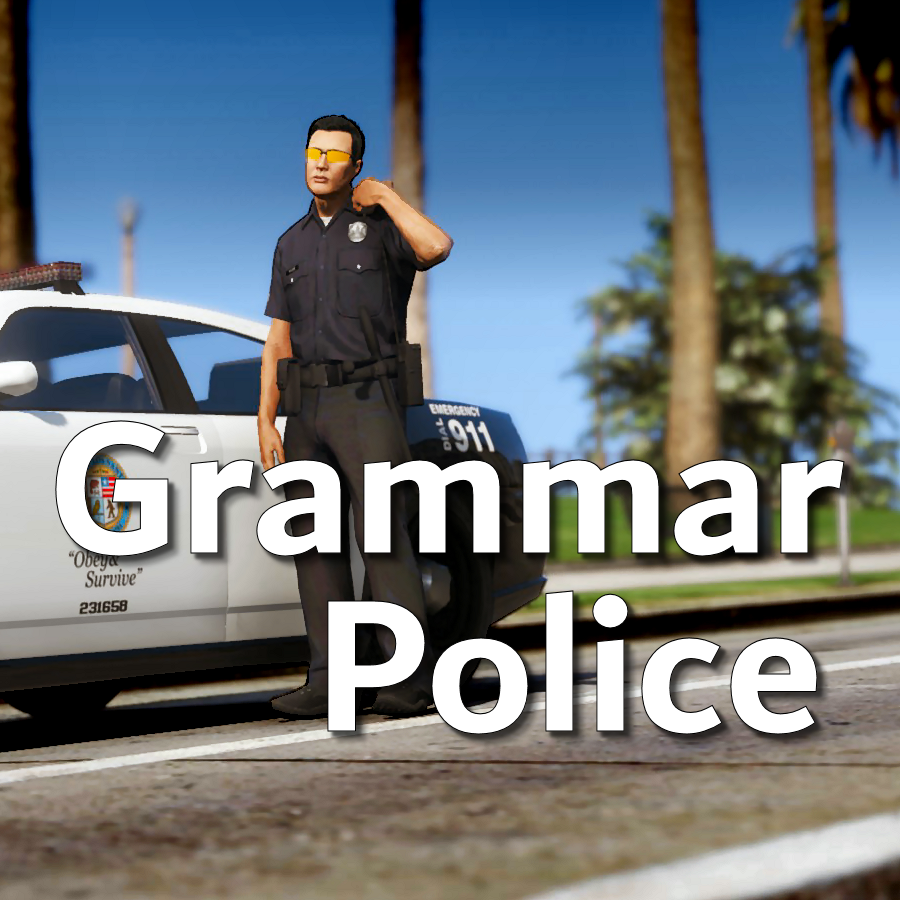
Welcome to Grammar Police!  This plugin began as a replacement for VocalDispatch but has grown into much more!


Speech Recognition

  • Issue commands to the dispatcher using your microphone
  • Includes a "hold to talk" feature that simulates a real radio
  • Supports StopThePed and UltimateBackup out of the box
  • Contains multiple sets of "10 codes" or customize yourself
  • Request backup, run plate checks, accept callouts and more!


Non-Verbal Interactions

  • Use an on-screen radio to interact with the dispatcher
  • Also includes a Officer Plugin Status style menu system
  • Both systems are fully customizable!


Language Support

  • English
  • French
  • German
  • Spanish


Technical Support


Tutorial Videos

Edited by opus49

What's New in Version 1.8.3

Released

Grammar Police 1.8

  • Restored player status display on PTT release (thanks OfficialFlipPlayz)
  • Restored the "say again" and generic response functionality
  • Restored emergency status on panic (thanks L’ère de l’a-paix)
  • Hardened radio check to prevent crash when there aren't any results
  • Adjusted timings of (non-chest) animations to look and sound more natural
  • Invalid callsigns no longer cause a failure but instead fallback to default
  • Moved speech engine handling to a separate thread to minimize UI freezes
  • Updated the radio check feature and added it to the settings menu
  • Fixed bug in felony backup request where it incorrectly saw no pullover
  • Detect Dynamic Traffic Stop from CalloutInterface and set status accordingly
  • Made configuration loading more resilient, no longer crashing on bad values
  • HoldToTalk now defaults to true and should benefit from engine worker thread
  • Made the delay between speech recognition and action execution configurable
  • Added config option for using the LSPDFR animation when using on screen radio
  • Added support for multiple handlers (e.g. UltimateBackup, PolicingRedefined)
  • Added command for cancelling backup without ending callouts, pullovers, etc
  • Fixed bug with INI where it wasn't allowing the hotkey modifier to be none
  • Added script generated HTML-based speech guides for all languages

    NOTE: THIS VERSION REQURES MICROSOFT SPEECH PLATFORM
    Microsoft has removed the interface for Windows Speech Recognition in recent versions of Windows 11.  Starting with this version of Grammar Police you will need to install Microsoft Speech Platform and the language pack you wish to use:


    Instructional video here:

    Microsoft Speech Platform: https://www.microsoft.com/en-us/download/details.aspx?id=27225
    Language Packs:  https://www.microsoft.com/en-us/download/details.aspx?id=27224
    Community Translations:   https://github.com/Immersive-Plugins-Team/GrammarPolice-Translations

Short Description

Interact with the dispatcher.

User Feedback

Recommended Comments

manu450

Members

3 hours ago, bondi9mm said:

can you change the xmls to any phrase you want 

If you set up e.g “dispatch get me a beerl” in your .xml file as calling a tow truck, so saying that will call you a tow truck. 

Tamerlan

Members

(edited)

Hello, I thank you for your work, this plugin solved the problem for me with stopping traffic, because in STP, when I called the "Stop Traffic" command, the game crashed. But I had another problem, for which I downloaded the plugin. This is the status of an officer. I created a custom.ini file and copied all the settings from default.ini there by changing the parameter "Handle Availability = false", in the game when I participate in the callout, I set the status "Busy", when the callout ends, the dispatcher starts giving me new callouts, despite the fact that I have the status busy, I have to go to the lspdfr menu and disable (enable) there's accessibility. Maybe I misunderstood the meaning of "Handle Availability" and I should have left "true"? I don't use speech commands, because I don't know English well, and I'm afraid that the dispatcher will laugh at me

custom_ini.txt

Edited by Tamerlan

opus49

Insiders Author

1 hour ago, Tamerlan said:

Hello, I thank you for your work, this plugin solved the problem for me with stopping traffic, because in STP, when I called the "Stop Traffic" command, the game crashed. But I had another problem, for which I downloaded the plugin. This is the status of an officer. I created a custom.ini file and copied all the settings from default.ini there by changing the parameter "Handle Availability = false", in the game when I participate in the callout, I set the status "Busy", when the callout ends, the dispatcher starts giving me new callouts, despite the fact that I have the status busy, I have to go to the lspdfr menu and disable (enable) there's accessibility. Maybe I misunderstood the meaning of "Handle Availability" and I should have left "true"? I don't use speech commands, because I don't know English well, and I'm afraid that the dispatcher will laugh at me

custom_ini.txt 2.1 kB · 0 downloads

Yes, if you want Grammar Police to handle the availability, you need to keep it set to True.

Tamerlan

Members

37 minutes ago, opus49 said:

Yes, if you want Grammar Police to handle the availability, you need to keep it set to True.

Thank you very much for such a quick response)

javier0911

Members

hey opus49, wanted too say hi, and thank you for your hard work, just wondering if you  are currently working on a new   plug  project?  cant wait too see

Hogman

Members

hello, I absolutely love your mod. just curious if i’m remembering right that i was able to vocally request a callout a few updates back. i had it paired with immersive dispatch, but i’m wondering if that was from your mod? I haven’t been able to do that in some time and it was a nice feature. thanks!

alrightdude

Members

(edited)

I'd love to be able to change the for example "shoulder" animation to a different one. The one "Radio Realism FR" uses is pretty good. Or just be able to use custom ones.

Edited by NeuerTypHier

Austinhunter406

Members

this mod helps so much also should be a essential mod for everyone, thank you 

DhruvAkaFulcrum

Members

(edited)

This is an awesome plugin, thank you so much! If only it would work consistently. 9 out of 10 times, Dispatch doesn't understand what I'm saying, even if I just bark codes at it. The player character just keeps talking to the radio and sometimes the dispatch just repeats my code after a long silence and does nothing or just says say again. It's a cool concept but it takes an eternity to do everything with the mod because the Dispatch just goes into a deep philosophical thought for 15 minutes straight only to finally say, "Victor-5" and do nothing. Defeats the whole purpose of having voice commands which is to reduce time navigating through menus.

Edited by DhruvAkaFulcrum

opus49

Insiders Author

2 hours ago, DhruvAkaFulcrum said:

This is an awesome plugin, thank you so much! If only it would work consistently. 9 out of 10 times, Dispatch doesn't understand what I'm saying, even if I just bark codes at it. The player character just keeps talking to the radio and sometimes the dispatch just repeats my code after a long silence and does nothing or just says say again. It's a cool concept but it takes an eternity to do everything with the mod because the Dispatch just goes into a deep philosophical thought for 15 minutes straight only to finally say, "Victor-5" and do nothing. Defeats the whole purpose of having voice commands which is to reduce time navigating through menus.


Hi.  The problems you are describing are not with the plugin itself but with your setup.  When the speech engine gets quality sound and the exact phrasing is used, none of the things you mentioned happen.

First, there's no long silence.  I'm not sure where you're getting that.  Second, you have to use the exact phrasing.  Not all codes are available for all of the agency codes setting.  I refer you to the documentation for both the settings and the phrase guide.  Third, stating anything takes "15 minutes" is unnecessarily inflammatory and unappreciated.

I recommend that you read the documentation and the FAQ: https://sites.google.com/view/immersive-plugins-team/home
 

Nicolasik

Members

Often the GrammarPolice contradicts the CompuLite data.

opus49

Insiders Author

6 hours ago, Nicolasik said:

Often the GrammarPolice contradicts the CompuLite data.

because the "data" is made up and compulite isn't even consistent with stop the ped... take it up with BejoIjo

DhruvAkaFulcrum

Members

(edited)

On 12/9/2023 at 1:14 AM, opus49 said:


Hi.  The problems you are describing are not with the plugin itself but with your setup.  When the speech engine gets quality sound and the exact phrasing is used, none of the things you mentioned happen.

First, there's no long silence.  I'm not sure where you're getting that.  Second, you have to use the exact phrasing.  Not all codes are available for all of the agency codes setting.  I refer you to the documentation for both the settings and the phrase guide.  Third, stating anything takes "15 minutes" is unnecessarily inflammatory and unappreciated.

I recommend that you read the documentation and the FAQ: https://sites.google.com/view/immersive-plugins-team/home


Hi, thanks for your response. I'm ordering a new microphone just for this mod so let's see if that improves it. There is indeed a long silence from dispatch when i say something to it (I can often respond to the next callout and be in the middle of resolving that by the time Dispatch finally gives up and allows me to speak to it back again), which I can somehow sense even when I'm alt+tabbed out of the game. You know that loading circle that you get with the cursor sometimes when your PC is thinking something? If I say something to Dispatch and get bored not hearing from them and alt+tab out of the game, I can see that loading circle, which frankly, I haven't seen it since Windows 7 days because PCs have gotten so much faster (hardware-wise) since then. Not saying it's your mod, maybe it's the speech engine because your mod only works in the game.


Secondly, taking 15 minutes was quite obviously an exaggeration on my part. I thought that was obvious. I'm not attacking you OR your mod and I have no idea where you would have got that from. I was simply stating my frustration in getting it to work. As said at the beginning of this comment, I'm open to the idea that my hardware might be the culprit and I'm changing it just for this mod, which further reinforces the fact that I'm not blaming you or your mod.


EDIT: I have now tried a total of 4 different headphones (with mics) and tested them with windows' built-in voice recorder to ensure I have otherwise good sound capture. Dispatch still does not understand me. Sometimes it thinks for a while (while my character still keeps the radio button pressed pretending to talk to dispatch) and asks random questions like do I need backup or medical aid when I'm trying to request a tow truck for a normal parked car. My in-game settings have microphone enabled and sensitivity is set to full. I tried for half an hour to get a mic check and finally, Dispatch responded with a recognition rate of 0.32 (8/25) and confidence level of 0.28. I use the same mic to play GTA Online and talk to friends. Before this, my brief > Notifications window is filled with endless "Say again." messages.

Edited by DhruvAkaFulcrum

JackOfAll

Members

Would it be at all possible to make a button/modifier button that plays the radio tone on press/release and then always says "copy," "10-4," "acknowledged"? I would like to ramble on and on without worrying about accidentally saying something that will end my call. 

opus49

Insiders Author

45 minutes ago, JackOfAll said:

Would it be at all possible to make a button/modifier button that plays the radio tone on press/release and then always says "copy," "10-4," "acknowledged"? I would like to ramble on and on without worrying about accidentally saying something that will end my call. 

"be advised..."

JackOfAll

Members

59 minutes ago, opus49 said:

"be advised..."

Thanks for the quick response! I only have about a 50% success rate with "be advised" getting interpreted correctly. Other times, it seems to skip the "be advised" part and respond to a keyword I say later. I know it's a problem with the microphone and/or my speaking, which is why I thought it would be nice to have an option that avoids the risk of getting heard wrong but still having an acknowledgement.

Psymon83

Members

Hey guys, I just installed the plugins and created the cusom.ini as recommended. Unfortunately a note pops up ( "the speech engine is not running.Consult the RagePluginHook.log file"), when pushing the "push to talk" bottom. I activated my microphone in the settings and in my microsoft settings as well. Couldn´t find any help. 

opus49

Insiders Author

2 hours ago, Psymon83 said:

Hey guys, I just installed the plugins and created the cusom.ini as recommended. Unfortunately a note pops up ( "the speech engine is not running.Consult the RagePluginHook.log file"), when pushing the "push to talk" bottom. I activated my microphone in the settings and in my microsoft settings as well. Couldn´t find any help. 

https://sites.google.com/view/immersive-plugins-team/home

XCSLX

Members

4 hours ago, Psymon83 said:

Hey guys, I just installed the plugins and created the cusom.ini as recommended. Unfortunately a note pops up ( "the speech engine is not running.Consult the RagePluginHook.log file"), when pushing the "push to talk" bottom. I activated my microphone in the settings and in my microsoft settings as well. Couldn´t find any help. 

DID YOU FIND A SOLUTION?

opus49

Insiders Author

58 minutes ago, CRAZIIISTARLORD said:

DID YOU FIND A SOLUTION?

I posted the solution 

Nicolasik

Members

For some reason, the GrammarPolice suddenly lost contact with UltimateBackup. In the “UseNative” settings, I have “false” set everywhere so that it communicates with UltimateBackup. This always worked correctly, but now, for some unknown reason, it has stopped working. I reinstalled GrammarPolice and UltimateBackup, but it didn't help.

opus49

Insiders Author

5 hours ago, Nicolasik said:

For some reason, the GrammarPolice suddenly lost contact with UltimateBackup. In the “UseNative” settings, I have “false” set everywhere so that it communicates with UltimateBackup. This always worked correctly, but now, for some unknown reason, it has stopped working. I reinstalled GrammarPolice and UltimateBackup, but it didn't help.

did you happen to install a cruise control mod?

Nicolasik

Members

(edited)

4 hours ago, opus49 said:

вы случайно не устанавливали мод для круиз-контроля?

Yes! I installed a mod for cruise control and GrammarPolice started working incorrectly.

Edited by Nicolasik

opus49

Insiders Author

10 hours ago, Nicolasik said:

Yes! I installed a mod for cruise control and GrammarPolice started working incorrectly.

The cruise control mod is the issue. It includes a file called GTAV.exe.config that breaks the ability for plugins to call each other.

Nicolasik

Members

3 hours ago, opus49 said:

Проблема заключается в моде для круиз-контроля. Он включает файл с именем GTAV.exe.config, который нарушает способность плагинов вызывать друг друга.

Thanks! Then I will definitely remove the cruise control. GrammarPolice is more important to me!

Create an account or sign in to comment

Latest Mods

Account

Navigation

Search

Search

Configure browser push notifications

Chrome (Android)
  1. Tap the lock icon next to the address bar.
  2. Tap Permissions → Notifications.
  3. Adjust your preference.
Chrome (Desktop)
  1. Click the padlock icon in the address bar.
  2. Select Site settings.
  3. Find Notifications and adjust your preference.












