
Skip to content
View in the app

A better way to browse. Learn more.

LCPDFR.com

A full-screen app on your home screen with push notifications, badges and more.

To install this app on iOS and iPadOS
  1. Tap the Share icon in Safari
  2. Scroll the menu and tap Add to Home Screen.
  3. Tap Add in the top-right corner.
To install this app on Android
  1. Tap the 3-dot menu (⋮) in the top-right corner of the browser.
  2. Tap Add to Home screen or Install app.
  3. Confirm by tapping Install.

GrammarPolice 1.8.3

(82 reviews)

4 Screenshots


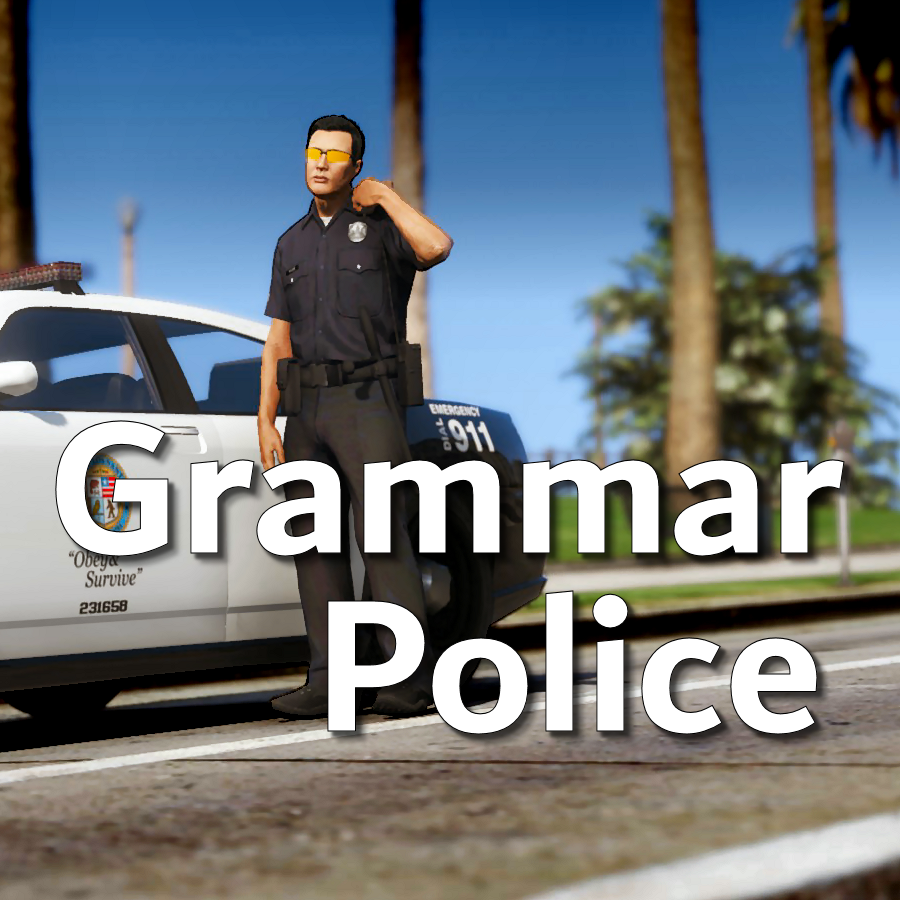
Welcome to Grammar Police!  This plugin began as a replacement for VocalDispatch but has grown into much more!


Speech Recognition

  • Issue commands to the dispatcher using your microphone
  • Includes a "hold to talk" feature that simulates a real radio
  • Supports StopThePed and UltimateBackup out of the box
  • Contains multiple sets of "10 codes" or customize yourself
  • Request backup, run plate checks, accept callouts and more!


Non-Verbal Interactions

  • Use an on-screen radio to interact with the dispatcher
  • Also includes a Officer Plugin Status style menu system
  • Both systems are fully customizable!


Language Support

  • English
  • French
  • German
  • Spanish


Technical Support


Tutorial Videos

Edited by opus49

What's New in Version 1.8.3

Released

Grammar Police 1.8

  • Restored player status display on PTT release (thanks OfficialFlipPlayz)
  • Restored the "say again" and generic response functionality
  • Restored emergency status on panic (thanks L’ère de l’a-paix)
  • Hardened radio check to prevent crash when there aren't any results
  • Adjusted timings of (non-chest) animations to look and sound more natural
  • Invalid callsigns no longer cause a failure but instead fallback to default
  • Moved speech engine handling to a separate thread to minimize UI freezes
  • Updated the radio check feature and added it to the settings menu
  • Fixed bug in felony backup request where it incorrectly saw no pullover
  • Detect Dynamic Traffic Stop from CalloutInterface and set status accordingly
  • Made configuration loading more resilient, no longer crashing on bad values
  • HoldToTalk now defaults to true and should benefit from engine worker thread
  • Made the delay between speech recognition and action execution configurable
  • Added config option for using the LSPDFR animation when using on screen radio
  • Added support for multiple handlers (e.g. UltimateBackup, PolicingRedefined)
  • Added command for cancelling backup without ending callouts, pullovers, etc
  • Fixed bug with INI where it wasn't allowing the hotkey modifier to be none
  • Added script generated HTML-based speech guides for all languages

    NOTE: THIS VERSION REQURES MICROSOFT SPEECH PLATFORM
    Microsoft has removed the interface for Windows Speech Recognition in recent versions of Windows 11.  Starting with this version of Grammar Police you will need to install Microsoft Speech Platform and the language pack you wish to use:


    Instructional video here:

    Microsoft Speech Platform: https://www.microsoft.com/en-us/download/details.aspx?id=27225
    Language Packs:  https://www.microsoft.com/en-us/download/details.aspx?id=27224
    Community Translations:   https://github.com/Immersive-Plugins-Team/GrammarPolice-Translations

Short Description

Interact with the dispatcher.

User Feedback

Recommended Comments

opus49

Insiders Author

1 hour ago, bosSdIng035 said:

all I can see is grammar I hope not because I enjoy this plugin and immersive for LSPDFR, and so far this is the only problem ive had.

RagePluginHook.log 205.56 kB · 2 downloads

All you see is grammar?  I don't know what that means.  You have many plugins and there is zero indication GP has anything to do with your crashes.


These are the last entries in your log:
[1/7/2021 12:59:43 AM.877] LSPD First Response: [WARN] New pursuit spawn failed, falling back to old system.
[1/7/2021 12:59:43 AM.889] LSPD First Response: [TRACE] Preloading as350

This is the only error I see:
[1/7/2021 12:52:31 AM.593] LSPD First Response: Error while initializing plugin: WoutersCalloutsV.Main: Could not find a part of the path 'E:\Steam\steamapps\common\Grand Theft Auto V\Plugins\LSPDFR\WoutersCalloutsV\stations'.   at System.IO.__Error.WinIOError(Int32 errorCode, String maybeFullPath)

I don't understand why you think Grammar Police is the issue.

bosSdIng035

Members

17 minutes ago, opus49 said:

All you see is grammar?  I don't know what that means.  You have many plugins and there is zero indication GP has anything to do with your crashes.


These are the last entries in your log:
[1/7/2021 12:59:43 AM.877] LSPD First Response: [WARN] New pursuit spawn failed, falling back to old system.
[1/7/2021 12:59:43 AM.889] LSPD First Response: [TRACE] Preloading as350

This is the only error I see:
[1/7/2021 12:52:31 AM.593] LSPD First Response: Error while initializing plugin: WoutersCalloutsV.Main: Could not find a part of the path 'E:\Steam\steamapps\common\Grand Theft Auto V\Plugins\LSPDFR\WoutersCalloutsV\stations'.   at System.IO.__Error.WinIOError(Int32 errorCode, String maybeFullPath)

I don't understand why you think Grammar Police is the issue.

ok let me rerun without wouterscallouts

lucyYu

Members

Why can't I use it in the game after I install it

TheRedDevils75

Members

16 hours ago, lucyYu said:

Why can't I use it in the game after I install it

You haven't installed it properly then 

opus49

Insiders Author

5 hours ago, Cheetach said:

You have "internal error" which is covered in the Documentation that comes with Grammar Police (in the rar). Check FAQ.txt.


CMendez

Members

LSPDFR recently had an update so this version of GrammarPolice doesnt work


opus49

Insiders Author

10 hours ago, Carlos Mendez said:

LSPDFR recently had an update so this version of GrammarPolice doesnt work


Yes it does

JohanB

Members

Grammar Police needs an update for the new LSPDFR. It now crashes the game

JohanB

Members

21 minutes ago, JohanB said:

Grammar Police needs an update for the new LSPDFR. It now crashes the game

Never mind it turns out I'm stupid which tbh I should've known

DreamLine

Members

I really love grammarpolice, Thanks for the awesome plugin 😄

sergeantscooter

Members

(edited)

EDIT:  Hold that thought...I seem to have broken something else in the process of troubleshooting.  I'm going to completely re-install GTA V and start from scratch.  Will update this post as soon as possible.


I'm having a strange issue when going on duty, both when visiting a police station and trying to force duty.  It appears to be somehow related to adding downloaded vehicles.  I've started my mods folder from scratch several times trying to diagnose the problem.  My plugins don't give me any problems by themselves; I can run them as well as EUP (both Law & Order and Serve & Rescue), ELS, and Radiance V.  I can even spawn and use downloaded ELS vehicles before going on duty, and everything works fine.  If I purge my mods folder and start over, adding everything in OpenIV but the vehicles themselves, LSPDFR works perfectly fine with GrammarPolice. 


Conversely, I can also remove GrammarPolice and go on duty with downloaded vehicles, and everything is fine.  It happens no matter which vehicles or vehicle packs I try to add, and I can't figure out what's causing the conflict.  It's even more baffling because most of the GrammarPolice videos I've seen show GrammarPolice working perfectly with added/replaced vehicles.  For reference, I've tried mostly using Faust Channel's BCSO Jefferson County-based pack, and vehicles from Thehurk's 2017 California Highway Patrol Mega Pack.  I'm not at all well-versed in reading RPH logs, so I'm having a lot of difficulty troubleshooting this.


For now, I'm just using GrammarPolice with no added vehicles, because I already consider this an essential plugin; but now that I have seen the awesomeness that is ELS, I miss ELS-compatible vehicles terribly.  Has anyone else had a similar issue?  The attached RPH log shows what happens when attempting to go on duty with added vehicles installed.

RagePluginHook.log

Edited by sergeantscooter

opus49

Insiders Author

(edited)

1 hour ago, sergeantscooter said:

EDIT:  Hold that thought...I seem to have broken something else in the process of troubleshooting.  I'm going to completely re-install GTA V and start from scratch.  Will update this post as soon as possible.


I'm having a strange issue when going on duty, both when visiting a police station and trying to force duty.  It appears to be somehow related to adding downloaded vehicles.  I've started my mods folder from scratch several times trying to diagnose the problem.  My plugins don't give me any problems by themselves; I can run them as well as EUP (both Law & Order and Serve & Rescue), ELS, and Radiance V.  I can even spawn and use downloaded ELS vehicles before going on duty, and everything works fine.  If I purge my mods folder and start over, adding everything in OpenIV but the vehicles themselves, LSPDFR works perfectly fine with GrammarPolice. 


Conversely, I can also remove GrammarPolice and go on duty with downloaded vehicles, and everything is fine.  It happens no matter which vehicles or vehicle packs I try to add, and I can't figure out what's causing the conflict.  It's even more baffling because most of the GrammarPolice videos I've seen show GrammarPolice working perfectly with added/replaced vehicles.  For reference, I've tried mostly using Faust Channel's BCSO Jefferson County-based pack, and vehicles from Thehurk's 2017 California Highway Patrol Mega Pack.  I'm not at all well-versed in reading RPH logs, so I'm having a lot of difficulty troubleshooting this.


For now, I'm just using GrammarPolice with no added vehicles, because I already consider this an essential plugin; but now that I have seen the awesomeness that is ELS, I miss ELS-compatible vehicles terribly.  Has anyone else had a similar issue?  The attached RPH log shows what happens when attempting to go on duty with added vehicles installed.

RagePluginHook.log 108.95 kB · 0 downloads

You have the blips, a common issue.   In your LSPDFR.ini file set:


Main.DisableGameBlipHiding = true

Edited by opus49

sergeantscooter

Members

8 hours ago, opus49 said:

You have the blips, a common issue.   In your LSPDFR.ini file set:


Main.DisableGameBlipHiding = true

After reinstalling everything but vehicles, and following your suggestion, I still have the same issue, sort of.  I tried the common gameconfig.xml fix, but that breaks the game as soon as the loading screen starts, so I promptly got rid of that.  Once I got all of my baseline plugins installed and running again (including GrammarPolice), I decided that if I can't make addon vehicles work while using GrammarPolice, I just won't use them.  I did finally find one that works though.  Where there is one, there must be more!  I don't know if GTA updates have rendered the vehicles I was trying to use obsolete or what, but as long as I can keep finding vehicles that work, I won't miss them.  Thank you for the help!

opus49

Insiders Author

2 hours ago, sergeantscooter said:

After reinstalling everything but vehicles, and following your suggestion, I still have the same issue, sort of.  I tried the common gameconfig.xml fix, but that breaks the game as soon as the loading screen starts, so I promptly got rid of that.  Once I got all of my baseline plugins installed and running again (including GrammarPolice), I decided that if I can't make addon vehicles work while using GrammarPolice, I just won't use them.  I did finally find one that works though.  Where there is one, there must be more!  I don't know if GTA updates have rendered the vehicles I was trying to use obsolete or what, but as long as I can keep finding vehicles that work, I won't miss them.  Thank you for the help!

In the log I saw, you didn't have blip hiding disabled and that caused your crash. If you'd like to attach a new log with blip hiding disabled and your troublesome vehicle installed, I would be happy to look at it.

sergeantscooter

Members

9 hours ago, opus49 said:

In the log I saw, you didn't have blip hiding disabled and that caused your crash. If you'd like to attach a new log with blip hiding disabled and your troublesome vehicle installed, I would be happy to look at it.

Oh my God....Of all the boneheaded....So I found the problem.  Turns out I downloaded the heap adjuster and packfile limit adjuster, but when I went hunting for them in my GTA V directory, I quickly discovered I hadn't installed them.  Please excuse me for a moment, while I kick myself DIRECTLY IN THE FACE.  This is why I make checklists now.  Everything is working fine now, unsurprisingly.  I very much appreciate your patience!

Paco1141

Members

Hello quick question. I used this plugin before. When I was talking to dispatch my character reached for his radio. Now he is doing nothing. Any help?

opus49

Insiders Author

4 hours ago, Paco1141 said:

Hello quick question. I used this plugin before. When I was talking to dispatch my character reached for his radio. Now he is doing nothing. Any help?

It uses the LSPDFR setting now, accessible by the "m" key by default.

Officer Toshi

Insiders

What speech engine are you using for this?


I have to say I'm impressed it understands my thick yorkshire accent so well. It barely ever makes a mistake, extremely responsive.


I can't use most speech recognition software because they never understand my accent 😂

opus49

Insiders Author

1 hour ago, mctosh said:

What speech engine are you using for this?


I have to say I'm impressed it understands my thick yorkshire accent so well. It barely ever makes a mistake, extremely responsive.


I can't use most speech recognition software because they never understand my accent 😂


Thank you.  It uses System.Speech from Microsoft.  The reason it is accurate is because it builds the list of possible phrases and then tries to match what you say against all known possible phrases.  When you use the same library for just general speech (called Dictation Grammar), it absolutely sucks.  I have a generic midwest American accent and it can't understand anything I say (which I believe is the reason I struggled with Vocal Dispatch).  

As for "be advised" (your post in Immersive Dispatch), you can add your own phrases to the advised action (custom/commands/advise.xml).  I'm not sure what phrase you would want to use - but as long as it's not part of an existing phrase, you should be good.  So like, if you add "let it be known"  you could then say, "dispatch, let it be known that I am in the mood for a cheeseburger and fries, hold the pickle" and it will respond with a generic "copy".

Officer Toshi

Insiders

1 hour ago, opus49 said:


Thank you.  It uses System.Speech from Microsoft.  The reason it is accurate is because it builds the list of possible phrases and then tries to match what you say against all known possible phrases.  When you use the same library for just general speech (called Dictation Grammar), it absolutely sucks.  I have a generic midwest American accent and it can't understand anything I say (which I believe is the reason I struggled with Vocal Dispatch).  

As for "be advised" (your post in Immersive Dispatch), you can add your own phrases to the advised action (custom/commands/advise.xml).  I'm not sure what phrase you would want to use - but as long as it's not part of an existing phrase, you should be good.  So like, if you add "let it be known"  you could then say, "dispatch, let it be known that I am in the mood for a cheeseburger and fries, hold the pickle" and it will respond with a generic "copy".

Nice, thanks! And yeah I realized after, other than be advised I'm actually struggling myself to think of similar phrases I can use in that situation. 


And I feel your pain re: general speech. I'm actually trying to learn how to soften my accent and not sound so Yorkshire-ish over mic, but it's a slow process. 😄


Cheers! Yours (GP) + Immersive D are my favourite mods ❤️ keep up the great work

ystardust

Members

dispatch only respons with with "copy that".

Jeanjak4902432

Members

This plugin does not understand French very  well

opus49

Insiders Author

4 hours ago, Jeanjak4902432 said:

This plugin does not understand French very  well

Then write your own plugin.

Create an account or sign in to comment

Account

Navigation

Search

Search

Configure browser push notifications

Chrome (Android)
  1. Tap the lock icon next to the address bar.
  2. Tap Permissions → Notifications.
  3. Adjust your preference.
Chrome (Desktop)
  1. Click the padlock icon in the address bar.
  2. Select Site settings.
  3. Find Notifications and adjust your preference.











