
Skip to content
View in the app

A better way to browse. Learn more.

LCPDFR.com

A full-screen app on your home screen with push notifications, badges and more.

To install this app on iOS and iPadOS
  1. Tap the Share icon in Safari
  2. Scroll the menu and tap Add to Home Screen.
  3. Tap Add in the top-right corner.
To install this app on Android
  1. Tap the 3-dot menu (⋮) in the top-right corner of the browser.
  2. Tap Add to Home screen or Install app.
  3. Confirm by tapping Install.

Realistic Time Cycle v5

(16 reviews)

9 Screenshots

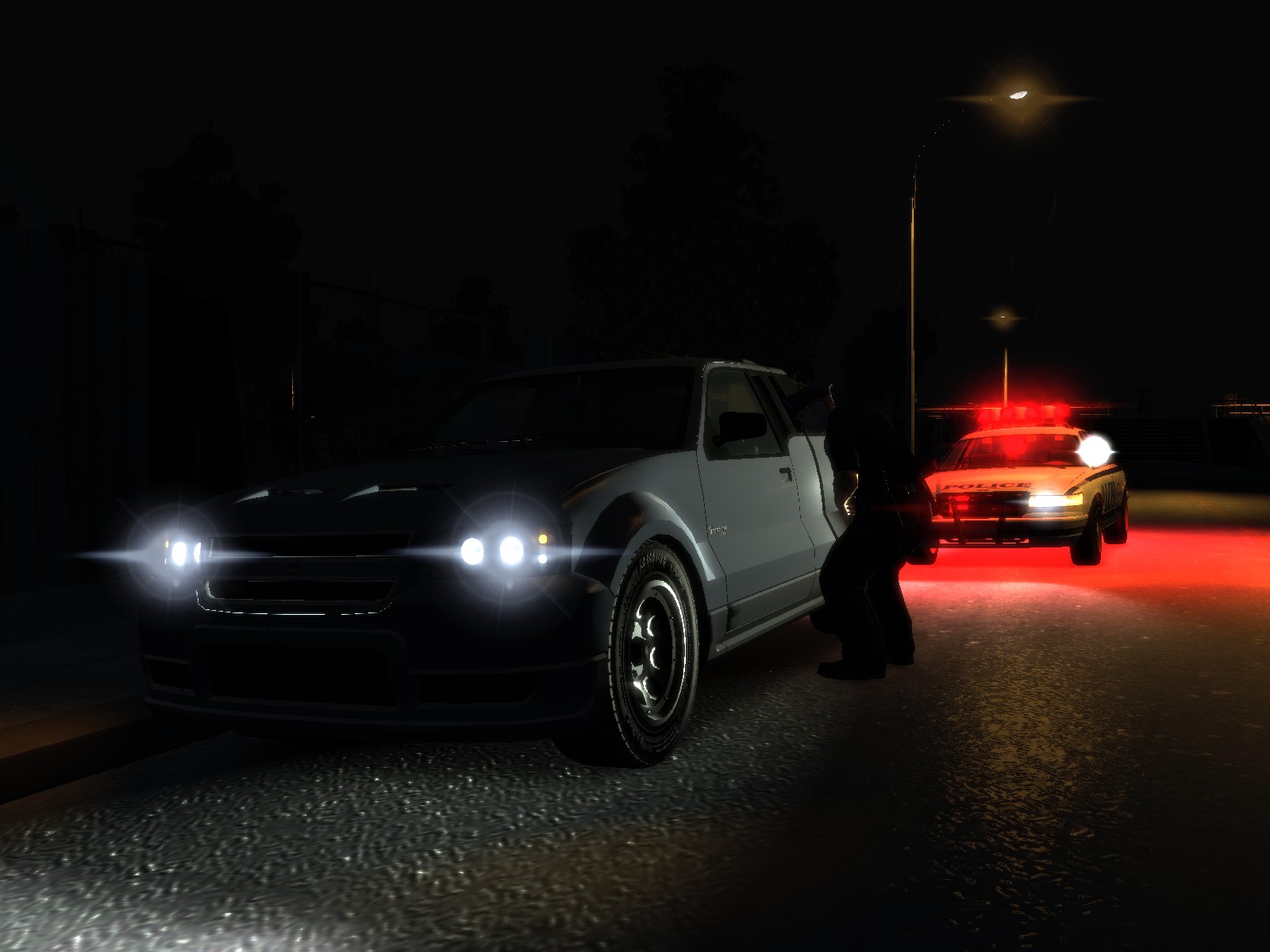
Realistic Time Cycle is a timecyc.dat modification that gives you enhanced graphics, featuring brighter daytime, darker nights, increased reflections, realistic headlights etc.

This mod works on all patches, however it has not been tested with ENB or iCEnHancer.

For those who have the noise effect or grain filter problem, you need to open up The Lost and Damned DLC, when you're in game, go to Display, and turn the Noise Effect off. After that GTA IV or TBoGT won't have the noise effect / grain filter on anymore.

User Feedback

Recommended Comments

came10

Members

I've tried it, I got the grainy thing to, and I did backups but somehow my backups is fucked now-.- GG

Please help to remove it:I

Dyls17

Members

Hello Sgt.Kanyo

Referencez

Members

How do you fix the grain problem? I don't have any of the DLC's, I installed it correctly, (trust me I am experienced) I have the latest patch 1.0.7.0, I have tried everything. I have read through the comments, searched it up, testing with the display and the graphics... This looks very nice and I want to actually use and see it.

AsianPain

Members

How can I go back???????

YouTube
www.youtube.com/biablo60

ImmaGamer73

Members

Which car are you using in the first picture, I like the lightbar

miscappalacacca

Members

If you can't solve problems to YOUR mod problem, it's simple. Don't make a mod. Yo have ruined people graphic ang game. And you can't solve the problem. Now you MUST find a solution. It's not my problem. It's your problem. You must write it in ReadMe.

miscappalacacca

Members

FOR ALL WHO HAVE GOT GRAIN TRY TO REPLACE V5 FILES WITH R.T.C. V4 FILES.

bhangu.1

Members

this might sound stupid but what is tlad?

bhangu.1

Members

this might sound stupid but what is tlad?

nevermind i figured that one out. lol

1JohnBlake1

Members

I love this so much! Makes my GTA look beautiful without lag.

LSPDhotstuff

Members

Could you make GTA V time cycle or graphics,reflections and the sun of GTA V? it would be highly apprecitated

LSPDhotstuff

Members

Please fix the blurry and like "grainy" and like I am playing in a TV with low connection. Please fix it

EvilJackCarver

Members

Currently in Filmgrain City, USA right now. I'll see if I can't pinpoint the exact cause for people without TLAD. This may take a while.

EvilJackCarver

Members

Currently in Filmgrain City, USA right now. I'll see if I can't pinpoint the exact cause for people without TLAD. This may take a while.

Well that didn't take as long as I expected it to. The problem file is the /pc/data/timecyc.dat file. Where it's going wrong, I cannot tell, though.

STEPS I TOOK IN TROUBLESHOOTING:

I opened up /pc/textures/lights_occluders.wtd and saw that there was no file in the dictionary for static. Satisfied with that, I ignored it.

I first installed the /common/data/visualsettings.dat file and let that run a few minutes. I was previously running RTC_V4, where the filmgrain effect would appear after roughly 30-60 seconds. After that ran a few minutes, I closed out the game.

I next installed the /common/shaders folder. Ran it a few minutes, messed around in-game in the stock Comet. Nothing surfaced, so I moved on.

My next item installing was the /pc/data/timecyc.dat file. Opened up the save, and it was instant Staticville. Messed around a few minutes waiting for the static to disappear. It didn't, so I moved on.

I then restored the /common/shaders folder from backup. Opened the game, loaded save. Filmgrain still present.

After that I restored the /common/data/visualsettings.dat from backup. Opened the game, launched save. Filmgrain was still there.

Then I restored the /pc/data/timecyc.dat file from backup. Loaded the game, messed around for a few minutes. No filmgrain to speak of.

Judging purely by this, it would seem that the timecyc.dat file is to blame. It's a shame, looks like I'll have to mix two different timecycle mods...

vietkyle

Members

if you do not have TLAD. dont use this mod.

MongoJr

Members

Got the grain issue fixed no problem, but honestly, didn't really like how the lighting was done. Lights are too yellow and the coronas are too strong. Makes everything look like I'm looking at it in soft focus. Played with for about 10 minutes but, switching back to stock. Sorry mate!

Cl0udSurf3r

Members

I installed this and it makes me disappear and anyone within like 5 meters also disappear. I did a integrity check with steam to fix all modified files and reinstalled just my car mods and the timecycle file and still I am invisible. :(

Create an account or sign in to comment

Latest Mods

Account

Navigation

Search

Search

Configure browser push notifications

Chrome (Android)
  1. Tap the lock icon next to the address bar.
  2. Tap Permissions → Notifications.
  3. Adjust your preference.
Chrome (Desktop)
  1. Click the padlock icon in the address bar.
  2. Select Site settings.
  3. Find Notifications and adjust your preference.
