Skip to content
View in the app

A better way to browse. Learn more.

LCPDFR.com

A full-screen app on your home screen with push notifications, badges and more.

To install this app on iOS and iPadOS
  1. Tap the Share icon in Safari
  2. Scroll the menu and tap Add to Home Screen.
  3. Tap Add in the top-right corner.
To install this app on Android
  1. Tap the 3-dot menu (⋮) in the top-right corner of the browser.
  2. Tap Add to Home screen or Install app.
  3. Confirm by tapping Install.

ClearTheWayV 1.0.0.55

(42 reviews)

8 Screenshots

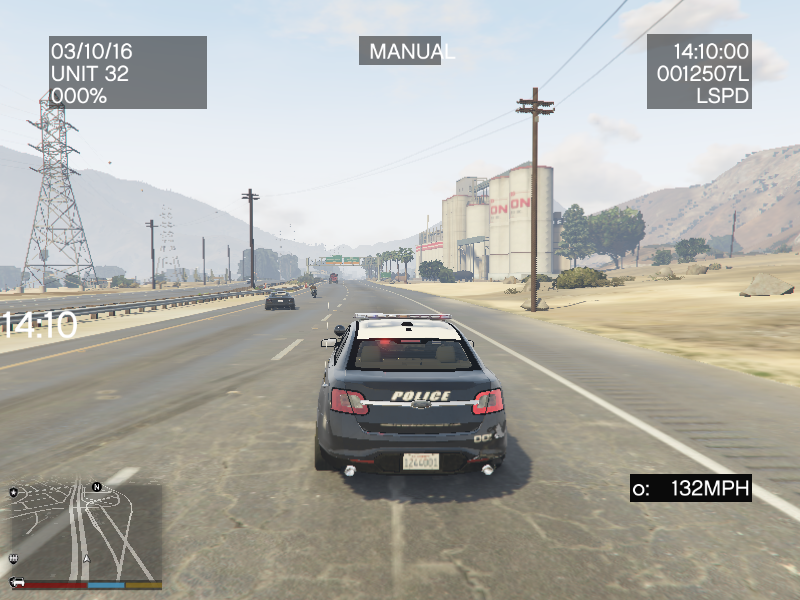
This is a simple script that is based on ragehook to make cars move over when only having your emergency lights running not your siren

no keys because it works as a standalone script what I basically mean is it doesn't need any user interaction it does everything by itself

I am trying to enhance the "default" without script behavior so the pullover behavior or "move over" behavior is improved because to be honest when I play the game every time I get to a crowded area in gta v I keep crashing into people because they don't move over correctly.

So I guess the gist of what I am trying to say is be respectful, don't say the obvious everyone knows this works without a script by default in gta v.

Also just wanted to say if you appreciate & like my work please consider giving me a donation as every bit helps considering how that makes me & my work feel appreciated and encourages me to continue making great scripts like this.

Please Follow community guidelines when posting, as in be respectful don't use rude language,etc.

Support - what to do if you encounter a bug or have problems:

  1. Please leave a comment (not a review). Include your RAGEPluginHook.log file, located in your Grand Theft Auto V folder in a spoiler so it doesn't make the page too long for people not interested on reading the log. Also, please provide an accurate description of what happened. This allows me to help you as fast as possible without having to ask you for this information I need to help you, as if I don't get this information I cannot help you because I will not know what is causing the problem and will result in delayed resolution of the problem due to asking you for the needed information before proceeding.... please as said above provide this information with your initial comment (not a review) to allow the most quick resolution of the problem as possible.

Leaving a review for support issues is against community guidelines, and will not even be answered at all, will be reported instantly instead

README/Install Instructions:

  • extract the dll file from the zip file using 7-zip or winrar or whatever
  • and then copy the dll file to your plugins folder
  • to here C:\Program Files (x86)\Steam\steamapps\general\Grand Theft Auto V\plugins
  • and that is where you place the dll file to make this script work
  • If you have your game on any other drive replace the C:\ part with your drive you have the game on.

User Submitted Videos:

FirstThirtyMinutes:

If any of you post a video review/or use my script in your video's please notify me about it and I will feature your videos here like I did for firstthirtyminutes.

Please do not re-upload, reverse engineer, modify, redistribute, or in any other way violate the copyright of this modification. DMCA Takedown Requests & actions will be taken if this is violated.

Do you have questions? Or do you need help with the script? Please make a comment, not a review for support and your question/support issue will be handled as soon as possible.


Important Notice regarding Obfuscation Used to Protect Copyright

Due to using Max Obfuscation Settings inside the .Net Framework Obfuscator that is used to protect copyrighted logic & such inside the software/plugin, it is likely a antivirus might see the obfuscation and several other obfuscation settings like anti-tamper/anti debug/etc that are used to further protect and prevent copyright infringement of the software/plugin as a False Positive.

To Date as of 8/23/2023 there has only been one lesser known antivirus named "Ikarus" that has even thought this plugin is a virus/trojan which it is not and is only due to the extreme protection settings set in the .Net Framework Obfuscator used to protect the software/plugin that causes this.

What's New in Version 1.0.0.55

Released

 Version: 1.0.0.37

  • Updates to make the AI now go around you instead of being stuck behind you and just honking clogging the road up.

  • Update System got a Rewrite.

      Version 1.0.0.38

  • Resolved Update System Issue when Update API Server down.

       Version 1.0.0.39

  • Removed Update System due to continued issues when Update API Server is down.

     Version 1.0.0.40

  • Update to Latest RagePluginHook SDK Version, no further changes done at the moment.

     Version 1.0.0.41

  • Update to Latest RagePluginHook SDK Version, fixed cars and big vehicles & such not going around, please let me know in the comments section please if this has been fixed.

     Version 1.0.0.43

  • Used Normal Obfuscator instead of new one to help with issues related to plugin not working.

     Version 1.0.0.44

  • Added Requested Traffic Break System(Still unknown if it might work in all areas of the map as intended - could not test beyond myself during Q&A testing to know if it would work in all areas of the map, only tested on Los Santos Fwy/city near MRPD).

  • Due to this being considered a "Beta" Version Feature the older version 1.0.0.43 was left uploaded in case there is a need to use it while fixes are made for this new Traffic Break Feature/System.

  • To Enable the new In Beta Traffic Break System change "false" to "true" inside the ini file that is automatically generated upon first run of the plugin

 Version 1.0.0.45

  • Updated INI Functions to automatically update INI on new releases.

 Version 1.0.0.46

  • Updated .Net Framework Build Requirements to .Net Framework 4.8 and Latest RPH Version.

  • Added FiveM Version that is free for use for FiveM Servers as I have no longer have any interest in FiveM anymore and thought other people might want this for their FiveM Servers.

Version 1.0.0.47

  • Updated .Net Framework Build Requirements to .Net Framework 4.8.1 and Latest RPH Version.

Version 1.0.0.48

  • Updated to Latest RPH Version in addition to attempting to requested features being added/fixed. (Q&A Testing proved mixed results so please let me know if the cars start pulling over correctly vs stopping in the middle of the road)

Version 1.0.0.49

  • Updated to Latest RPH Version.

Version 1.0.0.50

  • Updated to Latest RPH Version.

Version 1.0.0.51

  • Updated to Latest RPH Version.

  • Added Experimental Red Light Detection System that will read if your player vehicle is stopped at a red light and your sirens or lights are activated, will make traffic hopefully get out of your way better.

Version 1.0.0.52

  • Added Experimental Move Over Detections for Traffic Stops(Big Vehicles & Regular Vehicles) as requested in addition to fixing Experimental Red Light Detection System introduced in v1.0.0.51 that wasn't properly setup to run.(this has been patched and fixed)

Version 1.0.0.53

  • Fixed too much obfuscation causing the plugin to not load & such, this has been patched now.

Version 1.0.0.54

  • Updated to latest RPH Version and also tested for crashing, no crashing detected, as I pulled over a vehicle fine without issues.

Version 1.0.0.55

  • Removed Experimental Red Light Detection System for the time being as it shows to be the cause of crashing.


Short Description

Cars Clear The Way for you.

User Feedback

Recommended Comments

timnboys

Members Author

(edited)

36 minutes ago, HvyMetal said:

I honestly don't know witch one is different than the other. 2016-06-06 at 21-05-56.jpg

I downloaded the zip file bottom one.

2016-06-06 at 21-06-37.jpg

It looks like it exactly the same as the one I had.


Confusing. :confused:

what do you mean having trouble understanding what your asking as the script itself wasn't updated on sunday just the description with new video

though if you are asking about the different versions ClearTheWayV_ORIG.zip is original functionity without any lspdfr tie in and also ClearTheWayV.zip is latest updates/lspdfr api tie in

and to be honest I don't update the file specific properties when I update it just update the file details on here to indicate it's a new update.

For everyone confused on the updating let me tell you if there isn't new release notes/new incremented version it isn't a update to the script it is a update most likely to the description

Edited by timnboys

Madmex

Members

Am talking about the 1.0.9  there you see that the cars are move over quick when you have your lights on, when you use the 1.0.9-update1  the you see the different that they are not moving over fast as in the 1.0.9 version.

timnboys

Members Author

(edited)

On 6/8/2016 at 2:40 PM, Madmex said:

Am talking about the 1.0.9  there you see that the cars are move over quick when you have your lights on, when you use the 1.0.9-update1  the you see the different that they are not moving over fast as in the 1.0.9 version.

okay so you want me to make them move over fast again I can do that.

Also with the new update I am making it includes a update checker to notify you if a new build is on lcpdfr.com here and if so open your browser to check for it if so if not it doesn't bother you and continues looping checking for updates until one is found. this is in qa testing right now.

Uploaded/Change of speed implemented/updated as requested.

Edited by timnboys

Quakex64

Members

in the download options (for which file you want to use)

9wn1cQ0.png

the files are 58.9 and 66.4 but yet you updated it 17 hours ago and the file size is (according to credits listing on the side) 125.3 .... have you not uploaded the newest one then?

timnboys

Members Author

(edited)

14 minutes ago, Quakex64 said:

in the download options (for which file you want to use)

9wn1cQ0.png

the files are 58.9 and 66.4 but yet you updated it 17 hours ago and the file size is (according to credits listing on the side) 125.3 .... have you not uploaded the newest one then?

yes possibly because I am working on setting up a beta program and as such "beta program" members will be able to beta test the latest updates and will be able to help catch bugs that I miss since I am the only one right now testing/developing the script before the latest release/update is released then to the public hopefully bug free/nearly bug free hopefully with this new initiative of my beta-program. so if you want to join the beta program to get the updates when they come "fresh out of the oven" so to speak join the beta program described in the file description or if you don't want to do that you can wait until the beta program testers have helped me iron out any bugs they see and it is stable enough to be released finally like I said hopefully bug free which then benefits both non beta-program members and beta-program members...basically everyone then. everything is described in the beta program text in the file description.

Also working on making the update api work inside the script as well.

And yes while the credits listing shows the file size is 125.3(for the dll only itself uncompressed) which maybe what is confusing you thinking the latest release hasn't been uploaded because of the compression making the file size smaller

I used 7-zip to compress the zip file very well so it doesn't take up alot of space when it is compressed(the zip file with the dll inside that is)

Edited by timnboys

Quakex64

Members

fine with me... I can wait.... I hope the old version I used will still work.

"everything is described in the beta program text in the file description." so all this information is in the old downloads??
Oh, I c, you want testers to test the version that 123KB before you release it...

timnboys

Members Author

1 minute ago, Quakex64 said:

fine with me... I can wait.... I hope the old version I used will still work.

"everything is described in the beta program text in the file description." so all this information is in the old downloads??
Oh, I c, you want testers to test the version that 123KB before you release it...

no not really I just want beta testers to test the version before releasing it to verify I have removed all bugs and it as bug free as possible. as I am one person testing it and if you put human error into the equation you get not very good results since you both developed it and tested it too which makes the chance you left bugs in there by accident very high. 

timnboys

Members Author

(edited)

24 minutes ago, Quakex64 said:

fine with me... I can wait.... I hope the old version I used will still work.

"everything is described in the beta program text in the file description." so all this information is in the old downloads??
Oh, I c, you want testers to test the version that 123KB before you release it...

Also v1.0.0.10 has been released

Thank you for your patience while I tested it and validated it worked like it should.

No one has signed up for the beta program yet so I am still doing the testing now still until someone joins the beta program and can be "a pair of extra eyes" to catch any bugs I missed so far.

Edited by timnboys

Quakex64

Members

1 hour ago, timnboys said:

Also v1.0.0.10 has been released

Thank you for your patience while I tested it and validated it worked like it should.

my whole thing here was the fact that it may be released but under the download link where you choose what to download, see my picture on my previous reply, you dont have the newer one listed as available for download.

timnboys

Members Author

Just now, Quakex64 said:

my whole thing here was the fact that it may be released but under the download link where you choose what to download, see my picture on my previous reply, you dont have the newer one listed as available for download.

The newer one is listed it is always named ClearTheWayV.zip for latest updates I don't put ClearTheWayV_V<version number here>.zip in the filename. sorry if you are confused on that.

Quakex64

Members

oh ok

keepachris

Members

Hi, Just updated this plugin aswell as RagePluginHook & all the rest now i am getting a crash when it's loading the plugins. i am unsure how to find which plugin is causing the crash. can somebody please have a look and let me know. i have attached my Log.

RagePluginHook.log

Ravalli

Members

I'm so confused,  this files keeps getting updated but still shows the same version # 

Quakex64

Members

no. its the latest version...... extract it, right click on it, hit properties, go to details.. it shows that the dll is the latest one

2 hours ago, timnboys said:

The newer one is listed it is always named ClearTheWayV.zip for latest updates I don't put ClearTheWayV_V<version number here>.zip in the filename. sorry if you are confused on that.

he doesnt change files names.. its always ClearTheWayV

timnboys

Members Author

57 minutes ago, keepachris said:

Hi, Just updated this plugin aswell as RagePluginHook & all the rest now i am getting a crash when it's loading the plugins. i am unsure how to find which plugin is causing the crash. can somebody please have a look and let me know. i have attached my Log.

RagePluginHook.log

I am not sure what is wrong as your log doesn't show any errors as it won't log saying it loaded successfully neither will lspdfr do that either at the moment this is because it handles everything for you as your log shows that:

Spoiler

[12/06/2016 23:59:29.135] Started new log on 12/06/2016 23:59:29.135
[12/06/2016 23:59:29.138] ====================================================================================================
[12/06/2016 23:59:29.114] Log path: C:\Program Files\Rockstar Games\Grand Theft Auto V\RagePluginHook.log
[12/06/2016 23:59:29.139] Log verbosity: Verbose
[12/06/2016 23:59:29.141] Initializing input system
[12/06/2016 23:59:29.146] Initializing game console
[12/06/2016 23:59:29.154] Console key has been set to F4 (key code: 115)
[12/06/2016 23:59:29.204] Initializing console variable "SkipGameIntro".
[12/06/2016 23:59:29.204] Type: System.Boolean, Reading section: "Miscellaneous", key: SkipGameIntro
[12/06/2016 23:59:29.207] Read value: <null>
[12/06/2016 23:59:29.207] Initializing console variable "DisableRenderVersionText".
[12/06/2016 23:59:29.207] Type: System.Boolean, Reading section: "Miscellaneous", key: DisableRenderVersionText
[12/06/2016 23:59:29.210] Read value: False
[12/06/2016 23:59:29.211] Setting value of console variable "DisableRenderVersionText" to stored value.
[12/06/2016 23:59:29.211] Initializing console variable "ConsoleKey".
[12/06/2016 23:59:29.211] Type: System.Windows.Forms.Keys, Reading section: "Miscellaneous", key: ConsoleKey
[12/06/2016 23:59:29.211] Read value: F4
[12/06/2016 23:59:29.212] Setting value of console variable "ConsoleKey" to stored value.
[12/06/2016 23:59:29.212] Console key has been set to F4 (key code: 115)
[12/06/2016 23:59:29.212] Initializing console variable "PluginTimeoutThreshold".
[12/06/2016 23:59:29.212] Type: System.Int32, Reading section: "Miscellaneous", key: PluginTimeoutThreshold
[12/06/2016 23:59:29.213] Read value: 10000
[12/06/2016 23:59:29.213] Setting value of console variable "PluginTimeoutThreshold" to stored value.
[12/06/2016 23:59:29.213] Initializing console variable "AlwaysShowConsoleOutput".
[12/06/2016 23:59:29.213] Type: System.Boolean, Reading section: "Miscellaneous", key: AlwaysShowConsoleOutput
[12/06/2016 23:59:29.214] Read value: <null>
[12/06/2016 23:59:29.214] Initializing console variable "ShowConsoleCommandInfoOnPluginLoad".
[12/06/2016 23:59:29.214] Type: System.Boolean, Reading section: "Miscellaneous", key: ShowConsoleCommandInfoOnPluginLoad
[12/06/2016 23:59:29.215] Read value: <null>
[12/06/2016 23:59:29.215] Initializing console variable "ShowOnScreenWarnings".
[12/06/2016 23:59:29.215] Type: System.Boolean, Reading section: "Miscellaneous", key: ShowOnScreenWarnings
[12/06/2016 23:59:29.215] Read value: <null>
[12/06/2016 23:59:29.215] Console initialized
[12/06/2016 23:59:29.215] Initializing forms manager
[12/06/2016 23:59:29.217] Version: RAGE Plugin Hook v0.39.946.8098 PUBLIC ALPHA for Grand Theft Auto V
[12/06/2016 23:59:29.222] ================ RAGE Plugin Hook ================
[12/06/2016 23:59:29.226] Checking game support
[12/06/2016 23:59:29.445] Product name: Grand Theft Auto V
[12/06/2016 23:59:29.445] Product version: 1.0.757.4
[12/06/2016 23:59:29.445] Is steam version: False
[12/06/2016 23:59:29.446] Initializing DirectX
[12/06/2016 23:59:29.447] Initializing Direct3D
[12/06/2016 23:59:29.448] Loading C:\Windows\system32\d3d11.dll
[12/06/2016 23:59:29.448] Loaded at 0x7FEF8FA0000
[12/06/2016 23:59:29.448] D3D11CreateDeviceAndSwapChain at 0x7FEF8FC00F8
[12/06/2016 23:59:29.448] Creating Direct3D 11 device and swap chain
[12/06/2016 23:59:29.457] Attempting feature level 10_1
[12/06/2016 23:59:29.466] Failed to create D3D11 device for Grand Theft Auto V: 887a0001
[12/06/2016 23:59:29.472] Swap Chain created: 0x50843E90
[12/06/2016 23:59:29.473] Swap Chain VTable: 0x50843E90
[12/06/2016 23:59:29.473] Swap Chain VTable_2: 0x7FEF9435AE0
[12/06/2016 23:59:29.473] 0x4856415756535540;0xB0EC8148C9246C8D;0x8DEE058B48000000
[12/06/2016 23:59:29.473] D3D11Present: 0x7FEF945B2F8
[12/06/2016 23:59:29.474] D3D11ResizeBuffers: 0x7FEF945F97C
[12/06/2016 23:59:29.474] D3D11ResizeTarget: 0x7FEF94607D8
[12/06/2016 23:59:29.474] D3D11SetFullscreenState: 0x7FEF9460B64
[12/06/2016 23:59:29.478] Direct3D initialized
[12/06/2016 23:59:29.478] Initialized DirectX
[12/06/2016 23:59:29.480] Direct3D watcher thread spawned
[12/06/2016 23:59:29.481] Detected Windows 7 Home Premium (64-bit) (6.1.7601.0)!
[12/06/2016 23:59:29.937] Getting device
[12/06/2016 23:59:29.938] Retrieved device
[12/06/2016 23:59:29.938] Creating wrapper
[12/06/2016 23:59:29.995] Wrapper created
[12/06/2016 23:59:29.999] Effect created
[12/06/2016 23:59:29.999] Creating buffer
[12/06/2016 23:59:29.999] Created buffer
[12/06/2016 23:59:30.000] Creating blend state
[12/06/2016 23:59:30.000] Created blend state
[12/06/2016 23:59:30.001] Done with creation
[12/06/2016 23:59:30.030] Initializing texture system.
[12/06/2016 23:59:30.031] Initializing texture system; phase 1
[12/06/2016 23:59:30.031] Initializing texture system; phase 2
[12/06/2016 23:59:30.037] Initializing texture system; phase 3
[12/06/2016 23:59:30.037] Initializing texture system; phase 4
[12/06/2016 23:59:30.045] Initializing texture system; phase 5
[12/06/2016 23:59:30.047] Initializing texture system; phase 6
[12/06/2016 23:59:30.049] Initializing texture system; phase 7
[12/06/2016 23:59:30.051] Initializing texture system; phase 8
[12/06/2016 23:59:30.052] Initializing texture system; phase 9
[12/06/2016 23:59:30.052] Initializing texture system; phase 10
[12/06/2016 23:59:30.055] Initializing texture system; phase 11
[12/06/2016 23:59:30.056] Initializing texture system; phase 12
[12/06/2016 23:59:30.057] Initializing texture system; phase 13
[12/06/2016 23:59:30.057] Initializing texture system; phase 14
[12/06/2016 23:59:34.480] Direct3D watcher thread ended
[13/06/2016 00:00:01.188] LoadingScreenMsg: Initializing game support
[13/06/2016 00:00:01.440] Initializing game support
[13/06/2016 00:00:01.931] LoadingScreenMsg: Velocity limit removed
[13/06/2016 00:00:02.181] Compatibility level: 0
[13/06/2016 00:00:02.181] Supported version detected
[13/06/2016 00:00:02.182] ==================================================
[13/06/2016 00:00:02.182] LoadingScreenMsg: Patching code
[13/06/2016 00:00:02.432] LoadingScreenMsg: Waiting for game initialization
[13/06/2016 00:00:02.682] Waiting for game initialization
[13/06/2016 00:00:02.783] LoadingScreenMsg: Initializing core
[13/06/2016 00:00:03.033] Initializing hook
[13/06/2016 00:00:03.034] LoadingScreenMsg: Completing interoperability
[13/06/2016 00:00:03.284] Completing interoperability
[13/06/2016 00:00:03.285] Initialization code 1.
[13/06/2016 00:00:03.285] Initialization code 2.
[13/06/2016 00:00:03.285] Initialization code 3.
[13/06/2016 00:00:03.292] 1 Address: 0x000000013FFF67F0
[13/06/2016 00:00:03.293] Calling func 1
[13/06/2016 00:00:03.308] 2 Address: 0x0000000140AB1EF2
[13/06/2016 00:00:03.309] 3 Address: 0x000000013F625CBA
[13/06/2016 00:00:03.333] Address: 0x0000000140AB1E90
[13/06/2016 00:00:03.334] Unknown var: 0x00000001419A08B0
[13/06/2016 00:00:03.335] Initialization code 4.
[13/06/2016 00:00:03.335] Completing interoperability, phase 1
[13/06/2016 00:00:03.335] Completing interoperability, phase 2
[13/06/2016 00:00:03.336] Completing interoperability, phase 3
[13/06/2016 00:00:03.336] Completing interoperability, phase 4
[13/06/2016 00:00:03.336] Completing interoperability, phase 5
[13/06/2016 00:00:03.336] Completing interoperability, phase 6
[13/06/2016 00:00:03.337] Completing interoperability, phase 7
[13/06/2016 00:00:03.337] LoadingScreenMsg: 
[13/06/2016 00:00:03.587] LoadingScreenMsg: Loading Story Mode
[13/06/2016 00:00:12.958] LoadingScreenMsg: Loading and Populating Game World
[13/06/2016 00:00:13.208] LoadingScreenMsg: 
[13/06/2016 00:00:16.753] Initializing console variable "IsDeveloperModeEnabled".
[13/06/2016 00:00:16.754] Type: System.Boolean, Reading section: "Miscellaneous", key: IsDeveloperModeEnabled
[13/06/2016 00:00:16.755] Read value: False
[13/06/2016 00:00:16.755] Setting value of console variable "IsDeveloperModeEnabled" to stored value.
[13/06/2016 00:00:16.756] Initializing console variable "TimeScale".
[13/06/2016 00:00:16.756] Type: System.Single, Reading section: "Miscellaneous", key: TimeScale
[13/06/2016 00:00:16.756] Read value: <null>
[13/06/2016 00:00:16.877] 
[13/06/2016 00:00:16.878] Loading plugin from path: C:\Program Files\Rockstar Games\Grand Theft Auto V\Plugins\AutoBlinkers.dll
[13/06/2016 00:00:17.875] <UNLOADED PLUGIN>: Initializing input system
[13/06/2016 00:00:17.876] <UNLOADED PLUGIN>: Initializing game console
[13/06/2016 00:00:17.878] <UNLOADED PLUGIN>: Initializing forms manager
[13/06/2016 00:00:17.885] Plugin "AutoBlinkers v0.2.0" was loaded from "AutoBlinkers.dll".
[13/06/2016 00:00:17.886] 
[13/06/2016 00:00:17.887] Loading plugin from path: C:\Program Files\Rockstar Games\Grand Theft Auto V\Plugins\BreathalyzerRAGE.dll
[13/06/2016 00:00:18.857] <UNLOADED PLUGIN>: Initializing input system
[13/06/2016 00:00:18.858] <UNLOADED PLUGIN>: Initializing game console
[13/06/2016 00:00:18.859] <UNLOADED PLUGIN>: Initializing forms manager
[13/06/2016 00:00:18.866] Plugin "Breathalyzer" was loaded from "BreathalyzerRAGE.dll".
[13/06/2016 00:00:18.867] 
[13/06/2016 00:00:18.868] Loading plugin from path: C:\Program Files\Rockstar Games\Grand Theft Auto V\Plugins\CopHolster.dll
[13/06/2016 00:00:19.858] <UNLOADED PLUGIN>: Initializing input system
[13/06/2016 00:00:19.859] <UNLOADED PLUGIN>: Initializing game console
[13/06/2016 00:00:19.861] <UNLOADED PLUGIN>: Initializing forms manager
[13/06/2016 00:00:19.941] Plugin "Cop Holster" was loaded from "CopHolster.dll".
[13/06/2016 00:00:19.942] 
[13/06/2016 00:00:19.943] Loading plugin from path: C:\Program Files\Rockstar Games\Grand Theft Auto V\Plugins\DashcamV.dll
[13/06/2016 00:00:20.917] <UNLOADED PLUGIN>: Initializing input system
[13/06/2016 00:00:20.918] <UNLOADED PLUGIN>: Initializing game console
[13/06/2016 00:00:20.919] <UNLOADED PLUGIN>: Initializing forms manager
[13/06/2016 00:00:20.969] Plugin "Dashcam V" was loaded from "DashcamV.dll".
[13/06/2016 00:00:20.970] 
[13/06/2016 00:00:20.970] Loading plugin from path: C:\Program Files\Rockstar Games\Grand Theft Auto V\Plugins\Emergency Strobes.dll
[13/06/2016 00:00:21.947] <UNLOADED PLUGIN>: Initializing input system
[13/06/2016 00:00:21.949] <UNLOADED PLUGIN>: Initializing game console
[13/06/2016 00:00:21.950] <UNLOADED PLUGIN>: Initializing forms manager
[13/06/2016 00:00:21.974] Plugin "Emergency Strobes" was loaded from "Emergency Strobes.dll".
[13/06/2016 00:00:21.975] 
[13/06/2016 00:00:21.976] Loading plugin from path: C:\Program Files\Rockstar Games\Grand Theft Auto V\Plugins\LSPD First Response.dll
[13/06/2016 00:00:23.029] <UNLOADED PLUGIN>: Initializing input system
[13/06/2016 00:00:23.030] <UNLOADED PLUGIN>: Initializing game console
[13/06/2016 00:00:23.031] <UNLOADED PLUGIN>: Initializing forms manager
[13/06/2016 00:00:23.074] Plugin "LSPD First Response" was loaded from "LSPD First Response.dll".
[13/06/2016 00:00:24.138] ---------------------------------------------------------------------
[13/06/2016 00:00:24.138] LSPD FIRST RESPONSE
[13/06/2016 00:00:24.138] Version 0.3.1
[13/06/2016 00:00:24.138] A G17 Media Modification
[13/06/2016 00:00:24.138] - Developed by LMS & Sam
[13/06/2016 00:00:24.138] - Special thanks to Cyan, Lt.Caine, Alexander Blade, The OpenIV Team, LukeD & MulleDK19
[13/06/2016 00:00:24.138] © Copyright 2015-2016, G17 Media, www.lspdfr.com
[13/06/2016 00:00:24.138] ---------------------------------------------------------------------
[13/06/2016 00:00:24.139] [INFO] Running LSPD First Response 0.3.1(0.3.38.5436)
[13/06/2016 00:00:24.139] [INFO] Copyright © 2015-2016, G17 Media, www.lspdfr.com
[13/06/2016 00:00:24.175] 
[13/06/2016 00:00:24.301] C:\Program Files\Rockstar Games\Grand Theft Auto V\lspdfr\lspdfr.ini
[13/06/2016 00:00:24.302] C:\Program Files\Rockstar Games\Grand Theft Auto V\lspdfr\lspdfr.ini
[13/06/2016 00:00:24.304] Callouts: 250

this will be fixed though in the next upcoming version/beta version with the complete rewrite of the plugin to be a lspdfr plugin/built with ragehook plugin where it will tie directly into lspdfr as a lspdfr plugin using the powerful rage hook as its base 

30 minutes ago, Quakex64 said:

no. its the latest version...... extract it, right click on it, hit properties, go to details.. it shows that the dll is the latest one

he doesnt change files names.. its always ClearTheWayV

that is exactly right thank you for clearing that up for that member.

beny485

Members

When i have lights and sirens on cars move over but the trucks will not move at all does any one else have this problem?

timnboys

Members Author

19 minutes ago, beny485 said:

When i have lights and sirens on cars move over but the trucks will not move at all does any one else have this problem?

surprisingly that is something in the GTA V AI that I haven't been able to solve completely as the latest edition just uploaded does kinda fix that problem kinda by at least making them stop so you can go around them but there is just something in the GTA V AI I haven't been able to figure out that has to do with the trucks to make them move over not just a "bandaid" I made for the moment to just make them stop on the safest spot on the road so you can go around them. 


@Cosreski

If you have a problem with my mod it is best to ask it here instead of the reviews section

do you have any ragehook logs or anything to help me determine what happened?

joe25

Members

if i wanted to be a beta tester, do i have to remove all other mods or can i keep them and use this too are there any other requirements to being a beta tester ?


RalFingerLP

Members

I would like to be a part of the beta program, could you hook me up?

Lexus fan

Members

1.0.0.13 crashes my game too. My log is the same as keepachris. If I remove ClearTheWayV everything works fine

timnboys

Members Author

(edited)

10 hours ago, joe25 said:

if i wanted to be a beta tester, do i have to remove all other mods or can i keep them and use this too are there any other requirements to being a beta tester ?


there are no requirements mostly just be ready to test the latest script builds I sent you and give me feedback on what bugs you find so it can benefit everyone then.

3 hours ago, RalFingerLP said:

I would like to be a part of the beta program, could you hook me up?

yes.

2 hours ago, Lexus fan said:

1.0.0.13 crashes my game too. My log is the same as keepachris. If I remove ClearTheWayV everything works fine

you and keepachris need to at least show me a screenshot of the crash when it happens as I cannot find any error in the ragehook log so I am unable to find out what is causing it with just the ragehook log I need more information please to help you to know exactly what crash is going on.

Also since you are using the new build 1.0.0.13 I need a new ragehook log and go on duty before giving me the ragehook log please since 1.0.0.13 now ties directly into lspdfr as a lspdfr plugin.

Edited by timnboys

Hyfrith

Members

Can someone who isn't the Mod Author please tell me clearly what this mod actually does?

I'm struggling the understand the mod's description because of the author's horrible level of writing skill.

So this mod improves AI pullover? How? What does it do better than the current vanilla game? It talks about Code 2 pullover but AI in the game react to "Code 2" lights exactly the same way as they respond to lights + sirens already. To they react earlier now or something? Does stationary traffic that's blocking an intersection now try harder to clear your path? Does traffic on the opposite side of the highway no longer react to you driving on the other side of the central barrier?

telinha

Members

1 hour ago, Hyfrith said:

Can someone who isn't the Mod Author please tell me clearly what this mod actually does?

I'm struggling the understand the mod's description because of the author's horrible level of writing skill.

So this mod improves AI pullover? How? What does it do better than the current vanilla game? It talks about Code 2 pullover but AI in the game react to "Code 2" lights exactly the same way as they respond to lights + sirens already. To they react earlier now or something? Does stationary traffic that's blocking an intersection now try harder to clear your path? Does traffic on the opposite side of the highway no longer react to you driving on the other side of the central barrier?

Excuse my English, I use and really like this script it just greatly improves the way the driver open space for the car. It is more fluid and when they stopped at a traffic light they strive to get out of the way.

keepachris

Members

3 hours ago, timnboys said:

there are no requirements mostly just be ready to test the latest script builds I sent you and give me feedback on what bugs you find so it can benefit everyone then.

yes.

you and keepachris need to at least show me a screenshot of the crash when it happens as I cannot find any error in the ragehook log so I am unable to find out what is causing it with just the ragehook log I need more information please to help you to know exactly what crash is going on.

Also since you are using the new build 1.0.0.13 I need a new ragehook log and go on duty before giving me the ragehook log please since 1.0.0.13 now ties directly into lspdfr as a lspdfr plugin.

here are the screenshots of the crash i am getting. i have also tried to disable all plugins and it still crashes, so i'm thinking it may be a problem with the new ragehook but i'm not sure. also attached is an updated rage log from my last crash.

gta1.png

gta2.png

RagePluginHook.log

timnboys

Members Author

(edited)

45 minutes ago, keepachris said:

here are the screenshots of the crash i am getting. i have also tried to disable all plugins and it still crashes, so i'm thinking it may be a problem with the new ragehook but i'm not sure. also attached is an updated rage log from my last crash.

gta1.png

gta2.png

RagePluginHook.log

according to that log one plugin shows it caused the error due to maybe not being complied for ragehook 0.39

Spoiler

/06/2016 17:54:24.521] 
[13/06/2016 17:54:25.495] <UNLOADED PLUGIN>: Initializing input system
[13/06/2016 17:54:25.496] <UNLOADED PLUGIN>: Initializing game console
[13/06/2016 17:54:25.498] <UNLOADED PLUGIN>: Initializing forms manager
[13/06/2016 17:54:26.642] <UNLOADED PLUGIN>: Initializing input system
[13/06/2016 17:54:26.643] <UNLOADED PLUGIN>: Initializing game console
[13/06/2016 17:54:26.644] <UNLOADED PLUGIN>: Initializing forms manager
[13/06/2016 17:54:27.745] ---------------------------------------------------------------------
[13/06/2016 17:54:27.745] LSPD FIRST RESPONSE
[13/06/2016 17:54:27.745] Version 0.3.1
[13/06/2016 17:54:27.745] A G17 Media Modification
[13/06/2016 17:54:27.745] - Developed by LMS & Sam
[13/06/2016 17:54:27.745] - Special thanks to Cyan, Lt.Caine, Alexander Blade, The OpenIV Team, LukeD & MulleDK19
[13/06/2016 17:54:27.745] © Copyright 2015-2016, G17 Media, www.lspdfr.com
[13/06/2016 17:54:27.745] ---------------------------------------------------------------------
[13/06/2016 17:54:27.745] [INFO] Running LSPD First Response 0.3.1(0.3.38.5436)
[13/06/2016 17:54:27.745] [INFO] Copyright © 2015-2016, G17 Media, www.lspdfr.com
[13/06/2016 17:54:27.801] 
[13/06/2016 17:54:27.887] C:\Program Files\Rockstar Games\Grand Theft Auto V\lspdfr\lspdfr.ini
[13/06/2016 17:54:27.887] C:\Program Files\Rockstar Games\Grand Theft Auto V\lspdfr\lspdfr.ini
[13/06/2016 17:54:27.889] Callouts: 250
[13/06/2016 17:54:28.038] ==================================================
[13/06/2016 17:54:28.038] [MoreControlV] Loading Plugin: MoreControlV.dll
[13/06/2016 17:54:28.038] [MoreControlV] Developed By: LukeD
[13/06/2016 17:54:28.042] [MoreControlV] Configuration file has loaded with 0 errors.
[13/06/2016 17:54:28.048] MoreControlV: [MoreControlV] Your RPH version is greater than the version used to compile this plugin, this may cause unwanted behaviour
[13/06/2016 17:54:28.048] [MoreControlV] MoreControlV is now running, version: 0.6.2.19
[13/06/2016 17:54:28.048] ==================================================
[13/06/2016 17:54:28.272] ================================================ Police Station Armoury ================================================
[13/06/2016 17:54:28.272] Created by:  alexguirre
[13/06/2016 17:54:28.272] Version:  1.2.0.0
[13/06/2016 17:54:28.272] ================================================ Police Station Armoury ================================================
[13/06/2016 17:54:28.920] Police Station Armory: 
[13/06/2016 17:54:28.921] Police Station Armory: ==============================
[13/06/2016 17:54:28.921] Police Station Armory: UNHANDLED EXCEPTION DURING GAME FIBER TICK
[13/06/2016 17:54:28.922] Police Station Armory: ------------------------------
[13/06/2016 17:54:28.922] Police Station Armory: Origin: Game fiber "Plugin "Police Station Armory" main fiber".
[13/06/2016 17:54:28.923] Police Station Armory: ------------------------------
[13/06/2016 17:54:28.923] Police Station Armory: Exception type: System.TypeInitializationException
[13/06/2016 17:54:28.923] Police Station Armory: Exception message: The type initializer for 'PoliceStationArmory.Globals' threw an exception.
[13/06/2016 17:54:28.923] Police Station Armory: ------------------------------
[13/06/2016 17:54:28.923] Police Station Armory: Inner exceptions:
[13/06/2016 17:54:28.923] Police Station Armory:     Exception type: System.TypeLoadException
[13/06/2016 17:54:28.924] Police Station Armory:     Exception message: Could not load type 'StaticFinalizer' from assembly 'RagePluginHook, Version=0.0.0.0, Culture=neutral, PublicKeyToken=null'.
[13/06/2016 17:54:28.924] Police Station Armory:         ------------------------------
[13/06/2016 17:54:28.924] Police Station Armory:         Stack trace:
[13/06/2016 17:54:28.924] Police Station Armory:         at PoliceStationArmory.Globals..cctor()
[13/06/2016 17:54:28.925] Police Station Armory:         ==============================
[13/06/2016 17:54:28.925] Police Station Armory: 
[13/06/2016 17:54:28.925] Police Station Armory: ------------------------------
[13/06/2016 17:54:28.925] Police Station Armory: Stack trace:
[13/06/2016 17:54:28.925] Police Station Armory: at PoliceStationArmory.EntryPoint.Main()
[13/06/2016 17:54:28.926] at Rage.GameFiber.Main()
[13/06/2016 17:54:28.926] Police Station Armory: ==============================
[13/06/2016 17:54:28.926] Police Station Armory: 

^ see for yourself in the spoiler.

remove policestationarmory or get a new version if released that supports ragehook v0.39 and see if that helps as that log(in the spoiler) is what shows is the problem.

I am just going to put the relevant part for you here:

[13/06/2016 17:54:28.048] ==================================================
[13/06/2016 17:54:28.272] ================================================ Police Station Armoury ================================================
[13/06/2016 17:54:28.272] Created by:  alexguirre
[13/06/2016 17:54:28.272] Version:  1.2.0.0
[13/06/2016 17:54:28.272] ================================================ Police Station Armoury ================================================
[13/06/2016 17:54:28.920] Police Station Armory: 
[13/06/2016 17:54:28.921] Police Station Armory: ==============================
[13/06/2016 17:54:28.921] Police Station Armory: UNHANDLED EXCEPTION DURING GAME FIBER TICK
[13/06/2016 17:54:28.922] Police Station Armory: ------------------------------
[13/06/2016 17:54:28.922] Police Station Armory: Origin: Game fiber "Plugin "Police Station Armory" main fiber".
[13/06/2016 17:54:28.923] Police Station Armory: ------------------------------
[13/06/2016 17:54:28.923] Police Station Armory: Exception type: System.TypeInitializationException
[13/06/2016 17:54:28.923] Police Station Armory: Exception message: The type initializer for 'PoliceStationArmory.Globals' threw an exception.
[13/06/2016 17:54:28.923] Police Station Armory: ------------------------------
[13/06/2016 17:54:28.923] Police Station Armory: Inner exceptions:
[13/06/2016 17:54:28.923] Police Station Armory:     Exception type: System.TypeLoadException
[13/06/2016 17:54:28.924] Police Station Armory:     Exception message: Could not load type 'StaticFinalizer' from assembly 'RagePluginHook, Version=0.0.0.0, Culture=neutral, PublicKeyToken=null'.
[13/06/2016 17:54:28.924] Police Station Armory:         ------------------------------
[13/06/2016 17:54:28.924] Police Station Armory:         Stack trace:
[13/06/2016 17:54:28.924] Police Station Armory:         at PoliceStationArmory.Globals..cctor()
[13/06/2016 17:54:28.925] Police Station Armory:         ==============================
[13/06/2016 17:54:28.925] Police Station Armory: 
[13/06/2016 17:54:28.925] Police Station Armory: ------------------------------
[13/06/2016 17:54:28.925] Police Station Armory: Stack trace:
[13/06/2016 17:54:28.925] Police Station Armory: at PoliceStationArmory.EntryPoint.Main()
[13/06/2016 17:54:28.926] at Rage.GameFiber.Main()
[13/06/2016 17:54:28.926] Police Station Armory: ==============================
[13/06/2016 17:54:28.926] Police Station Armory: 

Edited by timnboys

Create an account or sign in to comment

Latest Mods

Account

Navigation

Search

Search

Configure browser push notifications

Chrome (Android)
  1. Tap the lock icon next to the address bar.
  2. Tap Permissions → Notifications.
  3. Adjust your preference.
Chrome (Desktop)
  1. Click the padlock icon in the address bar.
  2. Select Site settings.
  3. Find Notifications and adjust your preference.












