


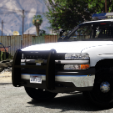


Been a while, here are some recent liveries of mine I thought I'd share. The liveries are based off the older livery designs of New Britain, Connecticut.
The liveries come in 2K, 4K. and are lore friendly. For the CVPI's, both have extra liveries that slightly alters the main design.
The Liveries are Made for These Bases:
1998-2011 Ford Crown Victoria Police Interceptor - OfficerUnderwood
2008 Dodge Charger - RAZ3R
2015 Ford Expedition - VooDoo
Vehicle Models Used In The Pictures:
https://www.gta5-mods.com/vehicles/non-els-compton-police-department-mini-pack
CVPI with Whelen Lightbar: Pacific Pig's Patreon
2008 Dodge Charger and Ford Expedition: Paul Modifications Retro Pack
Enjoy!

Edited by brezelpretzel
Short Description
VooDoo
OfficerUnderwood
- Darnath and JankModding
-
 2
2

![[ELS] TOS Friendly Gravel Scouting Pannenhilfsfahrzeug](http://s3-screenshots.int-cdn.lcpdfrusercontent.com/resize/500/-/monthly_2026_05/image(1).thumb.png.11b6d1dd804231463c410697238c6672.png)

![[ELS] TOS Friendly Gravel Scouting HVO](http://s3-screenshots.int-cdn.lcpdfrusercontent.com/resize/500/-/monthly_2026_05/01.thumb.png.29cd5d50d6b87d8d94e1a371570d583b.png)












Recommended Comments
Create an account or sign in to comment