


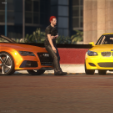


GERMAN: Hilti T6.1 Erstmal ein Moin, und wir freuen uns das ihr unser Hilti T6.1 nutzt. Nun erzähle ich euch ein bisschen über den Hilti T6.1. Also wir haben hinten auf der Heckscheibe eine Folie drauf mit den Hintergrund Dick & Dünn dies wird in Real Life auch so genutzt. Der Hilti T6.1 hat hinten im Kofferraum einen Staubsauger drinnen, damit das Auto ein bisschen realistischer wirkt. Das ganze Hund Design Team bedankt sich bei dir für den Kauf und wir hoffen du hast mit dem Hilti T6.1 sehr viel Spaß! Mfg, Hund Design. ENGLISH: Hilti T6.1 First of all, hello and we are pleased that you are using our Hilti T6.1. Now I'll tell you a bit about the Hilti T6.1. We have a film on the back of the rear window with the background Thick & Thin, which is also used in real life. The Hilti T6.1 has a vacuum cleaner in the back of the trunk to make the car look a bit more realistic. The whole Hund Design team would like to thank you for your purchase and we hope you have a lot of fun with the Hilti T6.1! Best regards, Hund Design
Short Description
Skin by 1002.nilus
Pictures by KeN

![[ELS-Hybrid | Addon | Non-Lore] Oroville Police 2025 F150PR](http://s3-screenshots.int-cdn.lcpdfrusercontent.com/resize/500/-/monthly_2026_05/2.thumb.png.81ee5a15c7d00a898911a3b52e60ca18.png)


.thumb.png.177ec5c82c93e73acf68fc187d58b6d5.png)










![2016 Hyundai Tuscon [DEV]](http://s3-screenshots.int-cdn.lcpdfrusercontent.com/resize/500/-/monthly_2026_05/Screenshot2026-05-25084944.thumb.png.f8f0caf2410540e7ffd4dbe4e484d1a7.png)

Recommended Comments
Create an account or sign in to comment