


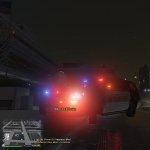

Yes ya'll im aware that you can just do with Menyoo also but lets be honest, especially me. I do not feel like installing menyoo and settin it all up and im pretty sure at least some of ya'll feel the same. So i made this simple plugin to resolve that and to resolve those annoying frozen broken peds that sometimes just stand in the middle of the street and nothing.
Simply just go up to a ped press Alt + L and done, you can adjust the ini file to configure the keybinds to ur liking and an ini option to configure whether or not you wanna protect emergency peds, installation is in README, Enjoy!
What's New in Version 1.0.0
Released
fixed plugin not registering, didnt update version cuz no need to
Short Description
AI disclosure
The author has disclosed that AI tools were used in creating the following aspects of this file:
- Images




![[DLSv2.1][DLC] Los Santos Parish Sheriff Mini 2020-2024 FPIU Pack](http://s3-screenshots.int-cdn.lcpdfrusercontent.com/monthly_2026_10/Main.thumb.jpg.8ee01bb692bc8bff8c115653eae4563d.jpg)

![Liberty 2 2023 Ram 1500 Classic [Fivem-Ready]](http://s3-screenshots.int-cdn.lcpdfrusercontent.com/monthly_2026_10/ram4.thumb.png.158c2900ca7ce13c55c86b8d878c05ff.png)
![[ELS] [REPLACE] 2025 fpiu [NCPD Based]](http://s3-screenshots.int-cdn.lcpdfrusercontent.com/resize/500/-/monthly_2026_10/GrandTheftAutoVScreenshot2026_10.17-15_16_46_36.thumb.png.3658e9f60c86c3d1337c076cf7ad4966.png)




Recommended Comments
Create an account or sign in to comment