Skip to content
View in the app

A better way to browse. Learn more.

LCPDFR.com

A full-screen app on your home screen with push notifications, badges and more.

To install this app on iOS and iPadOS
  1. Tap the Share icon in Safari
  2. Scroll the menu and tap Add to Home Screen.
  3. Tap Add in the top-right corner.
To install this app on Android
  1. Tap the 3-dot menu (⋮) in the top-right corner of the browser.
  2. Tap Add to Home screen or Install app.
  3. Confirm by tapping Install.

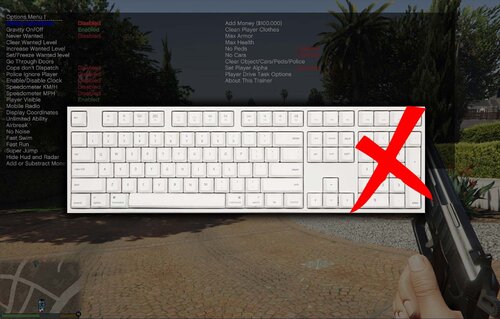
No Numpad Fix for Simple Trainer 1.1

(3 reviews)

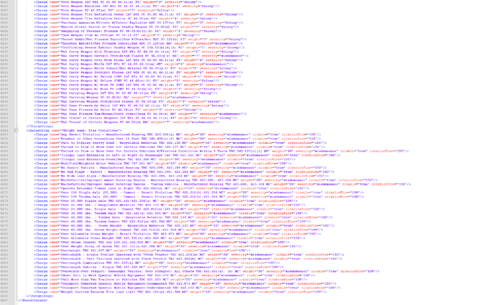
1 Screenshot

Works for any version of simple trainer.

IMPORTANT!!! PLEASE READ

Since the inclusion of the Legacy and Enhanced versions of the game to get this to work 100% correctly the installation has changed a bit.

  1. Drag and Drop the trainerv.ini I've included into your GTA V main directory (where you installed simple trainer) and replace.

  2. Navigate to %appdata% > Roaming > TrainerV > Legacy and/or Enhanced (choose whichever folder is applicable to you).

  3. Drag and Drop the same trainer.ini from before and replace.

If you do not have the TrainerV > Legacy and/or Enhanced folder, simply create one.

Required:

Spoiler

https://www.gta5-mods.com/scripts/simple-trainer-for-gtav


Keybinds:

Spoiler

  • Enter Menu: F3

  • Hide Menu: F4

  • Menu Up: Arrow Up

  • Menu Down: Arrow Down

  • Scroll Up: Arrow Right

  • Scroll Down: Arrow Left

  • Enter: Enter

  • Back: Backspace

  • Second Column: Page Up

  • First Column: Page Down

Edited by Anthony Ellis
Added new installation instructions for the legacy and enhanced versions.

What's New in Version 1.1

Released

  • Edited key configs a little bit.

  • Disabled keybinds in trainer by default (conflicts with page up and down keys)

  • Added new install instructions for new legacy and enhanced GTA V versions.

  • Fixed a typo 😛


Short Description

No Numpad Fix for Simple Trainer

User Feedback

Recommended Comments

CriminalJustice

Members

I can tell you as an LSPDFR content creator that puts out alot of tutorials, your gonna get alot of traffic on this mod. Great stuff man! I can't even begin to tell you just how many people I encounter on a daily that doesn't have the numpad for Simple Trainer. This is pure genius man! I wish you nothing but success with this mod. Give it time, you'll have alot folks coming this way.

Anthony Ellis

Members Author

(edited)

On 3/3/2021 at 10:35 PM, CriminalJustice said:

I can tell you as an LSPDFR content creator that puts out alot of tutorials, your gonna get alot of traffic on this mod. Great stuff man! I can't even begin to tell you just how many people I encounter on a daily that doesn't have the numpad for Simple Trainer. This is pure genius man! I wish you nothing but success with this mod. Give it time, you'll have alot folks coming this way.

Appreciate it man

Edited by Anthony Ellis

Angel Dust

Members

I have a numpad and I despise using it to navigate Simple Trainer. I'm downloading this just so I don't have to use the numpad.

MattyIsBall

Members

Definately helps! Appreciate you taking the time to do this! Keyboards without the numpad are becoming more and more popular! I did a video on it to shed some light to your LSPDFR Post! 


CriminalJustice

Members

9 minutes ago, MattyIsBall said:

Definately helps! Appreciate you taking the time to do this! Keyboards without the numpad are becoming more and more popular! I did a video on it to shed some light to your LSPDFR Post! 


Man you beat me to it 😂 

Anthony Ellis

Members Author

On 1/20/2026 at 3:49 AM, BasicFotus said:

does it still work?

Latest reply ever here, but for others that see this, yes it does! :)

RWieber79

Members

I have a numpad and I'm still temped to use this anyway. My only issue is that I have my Reshade menu on Pageup and my QuantV menu on Pagedown so idk where I would move those too. I have too many mods so F1-F24 are all taken up and most of the other keys as well...

Create an account or sign in to comment

Account

Navigation

Search

Search

Configure browser push notifications

Chrome (Android)
  1. Tap the lock icon next to the address bar.
  2. Tap Permissions → Notifications.
  3. Adjust your preference.
Chrome (Desktop)
  1. Click the padlock icon in the address bar.
  2. Select Site settings.
  3. Find Notifications and adjust your preference.