


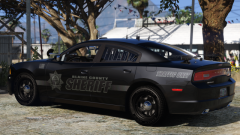

Hi, tired of knocking out the person you interrogate by just closing the menu? Here is the answer. I played with a couple lines in those meta and find the perfect combo if you would like to use this mod below credit to "Helexion" for his wonderful plugin. link below. It disable handbrake(RightShoulder)P.S switch ducking/handbrake in the in game setting, shooting from in the vehicle(LeftShoulder), phone up(DPadUp) and light melee(B). P.S if you wonder this won't affect ELS. in any way.
Don't ask for file change i am not a coding expert, but i just thought i'll share my finding to the community.
What's New in Version 1.0.1
Released
Installation instructions
helexion for his talented work.
- chaxils08 and Matthew686
-
 2
2






![Romanian Dacia Logan 2018 PACK [Ordine Publica + Rutiera] --- design vechi](http://s3-screenshots.int-cdn.lcpdfrusercontent.com/resize/500/-/monthly_2026_07/GrandTheftAutoVScreenshot2026_07.01-19_05_26_50.thumb.png.13010bf36b8151a219e1d7e991f91b6d.png)


![Politia Romana - BMW M5 [NON-ELS]-[ELS] [Add-on / Replace | FiveM-Ready]](http://s3-screenshots.int-cdn.lcpdfrusercontent.com/resize/500/-/monthly_2026_06/1.thumb.PNG.597da8bad8a1476bb85f5239259826ae.PNG)
.thumb.png.57a9b3a18a7ceee22f599419afd5b504.png)


Recommended Comments
Create an account or sign in to comment