


Install path (OpenIV): Grand Theft Auto V\mods\update\x64\dlcpacks\eup\dlc.rpf\x64\eup_componentpeds.rpf\mp_m_freemode_01_mp_m_january2016
⚠️ Due to the limitations of certain components, I have switched Hanko's EUP VEST&EARPIECE Vest 4, Setup 2 to mp_m_freemode_01_mp_m_january2016
Steps to replace texture (If you already have Hanako's EUP VEST&EARPIECE Vest 4, Setup 2 installed - please make sure to read the warning label):
- 1. Boot up OpenIV and find the specific folder, stated above.
- 2. Open the "Files" folder in the ZIP file.
- 3. Drag and drop all the textures onto your desktop.
- 4. Now Open up task_diff_000_a_uni.ytd through to task_diff_000_j_uni.ytd.
- 5. Open each and replace the texture, by right clicking and pressing "replace"
- 6. In the file explorer pop-up, navigate to the desktop to find the replacement texture.
Steps 4-5 are repeated for 10 times for each texture.
Please note that you can also follow Hanako's default location: Grand Theft Auto V\mods\update\x64\dlcpacks\eup\dlc.rpf\x64\eup_componentpeds.rpf\mp_m_freemode_01_mp_m_heist3
And in that case find the texture that you like and follow these steps:
- 1. Open the "Files" folder in the ZIP file.
- 2. Drag and drop the texture that you want onto your desktop.
- 3. Now open up task_diff_000_a_uni.ytd.
- 4. Once opened, replace the texture, by right clicking and pressing "replace".
- 5. In the file explorer pop-up, navigate to the desktop to find the replacement texture.
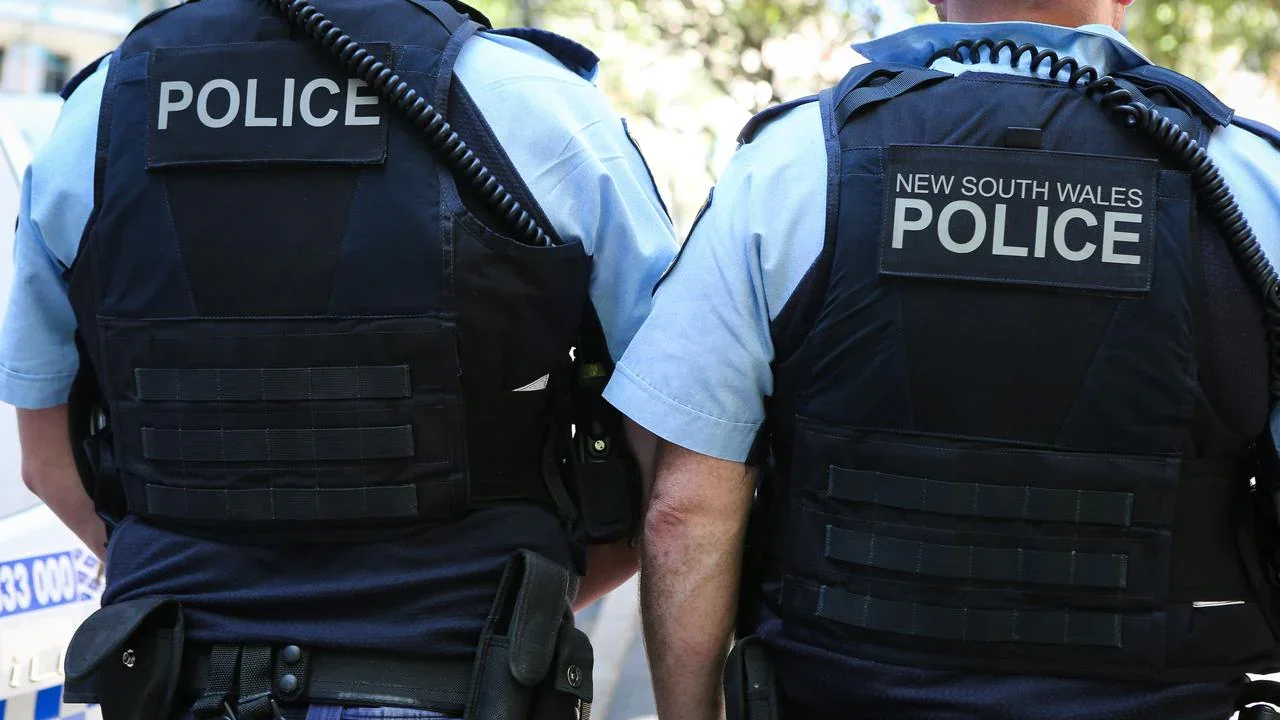
I have also included an extra folder which contains realistic vest textures used within the New South Wales Police Force and Queensland Police Service.
For Vest 7, Setup 2 the install location is: Grand Theft Auto V\mods\update\x64\dlcpacks\eup\dlc.rpf\x64\eup_componentpeds.rpf\mp_m_freemode_01_mp_m_heist3
- 1. Open task_diff_001_a_uni.ytd
- 2. Right click the texture and click "replace"
- 3. Drag and Drop the texture of your liking onto your desktop from the ZIP file
- 4. Navigate in the pop-up to your desktop to find the replacement texture.
You must have EUP Law & Order and Hanako EUP VEST&EARPIECE mods installed for these textures to work correctly.
Inspiration for the realistic vests (First is QPS, second is NSWPF):

Credits:
Model - Hanako
Functionality - Alex_Ashfold, et al (EUP Team).
Textures - Anaxes
Thanks, Anaxes.
Edited by Anaxes
Short Description
Model - Hanako
Functionality - Alex_Ashfold, et al (EUP Team).
Textures - Anaxes













![Arkansas State Police [4K]](http://s3-screenshots.int-cdn.lcpdfrusercontent.com/monthly_2026_05/Screenshot_2747.thumb.png.f0b9ad12f59a7855161f08525b0012b6.png)


Recommended Comments
Create an account or sign in to comment