Skip to content
View in the app

A better way to browse. Learn more.

LCPDFR.com

A full-screen app on your home screen with push notifications, badges and more.

To install this app on iOS and iPadOS
  1. Tap the Share icon in Safari
  2. Scroll the menu and tap Add to Home Screen.
  3. Tap Add in the top-right corner.
To install this app on Android
  1. Tap the 3-dot menu (⋮) in the top-right corner of the browser.
  2. Tap Add to Home screen or Install app.
  3. Confirm by tapping Install.

BCSO, LSPD G3 Combat shirt modeled 1.1.0

(0 reviews)

2 Screenshots

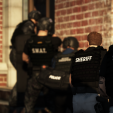
This is my first piece made off the base in game shirts for SRT and SWAT and they are using the in game modeling that come default with EUP. 


Do not ask me where I got the Vest, Holsters and Belts. They are not for sale.


To install Mods-Update-x64-dlcpacks-eup-dlc.rpf-x64-eup_componentpeds.rpf-mp_m_freemode_01_mp_m_gunrunning_01

Replace both YTD textures by going into Edit Mode and clicking on it then hit replace then find the textures that you are using. I recomend to replace both jbib_diff_013_d_uni_ytd and jbib_diff_013_a_uni_ytd as they are the two that I am using.

I am not respondable for breaking any of the EUP mods I have tested it out and it will work.  

20191102074219_1.jpg

20191102074500_1.jpg

20191102074505_1.jpg

What's New in Version 1.1.0

Released

This is a new update for my shirts that updates the patch.

User Feedback

Recommended Comments

Brian292948

Members

@ChiefGibbs Good looking shirt. However the right side patches seem to be inverted.

agent rogers

Members

4 hours ago, ChiefGibbs said:

Thank you y’all for downloading my shirt hope you y’all liked it

Very nice!   i have the fix for the patches on the right side they just needed to be flipped i'll mail it to you to upload.

StanfordDesignCustoms

Members Author

Update...

Working on getting a multicam texture out 


KnightHawkOne

Members

On 10/10/2019 at 10:21 AM, StanfordDesignCustoms said:

Thank you y’all for downloading my shirt hope you y’all liked it

Will you be making other variations of your shirts?

Create an account or sign in to comment

Latest Mods

Account

Navigation

Search

Search

Configure browser push notifications

Chrome (Android)
  1. Tap the lock icon next to the address bar.
  2. Tap Permissions → Notifications.
  3. Adjust your preference.
Chrome (Desktop)
  1. Click the padlock icon in the address bar.
  2. Select Site settings.
  3. Find Notifications and adjust your preference.













