About This File Credits Police de Montreal en habit Noir et bientôt station de police de montreal policier en noir
GabLeGamer Members December 16, 20169 yr Author stats 1 hour ago, xMoD said: NYPD? SPVM, Montreal metropolitain police. They used to be in light blue, just changed their uniforms to black.
t0y Members December 16, 20169 yr Author stats 1 hour ago, GabLeGamer said: SPVM, Montreal metropolitain police. They used to be in light blue, just changed their uniforms to black. what is this
HZ30 Members December 17, 20169 yr Author stats On 2016-12-15 at 10:08 PM, GabLeGamer said: SPVM, Montreal metropolitain police. They used to be in light blue, just changed their uniforms to black. He ask about NYPD because in the picture you can see "NYPD Davis PCT" next to the SPVM logo. Overall, I think the skin still need some work. Seeing the picture make it seems kinda boring and out of place. And maybe if you could upload the texture's files instead of the whole model it would be nice.




![[ELS-Hybrid | Addon] BCSO 2023 Sedan Pack](http://s3-screenshots.int-cdn.lcpdfrusercontent.com/resize/500/-/monthly_2026_05/c1.thumb.png.72e037deb13db042ded82c3a64e264cb.png)


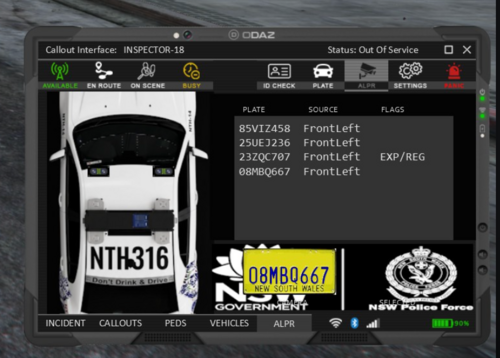
![Unmarked Tahoe Mini Pack [Non-els] [FiveM]](http://s3-screenshots.int-cdn.lcpdfrusercontent.com/resize/500/-/monthly_2026_05/PGTA5186951184.thumb.jpg.a2f6b04fc0dadc237a0af3ca6372341e.jpg)





![[PL] Motoambulans - BMW R 1200RT](http://s3-screenshots.int-cdn.lcpdfrusercontent.com/resize/500/-/monthly_2026_05/Zrzutekranu2026-05-24204701.thumb.png.021f3679ae041bf19941ec0436deab39.png)
![[PL] Pojazd Operacyjny ASR (Ambulans Szybkiego Reagowania) - Audi Q7](http://s3-screenshots.int-cdn.lcpdfrusercontent.com/resize/500/-/monthly_2026_05/Zrzutekranu2026-05-24204615.thumb.png.ad7dc0bd99f4aabca3558e39f5f70d11.png)

![Federal Signal Valor 2020 Ford Explorer [N-ELS]](http://s3-screenshots.int-cdn.lcpdfrusercontent.com/resize/500/-/monthly_2026_05/Screenshot2026-05-24114013.thumb.png.8741ddf467a66c5b080784c21c365c95.png)

Recommended Comments
Create an account or sign in to comment