




Hello and these are my sirens I have decided to upload so now these sirens are officially updated.
These sirens used to be for singleplayer and now it is for FiveM & Singleplayer with readme & Instructions on how to install my sirens.
I have uploaded a | vehicles.awc | vehicles.oac | vehicles files | even tips on how to install different type of sirens
These sirens were last updated on
1/7/26 @ 3:59 PM CST Time
https://www.tiktok.com/@jayxs.4/video/7576213309561638199?is_from_webapp=1&sender_device=pc
The following link is to the sirens preview. Im sorry for not uploading a youtube video like how other user did but oh well
If their is any problems you can report it to my discord server
Edited by BlueLineJaycob
- Fixed The Modifed Game Files For FiveM!
What's New in Version 1.1.1
Released
New FiveM Installation Guide
Added New Update Log Inside Of The Folder
Made The File As A ZIP File Instead Of Rar File
No More Modified Game Files After Installing It For FiveM
Short Description
no helpers 🥲


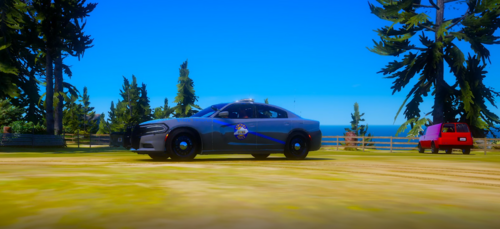
.thumb.png.afea87ee51864d1828b2faee0c0ac7d6.png)













You may only provide a review once you have downloaded the file.