




169Gaming
Members
-
Joined
-
Last visited
Everything posted by 169Gaming
-
Have you searched for any? There are quite a lot if you search for a pack...
-
-
-
Ahh sorry I completely forgot about this sorry! I have got so much going on the now outside of GTA etc. I will star asking around today, I have made a note to do so haha! Call me whatever haha (obviously polite though)
-
Don't you just have to see how many games they play a year and divide it?
-
It's starting to look very good for GTA V on PC!
-
Okay, was just making sure.
-
Have you either commented on the photo in the gallery or have you contacted the author of the photo?
-
Sam, just think how much Irn Bru you could buy with the money!
-
A LCPD:FR store wouldn't be a bad idea. The team will, if they make a profit, earn more money. The community would grow. Wouldn't be so reliant on donations and adverts. Could give developers the chance to spend more time on the mod/site etc. High five to you CG Blaze!
-
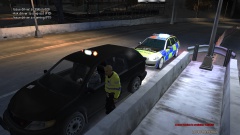
From the album: London Metropolitan Police
Car refused to pull onto the hard shoulder so car was stopped on live carriageway late at night -
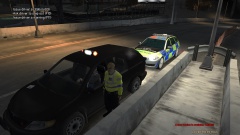
From the album: London Metropolitan Police
Car refused to pull onto the hard shoulder so car was stopped on live carriageway late at night -
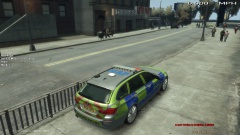
From the album: London Metropolitan Police
Parked up next to the petrol station in Bohan waiting for possible offenders to set off the Automatic Number Plate Recognition -
From the album: London Metropolitan Police
-
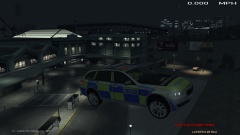
From the album: London Metropolitan Police
-
The Scottish Ambulance Service was struggling at times with waiting times for ambulances of over 90 minutes on occasions. However the service had drastically improved and ambulances, from when I have called them, been on scene extremely quick to treat the casualty.
-
Think about it, if you have a light on during the day, do you see it at its brightest? No, because there is other light around it. You will see the light at its brightest when it is dark. Where as liveries designed to reflect light are bright as there is light to reflect during the day.
-
I have noticed that when it is a bright, sunny day and you are driving with the sun facing you, it is sometimes difficult to see the LED lighting, that's where the liveries take part. Acting as a role of secondary protection EDIT: Fixed slight grammatical error
-
Just simply to back up what DD has said; with the use of these highly visible liveries, these incidents are extremely rare over here. To say that the UK doesn't really need these high vis markings is wrong as it provides extra protection by means of prevention of accidents allowing a safe workplace for the officers, plus they also stand out to the public and criminals alike. It feels as if you are demeaning them by calling them 'wonderful stickers' as it suggests they are simply there for show which is completely untrue. A car that provides a service on the road such as The Highways Agency, the Police, Recovery Vehicles etc. are, to my knowledge, required to have these markings. Just like a High Visibility jacket but for a car. On topic: it is really is terrible that this would happen while the victim is at work. Let's hope they recover fast!
-
What have you downloaded? EDIT: Ninja'd by ineseri as usual...
-
If I get a get a 500W PSU and a GTX 660, will it really be worth it? Will it increase FPS etc?
-
-
-
I'll talk to people tomorrow to see if it's possible and I'll get back to you!
-
These would be really good! Thanks for making the suggestion OP!

