




ineseri
Friends of LSPDFR
-
Joined
Everything posted by ineseri
-
Can you post a screenshot of your GTA IV Directory please?
-
Hello there -- welcome to LCPDFR.com and thanks for trying out LCPDFR. You failed to read the instructions before posting in this forum. So we'll remind you of them. Please do the following: Make sure you aren't using a crack - We don't support cracks Update GTA IV to 1.0.7.0 (the latest version of the game, or 1.1.2.0 for EFLC) - This sometimes fixes a wide variety of issues Make sure that you run the game as an administrator. Make sure that your GTA IV root folder (and every subdirectory) is not set to "read-only" Ensure that ScriptHook.dll, ScriptHookDotNet.asi and Dsound.dll OR Xlive.dll are in the GTA IV ROOT folder Ensure that there is a folder titled 'LCPDFR' in the ROOT GTA IV folder. Check that all the above files exist, if they do not, reinstall LCPDFR with the MANUAL installation. Ensure that you are using up to date versions of every LCPDFR dependency and LCPDFR itself. Install these: .Net Framework 4.5, Microsoft Visual C++ Redist 2012 If your problem has been solved after following these basic instructions, hit 'Mark Solved' next to this post. If not, please now reply to this thread, and make sure that you do the following: Give a clear, detailed description of the problem. Explain any circumstances surrounding the problem. State what solutions you have tried. Post ALL relevant logs (LCPDFR.log, Scripthook.log, ScriptHookDotNet.log, AdvancedHook.log). Include as much information as possible. Post your system specifications. Post what other mods you are using. This includes car and script mods. Please note that failure to follow these instructions may cause this thread to be closed.
-
For some it is, but the automatic usually is able to find the installation if all prerequisites are met.
-
Use the manual installation package.
-
Nothing to see here! This topic has been closed by LCPDFR.com staff as it has been posted in the wrong forum section. The LCPDFR support forum is for issues related to the LCPDFR modification itself only. Please post your topic in the website support and suggestions forum instead, following the pinned instructions there. GTA IV Support Forum Website Support & Suggestions Support Forum If you feel that this topic has been closed in error, please report this post.
-
Well who knows what LMS is doing... http://blog.lms-dev.com/
-
I don't think any developer would do that, considering they're pretty much 2 different versions now. And as Will said, you never had to buy the previous versions.
-
I recommend you to read what willpv said, he makes a lot of sense and put it exactly in the way I mean it.
-
This happens because of people with your trail of thought. Now, please do not further encourage illegal activites on LCPDFR.com.
-
You can instead as why those who pirates are so selfish and force the developers to do this.
-
And this is the reason we can't have nice things, and instead get DRM-locked games and crappy ports.
-
Nothing to see here! This topic has been closed by LCPDFR.com staff as it has been posted in the wrong forum section. This forum is not for general support requests. Please post your topic in the relevant support forum instead, following the clearly presented instructions there. GTA IV Support Forum LCPDFR Support Forum Website Support & Suggestions Support Forum If you feel that this topic has been closed in error, please report this post.
-
Hello there -- welcome to LCPDFR.com and thanks for trying out LCPDFR. You failed to read the instructions before posting in this forum. So we'll remind you of them. Please do the following: Make sure you aren't using a crack - We don't support cracks Update GTA IV to 1.0.7.0 (the latest version of the game, or 1.1.2.0 for EFLC) - This sometimes fixes a wide variety of issues Make sure that you run the game as an administrator. Make sure that your GTA IV root folder (and every subdirectory) is not set to "read-only" Ensure that ScriptHook.dll, ScriptHookDotNet.asi and Dsound.dll OR Xlive.dll are in the GTA IV ROOT folder Ensure that there is a folder titled 'LCPDFR' in the ROOT GTA IV folder. Check that all the above files exist, if they do not, reinstall LCPDFR with the MANUAL installation. Ensure that you are using up to date versions of every LCPDFR dependency and LCPDFR itself. Install these: .Net Framework 4.5, Microsoft Visual C++ Redist 2012 If your problem has been solved after following these basic instructions, hit 'Mark Solved' next to this post. If not, please now reply to this thread, and make sure that you do the following: Give a clear, detailed description of the problem. Explain any circumstances surrounding the problem. State what solutions you have tried. Post ALL relevant logs (LCPDFR.log, Scripthook.log, ScriptHookDotNet.log, AdvancedHook.log). Include as much information as possible. Post your system specifications. Post what other mods you are using. This includes car and script mods. Please note that failure to follow these instructions may cause this thread to be closed.
-
Yes, you need GTA IV for LCPDFR to work properly. You will need to buy GTA IV. Nothing to see here! This topic has been closed by LCPDFR.com staff as it has been posted in the wrong forum section. This forum is not for LCPDFR support requests. Please post your topic in the LCPDFR Support Forum instead, following the clearly presented instructions there. If you feel that this topic has been closed in error, please report this post.
-
Meh, no real surprise here. GTA IV has DRM too, and we were able to mod it. GTA IV has no modding support, and we can still mod it. Virtually no game has "modding support". We won't know until the game is released.
-
 I am hearing a car crash after Carry drove it :P Nice pic :D
 -
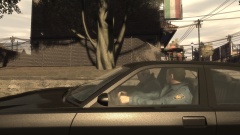
From the album: ineseris LCPDFR images
-
You copy-pasted it. You didn't read it. You haven't acknowledged any of the suggestions or posted any logs?
-
Hello there -- welcome to LCPDFR.com and thanks for trying out LCPDFR. You failed to read the instructions before posting in this forum. So we'll remind you of them. Please do the following: Make sure you aren't using a crack - We don't support cracks Update GTA IV to 1.0.7.0 (the latest version of the game, or 1.1.2.0 for EFLC) - This sometimes fixes a wide variety of issues Make sure that you run the game as an administrator. Make sure that your GTA IV root folder (and every subdirectory) is not set to "read-only" Ensure that ScriptHook.dll, ScriptHookDotNet.asi and Dsound.dll OR Xlive.dll are in the GTA IV ROOT folder Ensure that there is a folder titled 'LCPDFR' in the ROOT GTA IV folder. Check that all the above files exist, if they do not, reinstall LCPDFR with the MANUAL installation. Ensure that you are using up to date versions of every LCPDFR dependency and LCPDFR itself. Install these: .Net Framework 4.5, Microsoft Visual C++ Redist 2012 If your problem has been solved after following these basic instructions, hit 'Mark Solved' next to this post. If not, please now reply to this thread, and make sure that you do the following: Give a clear, detailed description of the problem. Explain any circumstances surrounding the problem. State what solutions you have tried. Post ALL relevant logs (LCPDFR.log, Scripthook.log, ScriptHookDotNet.log, AdvancedHook.log). Include as much information as possible. Post your system specifications. Post what other mods you are using. This includes car and script mods. Please note that failure to follow these instructions may cause this thread to be closed.
-
Hello there -- welcome to LCPDFR.com and thanks for trying out LCPDFR. You failed to read the instructions before posting in this forum. So we'll remind you of them. Please do the following: Make sure you aren't using a crack - We don't support cracks Update GTA IV to 1.0.7.0 (the latest version of the game, or 1.1.2.0 for EFLC) - This sometimes fixes a wide variety of issues Make sure that you run the game as an administrator. Make sure that your GTA IV root folder (and every subdirectory) is not set to "read-only" Ensure that ScriptHook.dll, ScriptHookDotNet.asi and Dsound.dll OR Xlive.dll are in the GTA IV ROOT folder Ensure that there is a folder titled 'LCPDFR' in the ROOT GTA IV folder. Check that all the above files exist, if they do not, reinstall LCPDFR with the MANUAL installation. Ensure that you are using up to date versions of every LCPDFR dependency and LCPDFR itself. Install these: .Net Framework 4.5, Microsoft Visual C++ Redist 2012 If your problem has been solved after following these basic instructions, hit 'Mark Solved' next to this post. If not, please now reply to this thread, and make sure that you do the following: Give a clear, detailed description of the problem. Explain any circumstances surrounding the problem. State what solutions you have tried. Post ALL relevant logs (LCPDFR.log, Scripthook.log, ScriptHookDotNet.log, AdvancedHook.log). Include as much information as possible. Post your system specifications. Post what other mods you are using. This includes car and script mods. Please note that failure to follow these instructions may cause this thread to be closed.
-
Nothing to see here! This topic has been closed by LCPDFR.com staff as it has been posted in the wrong forum section. This forum is not for general support requests. Please post your topic in the relevant support forum instead, following the clearly presented instructions there. GTA IV Support Forum LCPDFR Support Forum Website Support & Suggestions Support Forum If you feel that this topic has been closed in error, please report this post.
-
Nothing to see here! This topic has been closed by LCPDFR.com staff as it has been posted in the wrong forum section. The LCPDFR support forum is for issues related to the LCPDFR modification itself only. Please post your topic in the website support and suggestions forum instead, following the pinned instructions there. GTA IV Support Forum Website Support & Suggestions Support Forum If you feel that this topic has been closed in error, please report this post.
-
Nothing to see here! This topic has been closed by LCPDFR.com staff as it has been posted in the wrong forum section. This forum is not for general support requests. Please post your topic in the relevant support forum instead, following the clearly presented instructions there. GTA IV Support Forum LCPDFR Support Forum Website Support & Suggestions Support Forum If you feel that this topic has been closed in error, please report this post.
-
Hello there -- welcome to LCPDFR.com and thanks for trying out LCPDFR. You failed to read the instructions before posting in this forum. So we'll remind you of them. Please do the following: Make sure you aren't using a crack - We don't support cracks Update GTA IV to 1.0.7.0 (the latest version of the game, or 1.1.2.0 for EFLC) - This sometimes fixes a wide variety of issues Make sure that you run the game as an administrator. Make sure that your GTA IV root folder (and every subdirectory) is not set to "read-only" Ensure that ScriptHook.dll, ScriptHookDotNet.asi and Dsound.dll OR Xlive.dll are in the GTA IV ROOT folder Ensure that there is a folder titled 'LCPDFR' in the ROOT GTA IV folder. Check that all the above files exist, if they do not, reinstall LCPDFR with the MANUAL installation. Ensure that you are using up to date versions of every LCPDFR dependency and LCPDFR itself. Install these: .Net Framework 4.5, Microsoft Visual C++ Redist 2012 If your problem has been solved after following these basic instructions, hit 'Mark Solved' next to this post. If not, please now reply to this thread, and make sure that you do the following: Give a clear, detailed description of the problem. Explain any circumstances surrounding the problem. State what solutions you have tried. Post ALL relevant logs (LCPDFR.log, Scripthook.log, ScriptHookDotNet.log, AdvancedHook.log). Include as much information as possible. Post your system specifications. Post what other mods you are using. This includes car and script mods. Please note that failure to follow these instructions may cause this thread to be closed.
-
Nothing to see here! This topic has been closed by LCPDFR.com staff as it is a support topic concerning an unsupported version of LCPDFR. We do not support old versions of LCPDFR, and recommend you use and download the latest version. If you feel that this topic has been closed in error, please report this post.


