




ineseri
Friends of LSPDFR
-
Joined
Everything posted by ineseri
-
You just made a post telling people to calm down about mods, and now you're making a topic about mods? :P We just have to wait and see what will be possible, at the moment it is pointless in making day-dream topics, in my opinion.
-
As said before, we're still working on it. This is only temporary. We all have lives to attend to, give it time :)
-
Sure, of course. I just don't want people to be mislead, that's all.
-
Give it some time, maybe it'll grow on you!
-
You may not want to use "LSPDFR". As mentioned above, it's misleading.
-
It's impossible to go back to what it was. We're using IPS4 now, and we won't change that. You'll need to get used to the change, at the moment it is unfamiliar, that's all. We are working as fast as we can to get the site back to look normal, but for now, this is what we have. I think it's unfair to start creating polls that we need to go back in time to what once was. This is the future :)
-
Please read this:
-
-
Nothing to see here! This thread has been closed by LCPDFR.com staff, because it has been created in an incorrect forum section. We require that LCPDFR support requests are created in the LCPDFR Support Requests forum, so that users are presented with the troubleshooter. Please use that forum and follow the clearly presented instructions. If you feel that this topic has been closed in error, please report this post.
-
Yes, ELS is not working on the default cars. Either replace the cars, disable ELS on that car, or remove ELS.
-
Did you install ELS enabled cars?
-
Hello there -- welcome to LCPDFR.com and thanks for trying out LCPDFR. You failed to read the instructions before posting in this forum. So we'll remind you of them. Please do the following: Make sure you aren't using a crack - We don't support cracks Update GTA IV to 1.0.7.0 (the latest version of the game, or 1.1.2.0 for EFLC) - This sometimes fixes a wide variety of issues Make sure that you run the game as an administrator. Make sure that your GTA IV root folder (and every subdirectory) is not set to "read-only" Ensure that ScriptHook.dll, ScriptHookDotNet.asi and Dsound.dll OR Xlive.dll are in the GTA IV ROOT folder Ensure that there is a folder titled 'LCPDFR' in the ROOT GTA IV folder. Check that all the above files exist, if they do not, reinstall LCPDFR with the MANUAL installation. Ensure that you are using up to date versions of every LCPDFR dependency and LCPDFR itself. Install these: .Net Framework 4.5, Microsoft Visual C++ Redist 2012 If your problem has been solved after following these basic instructions, hit 'Mark Solved' next to this post. If not, please now reply to this thread, and make sure that you do the following: Give a clear, detailed description of the problem. Explain any circumstances surrounding the problem. State what solutions you have tried. Post ALL relevant logs (LCPDFR.log, Scripthook.log, ScriptHookDotNet.log, AdvancedHook.log). Include as much information as possible. Post your system specifications. Post what other mods you are using. This includes car and script mods. Please note that failure to follow these instructions may cause this thread to be closed.
-
MODERATOR NOTICE Moved to the french section. The main LCPDFR.com forums are english only.
-
Fairly certain the game will be released on the same time, regardless of time zone.
-
MODERATOR NOTICE Your thread has been moved to GTA IV Discussion & Media, as it is not an LCPDFR Discussion thread.
-
Welcome to LCPDFR.com! :)
-
I'd say this is going nowhere productive. Nothing to see here! This topic has been closed by LCPDFR.com staff. If you feel that this topic has been closed in error, please report this post.
-
Let's remain civil and on topic. Threats won't be tolerated.
-
Nothing to see here! This thread has been closed by LCPDFR.com staff, because it has been created in an incorrect forum section. We require that LCPDFR support requests are created in the LCPDFR Support Requests forum, so that users are presented with the troubleshooter. Please use that forum and follow the clearly presented instructions. If you feel that this topic has been closed in error, please report this post.
-
Nothing to see here! This thread has been closed by LCPDFR.com staff, because it has been created in an incorrect forum section. We require that LCPDFR support requests are created in the LCPDFR Support Requests forum, so that users are presented with the troubleshooter. Please use that forum and follow the clearly presented instructions. If you feel that this topic has been closed in error, please report this post.
-
Stay on topic.
-
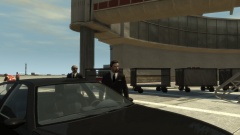 Mean :/
 -
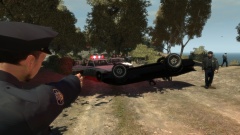 I'm a good driver, just ask Carrythxd :)
 -
Yes, they're terrible. No, I don't care :D
-
Government Spooks
-
Who let Sam drive again?
-
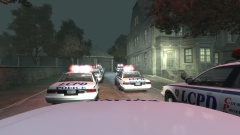 LCPD does a house call
-
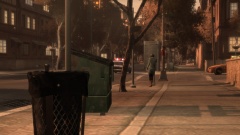 Another pursuit!
-
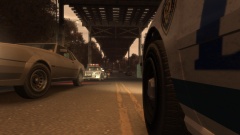 Pursuit!
-
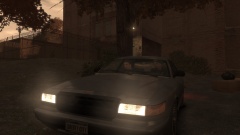 Officers about to investigate a disturbance
-
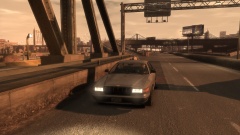 LCPD Undercover Vapid
-
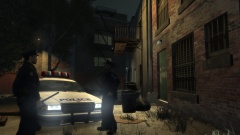 Rainy night 3.
-
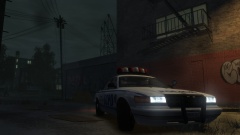 Rainy night 2.
-
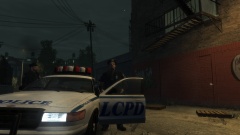 Rainy night 1.
-
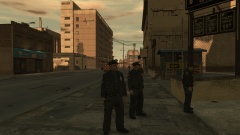 Aftermath.
-
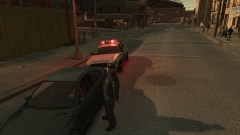 Traffic stop in the hood.
-
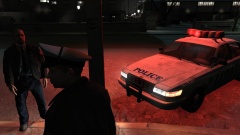 Nightly visit
-
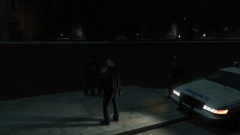 Suspicious person
-
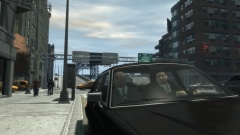 Detectives x2
-
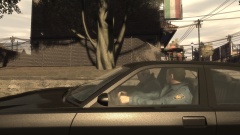 Detectives
-
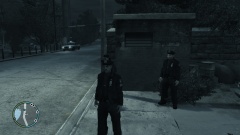 2014 07 05 00010
-
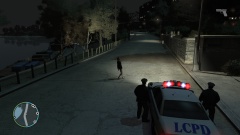 2014 07 05 00012
-
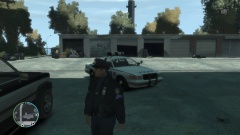 2014 07 05 00002
-
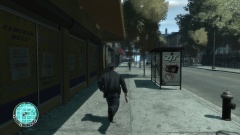 2014 07 05 00001
-
-
From the album: ineseris LCPDFR images


