


Rich
Members
-
Joined
-
Last visited
Everything posted by Rich
-
You can get them yourself from the LSPDFR manual install.
-
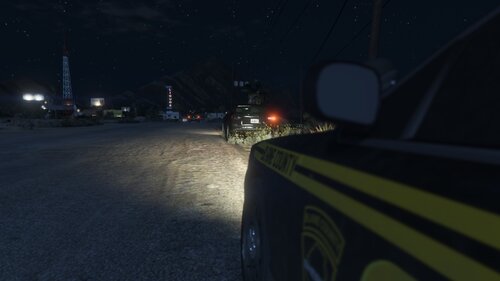 Retired - No more updates Installation Follow the instructions in the README and verify your settings in the .ini file. Important: If you are using Rich's Police Enhancements, you need to update to 1.5.2. About Rich Ambiance is a collection of ambient events to help improve your LSPDFR experience. All non-minor events are able to be enabled/disabled in the .ini file, so use (or don't) any events you want. New events are planned for future updates. Included Features Current ambient events include: Assault Car Jacking Drug Deal Drive-by Prostitution (still WIP) BOLO No vehicle lights (minor event) Broken headlight/tail light (minor event) Reckless driving (minor event) Speeding (minor event) Broken windshield (minor event)
 -
If your mods folder is disabled, it won't load your mods.
-
Since you're getting that error and your Rage log says your game is out of date, I don't think it's up to date.
-
You need to update your game.
-
Most issues in the support forum could be solved by simply following installation directions or searching for other topics that have been made for the same problem and reading the solutions in those threads. Just because there isn't enough support doesn't mean the community is dying. It's nobody's job to solve your problems. There are discord servers you can join to potentially receive faster support. Perhaps you could make an effort to learn about the common issues people experience and begin providing support yourself. The people who currently provide support weren't just born with the knowledge. Honestly, the sense of entitlement is what will kill the community.
-
The game still crashes after verifying the game files and with mods folder disabled?
-
You said it was Which sounds synonymous with broken. You expect the devs to create an option to disable a feature that you aren't even sure exists? Maybe you can create your own mods that work with LSPFDR. After all...In case you lost the first topic you made about this exact same thing a few days ago, it's here
 It's working as intended, though unfortunately the criteria for BOLO vehicles is very strict and you've had bad luck on not getting any. BOLOs are moving to a new plugin soon, and the logic has been modified. You should find more in the future
- 389 comments
- 30 reviews
What systems are you using to build it? Still Gwen?LSPDFR plugins go in the plugins/LSPDFR folder.It seems like you're inconveniencing yourself even more by uninstalling the whole mod instead of just unloading it when you want to use other, incompatible mods.If you need help, make a new topic in the support section and upload your Rage log with the crash in it.You can only download it from Bejo's site.Why would you want to be chased by the police while on duty?The Coastal Callouts support thread is literally right below this one.In my experience, when I have to do this, restarting my computer fixed it. May or may not work for you.Have you tried launching GTA V normally, waiting until the flashing lights loading screen, then alt-tabbing and launching Rage?Can you elaborate on this?Crash your game or crash LSPDFR? Game crashes are typically due to something being broken in the mods folder. If it's crashing LSPDFR, please upload the RagePluginHook.log (text file) from your GTA V folder.Interesting. Is the warping pretty noticable, even if only just a split second?



Account
Navigation
Search
Configure browser push notifications
Chrome (Android)
- Tap the lock icon next to the address bar.
- Tap Permissions → Notifications.
- Adjust your preference.
Chrome (Desktop)
- Click the padlock icon in the address bar.
- Select Site settings.
- Find Notifications and adjust your preference.
Safari (iOS 16.4+)
- Ensure the site is installed via Add to Home Screen.
- Open Settings App → Notifications.
- Find your app name and adjust your preference.
Safari (macOS)
- Go to Safari → Preferences.
- Click the Websites tab.
- Select Notifications in the sidebar.
- Find this website and adjust your preference.
Edge (Android)
- Tap the lock icon next to the address bar.
- Tap Permissions.
- Find Notifications and adjust your preference.
Edge (Desktop)
- Click the padlock icon in the address bar.
- Click Permissions for this site.
- Find Notifications and adjust your preference.
Firefox (Android)
- Go to Settings → Site permissions.
- Tap Notifications.
- Find this site in the list and adjust your preference.
Firefox (Desktop)
- Open Firefox Settings.
- Search for Notifications.
- Find this site in the list and adjust your preference.