TheWhiteEagle
Members
-
Joined
Everything posted by TheWhiteEagle
-
-
-
-
-
-
Hey, I have an annoying problem - everytime I run World of Tanks or Battlefield 3 after 5 minutes of playing I get this: Poza zakresem pracy/OUT OF RANGE 36.3kHz/32Hz Everything was fine on HIS HD4890. After equipping my PC with HD6970 it appears on some games. My settings are: -1920x1080 -60Hz -32-bit colours Can anybody help me? Please reply ASAP, I have to know what I should do
-
-
-
-
Hey everyone, I have a little problem - after installing ELS v8 my game is crashing. It happens after loadscreens, when I can see 'Loading - (name of mission)". I've tried everything: installed ELS v7 first, then v8; turned off ELS for AI, installed other ASI Loader. Please, help me guys. I really don't know what to do :( Best regards, TheWhiteEagle
-
I hate idiots which say something like 'all Russians are fools etc.' That doesn't matter who you are. By the way, you made nice skin :P
- 6 comments
- 1 review
-
Pictures from ZModeler and 3DS Max
-
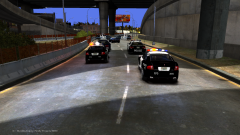 GTOs in action!
-
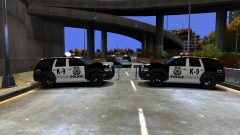 Try to crash that motherf****r!
-
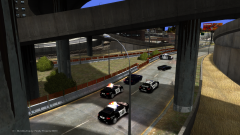 Pursuit Condition 3
-
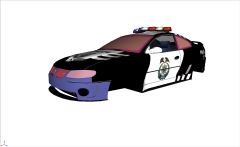 4th convert from NFS:MW
-
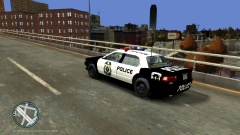 Comin' from Rockport!
-
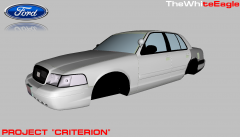 Project "Criterion"
-
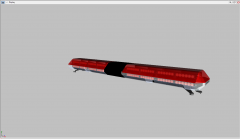 Code 3 MX7000 LED SWAT Truck/Ambulance/Firetruck Version
-
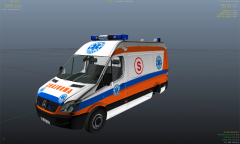 [WIP] Mercedes-Benz Sprinter Polish Ambulance
-
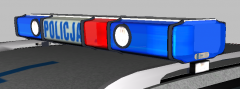 Elektra LZP
-
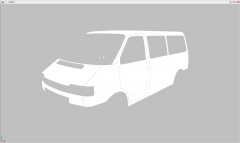 Do you know what's this? :)
-
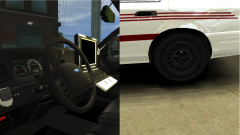 A little upgrade...
-
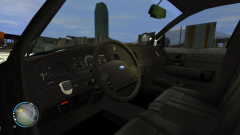 Interior upgrade
-
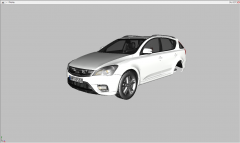 Polish Cop Car Is coming!
-
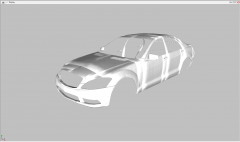 S65
S65
-
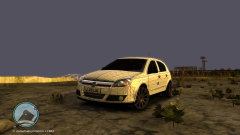 Like a new borned!
-
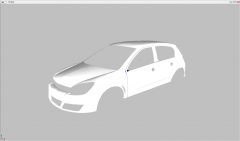 Ready for UV Mapping?
-
-
From the album: Developer Stories
-This is State Police, we are behind you guys. Leave suspect for us. -Roger that, we will leave him to you in a while, over -
From the album: Developer Stories
-We are ready to stop suspect! -Roger that, we are slowing down to avoid an accident, over -
From the album: Developer Stories
-Attention all units, the pursuit condition is now 3, over. Sending GTOs to your position -Roger that, we are still chasing him. Please dispatch roadblock. -Rhino SUVs are dispatched, over -
It will be released in pack soon :D And it will be locked of course ;)
-
I still prefer GTO over Monaro
-
From the album: Developer Stories
It's a 4th convert form Most Wanted Police Cars Converted: Civic Cruiser Civic Cruiser UC Rhino Heavy SUV In progress: Pontiac GTO Pontiac GTO UC To convert: Corvette C6 Cross' Corvette C6 -
I have a question - could you tell me specs of your PC? I want to know if my PC can handle it before I will install it.
- 25 comments
- 3 reviews
-
-

- 2
-
-
Now I'm converting some cop cars from NFS MW and I will release Biiiiiiiig Pack :)
-
Whelen Liberty isn't best lightbar imo, but this one it looks pretty nice :)
-
From the album: Developer Stories
Converted Civic Cruiser (from GTA SA, because I couldn't open geometry.bin in ZModeler) :D Will be released soon! -
-
I don't think that the font is correct - Metropolitan Police doesn't use calibri.
- 8 comments
- 1 review
-
-
- 2
-
-