


Piarulli246
Members
-
Joined
-
Last visited
Everything posted by Piarulli246
-
-
That's not a mini, that's just scaled down and not looking so good. Really need to improve because nothing was really shown here.
- 21 comments
- 2 reviews
-
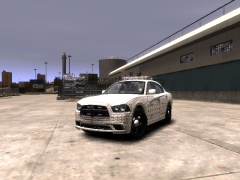 My friend has a new charger and just keeps his license plate in the window lol because it looks better with no license plate. I think the car is made with no plates though, not sure.
 -
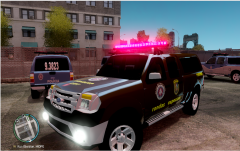 It's not ugly, it's fucken ugly as fuck.
 -
Chargers actually do not have license plates in the front of them so don't worry about it.
-
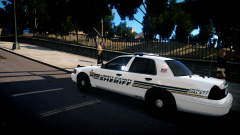 Great skin!
 -
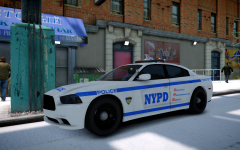 Its not that bad but you gotta take the tint of the headlight.
 -
-
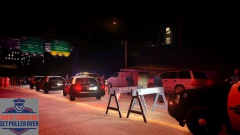
From the album: Images by Foward
Happy Holidays and be safe! -
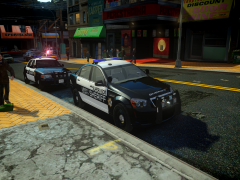 Lucky to have that ride. Great job really love it!
 -
-
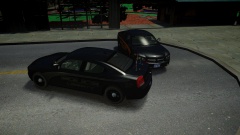 Thanks!
 -
From the album: Foward's Releases
Link: -
2008 LCPD Slicktop Dodge Charger Feel free to message me or comment on the download if there are any concerns/problems with this mod. I am not responsible for anything that happens to your game. Credits: -Model is original Dodge Charger by EA Games, modified for and converted to GTAIV by Lex91, modified to marked police version by Lt.Caine. -Vision light bar made by Schaefft and modified to its current form by Lt.Caine. -Wheel rims made by Lt.Caine. -Whelen Inner Edge, Whelen Tir3 by Master Yoda -StrobesNMore E46+E42(On Deck) by Foward -Whelen Par36 by Foward -Antennas by Deco -Whelen CenCom by PFCBarefoot and ELS Mapped by Foward -Radar by Bxbugs -Spotlight, Garmin GPS by Bxbugs -Setina BodyGuard by Deco Additional Notes: Liveries by TheHurk Assembled by Foward Click HERE for video. *****DO NOT, DO NOT UPLOAD/REDISTRIBUTE THESE FILES ANYWHERE ELSE*****
- 2 comments
- 2 reviews
-
Merry Christmas and Happy New Year everyone. Hope you have a good and safe holiday. Don't get to crazy
-
Happy Birthday, mine wasn't too long ago(the 17th).
-
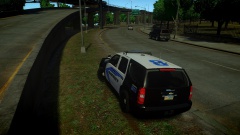 Yea I was going to do them but they aren't really made right and they don't go on the truck like they are supposed to. If someone has better outers then I would do it.
 -
From the album: Foward's WIP
-
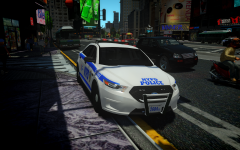 If you read in the other comments, he can't release this because he doesn't have permissions.
 -
Yea very good.
-
Oh lol okay.
-
He probably won't be releasing that Interceptor because the car is not to be released but I think if he gets permission he would.
-
 Not yet lol.
 -
From the album: Images by Foward
-
 Thanks




