


Piarulli246
Members
-
Joined
-
Last visited
Everything posted by Piarulli246
-
![[WIP] Slicktop Explorer](//s3-gallery.int-cdn.lcpdfrusercontent.com/gallery/album_1177/sml_gallery_9139_1177_49060.jpg) Yea those are LINZ6's on the rear license plate.
Yea those are LINZ6's on the rear license plate. -
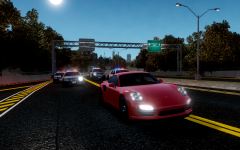 Ik lol that's why I said it.
 -
Nice cars lmao!
-
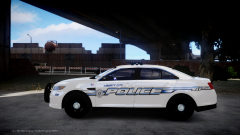 Yes. It is beautiful.
 -
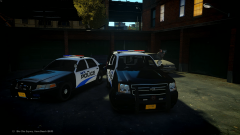 Thanks Jaytee
 -
-
Thanks guys!!
-
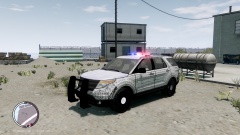 What is that rambar?? The truck needs a lot of work done to make it look PI.
 -
From the album: Foward's Releases
Download my pack here: -
-
Tahoe might have a RC20 Error and crash your game so tell me if you do. If it is I will look into fixing it.
- 31 comments
- 10 reviews
-
-

- 1
-
-
-
Looks awesome. With the bar I think you should take it out just because those SUVs usually have no bar when the Ions are there. Great job though, keep us updated.
-
Code 3 Rx2700 "Liberty City Police Department" Vehicle Pack by Foward =========This vehicle pack contains two models; a Ford Crown Victoria Police Interceptor and a Chevrolet Tahoe with Code 3 lighting and different equipment for other brands. Enjoy!!========== Feel free to message me or comment on the download if there are any concerns/problems with this mod. I am not responsible for anything that happens to your game. If it still crashes tell me and I will redo the whole truck another day and see. Model Overview: Name: Rx2700 "Liberty City Police Department" Vehicle Pack. Version: 1.0 Light Bar: Code 3 Rx2700 Other Lighting: Code 3 Equipment: Antennas, Setina Rambar, Go Rhino Wrap, Whelen Siren Speaker, Console. Multiple Liveries: Yes Optimized For: CVPI:[police, police2, noose, fbi] | Tahoe:[polpatriot] Status: Open -Model is Ford Crown Victoria from Driver SF, converted to GTA IV by F5544, modified by KevinDV and Cj24. -Rims by Bxbugs123, Textures by Lt.Caine. -Honeycomb Grill made by KevinDV. -Model is original "Chevrolet Tahoe" by 4x4 Full Driver - Hummer H2, converted to GTAIV by Stiopa. -Model improvements & Modified By Bxbugs123 -Wheels By Bxbugs123, Textures by Lt.Caine -Code 3 Rx2700 by Hilth0,stands by Matthias. -Code 3 XT6 Mini LED by Master Yoda, Mapped by Foward. -Code 3 XT6 Stick by Bxbugs123, edited by Foward. -Antennas, Havis Console, Whelen Siren Speaker by deco. -Go Rhino CVPI Wraparound by Bxbugs. -Tahoe Setina Pushbar by NickieB. Additional Notes: Liveries by Foward Assembled by Foward INSALLATION INSTRUCTIONS - SparkIV (by Aru) is required for installation. - Before proceeding, locate and BACKUP your "vehicles.img" file located in your "...Grand Theft Auto IVpcmodelscdimages" directory. - Depending on what vehicle you plan on replacing, either preserve the names of the files provided or rename them according to the vehicle you intend to replace (all the while preserving the “.wft
- 31 comments
- 10 reviews
-
-
- 1
-
-
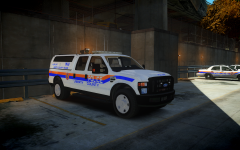 Hell yea.
 -
That's my hometown. <3333
-
Yea the friend thing is true.
-
It is so worth buying. I been playing the DayZ Mod for about almost two years and I love it. This game has a lot of cool things from guns to vehicles and so much stuff. The cool thing about this game is there are over like 15 different mods and a few different maps to play on. It really gives you a cool experience about surviving and can be very hard at sometimes but when you play for a little it gets very easy and you get used to it. If you do get the game I recommend you play the mod Overwatch. the Overwatch mod gives a lot of things that differ from a regular DayZ server. In this mod, they added a ton of guns, very cool plugins and a lot more like spawning random bases with gear. I can't even list how much stuff is in that mod. Again it is very worth buying. Also I've been starting up a server with my friends and I so when we get everything ready I'm going to make a post about it. Some pictures I took and some and the one with the sniper I just edited:
-
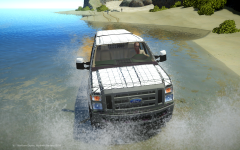 Looks good!
 -
![[WIP] 2010 GMC Sierra - FDNY battalion chief V2](//s3-gallery.int-cdn.lcpdfrusercontent.com/gallery/album_547/sml_gallery_2101_547_353866.png) Yea when I hang around the city I'm usually at Battalion 9 and they have the big lights but I like the smaller ones.
Yea when I hang around the city I'm usually at Battalion 9 and they have the big lights but I like the smaller ones. -
I like the smaller lights better.
-
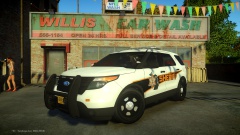 Looks awesome but I think you overkill on the Ions a little but whatever.
 -
 Not sure. I have to wait to release this pack for a little. Maybe by February.
 -
Damn that really sucks. I love the Maine cars especially the Interceptors.
-
![[WIP] 2010 GMC Sierra - FDNY battalion chief V2](//s3-gallery.int-cdn.lcpdfrusercontent.com/gallery/album_547/sml_gallery_2101_547_259264.png) What's gonna be fixed in v2?
What's gonna be fixed in v2?

![[WIP] Slicktop Explorer](http://s3-gallery.int-cdn.lcpdfrusercontent.com/gallery/album_1177/sml_gallery_9139_1177_49060.jpg)
![[WIP] 2010 GMC Sierra - FDNY battalion chief V2](http://s3-gallery.int-cdn.lcpdfrusercontent.com/gallery/album_547/sml_gallery_2101_547_353866.png)
![[WIP] 2010 GMC Sierra - FDNY battalion chief V2](http://s3-gallery.int-cdn.lcpdfrusercontent.com/gallery/album_547/sml_gallery_2101_547_259264.png)