


Piarulli246
Members
-
Joined
-
Last visited
Everything posted by Piarulli246
-
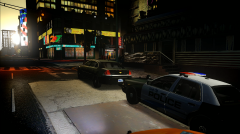
From the album: Images by Foward
Unmarked Impala: Marked Cvpi: -
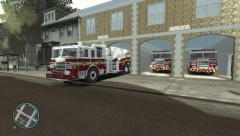 Agreed.
 -
-
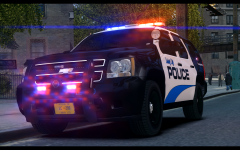 More lovely shots!! Keep them coming!
 -
-
![2010 Unmarked Chevy Impala [REL]](//s3-gallery.int-cdn.lcpdfrusercontent.com/gallery/album_2481/sml_gallery_95217_2481_2004321.png)
From the album: Foward's Releases
Download here: -
I think it is a good try but there are some things that are needed to be fixed. The console is scaled to much that is why the buttons and equipment are sticking out so much and the lightbar should be moved up a tiny bit just so the mounts are in line where the back of the front door and the front of the side door meet. Also I don't like that lightbar but that is my opinion and it is your car and you should have used some Whelen TIR3s instead of the big HG2 grill lights because it does lot a lot cleaner. Nice attempt though, I'm sure your work in the future will be better and improved.
- 4 comments
- 1 review
-
Yea it is nice.
-
I don't know. The lightbar would have to be changed through zmodeler but I could be wrong.
-
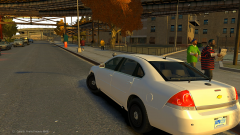
2010 Unmarked Chevy Impala =========I made this car because I feel not a lot of people pay attention to the Chevy Impala so I threw a unique lighting setup on it. This vehicle pack contains one vehicle, a Chevy Impala that is unmarked with some different lighting and different equipment. Enjoy!!========== Feel free to message me or comment on the download if there are any concerns/problems with this mod. I am not responsible for anything that happens to your game. Model Overview: Name: 2010 Unmarked Chevy Impala Version: 1.0 Light Bar: N/A Other Lighting: Whelen, Tomar Equipment: Antennas, Havis Console w/ Equipment, Garmin GPS Multiple Liveries: Yes Optimized For:[police, police2, noose, fbi] Status: Open Model: - Model is original Chevrolet Impala From Driver SF, modified for and converted to GTAIV by Bxbugs123 - converted in to a Police vehicle by Bxbugs123 - Seats By Bxbugs123 - rims by Schaefft -Whelen Inner Edge XLP by Hilth0. -Whelen TIR3, Whelen Vertex by Foward. -Tomar 200s by NickieB -Antennas, Havis Console by deco, Equipment by Master Yoda. -Garmin GPS by Bxbugs. Additional Notes: Assembled by Foward INSALLATION INSTRUCTIONS - SparkIV (by Aru) is required for installation. - Before proceeding, locate and BACKUP your "vehicles.img" file located in your "...Grand Theft Auto IVpcmodelscdimages" directory. - Depending on what vehicle you plan on replacing, either preserve the names of the files provided or rename them according to the vehicle you intend to replace (all the while preserving the “.wft
- 9 comments
- 3 reviews
-
 I'm going to release it later. Just getting everything together.
 -
It is a custom Whelen Liberty that is customized to the departments liking.
-
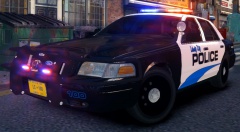 That's good the Tahoe doesn't RC20 anymore. Thanks again. I might get another car out tonight maybe.
 -
Thanks for using them. Nice pics also!
-
Select the thing you want to mirror>copy it>choose the axis you want to mirror>then select mirror>mirror and your good.
-
Just noticed it was a skin. You don't need to put the credits of the cars.
-
Thanks :)
-
Thanks Mike.
-
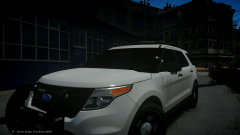 :)))))
 -
From the album: Foward's WIP
-
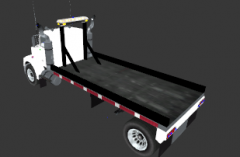 Idky but he said he got the lightbar from Gucci's tow truck which is probably EVI's.
 -
Well NYPD does not use that kind of setup so it is really unrealistic. Maybe if you named it something else and put a new skin on it, it would make more sense but it really doesn't. For the lighting setup, it isn't to bad.
-
Saw that but still.
-
Why are people making these troll posts because I bomb didn't go off obviously.
-
Why?

![2010 Unmarked Chevy Impala [REL]](http://s3-gallery.int-cdn.lcpdfrusercontent.com/gallery/album_2481/sml_gallery_95217_2481_2004321.png)
