


Piarulli246
Members
-
Joined
-
Last visited
Everything posted by Piarulli246
-
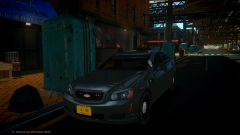 Thanks.
 -
Yes I know how you feel. I will be releasing some soon. I might give this car or another to some people privately.
-
It is pretty accurate. Look at this pic: '>
-
Thanks and I might.
-
C'mon Robert. I think he is talking about the topic in the forum of all the unlocked parts. If you are looking for this, here it is: '?do=embed' frameborder='0' data-embedContent>>
-
From the album: Images by Foward
No it's not ripped. It is the Caprice Lccop and GTAxB0SS converted. Maybe released but I don't think. -
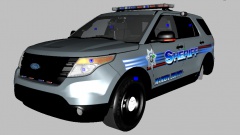 Who's model? Evan's?
 -
No problem man!
-
-
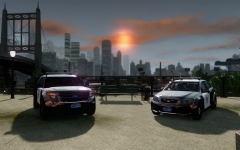 I think they are the 21TR but not sure. I'm thinking that because it looks like the 21TR stands.
 -
I like the sun :)
-
You probably just have the plow set to a default material so that is why it is not showing in game. It is very easy to make a material and a texture to use. All you have to do is go into your material editor(which is the red ball thing) and where it shows the big ball, under that should me a paper looking thing with a ball on it> hit that and it should make a new material. Name the material plow interior2. Now you will need to add a texture. It is very easy to make a texture. All you have to do is going into paint and create a new workspace and make the width and height 512x512. Now just color the whole canvas whatever color you want the plow and then export it as a PNG. Now that the texture needs to put into Zmod. Go into the material that you named plow interior2 and you will see 3 dots in a bar> click on that and it will bring up the texture browser. In the texture browser, you need to import you texture so click ass and go to your texture then press OK. That will bring your texture into the material editor. Now you need to click on the 3 dots under your texture and you need to bring the vehicle_generic_smallspecmap from your vehshare. Import that to the texture and then go to edit on the side of the 3 dots where you imported the smallspecmap and click on it. Now you need to go where it says Arg2 on the color line and change it from current to specular and then change under blend operation, modulate to multiply add> then press OK. Now to get that texture onto your plow, you need to select the whole plow in polygon mode and then go into your material editor and go back to the plow interior2 material and press assign to selection and it should work. I don't think I could have stated that better and hope it makes sense. Also you are going to need to do what Someone22 said about making the collisions so the plow doesn't go through walls. Good luck.
-
![[WIP] Tahoe Battalion Edition](//s3-gallery.int-cdn.lcpdfrusercontent.com/gallery/album_2692/sml_gallery_138650_2692_448743.jpg) I wasn't really planning on giving it to anyone but the two people that run my modding group I'm apart of.
I wasn't really planning on giving it to anyone but the two people that run my modding group I'm apart of. -
Well a Battalion truck usually doesn't have the Jaws of Life, usually the Rescue or Ladder Trucks do. The medical supplies are good and the truck looks good so far. I was actually going to do a FD Tahoe with my tray.
-
-
-
You should add more photos and in game ones also. I can't really tell off a one picture.
-
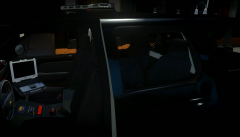 Lol okay. Good luck.
 -
Never even noticed that, that is really cool.
-
-
Are you saying "NJ" as New Jersey? If so I don't know what New Jersey uses.
-
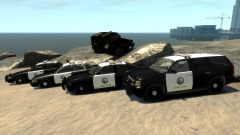 Looks good. I like the Jeep!!
 -
Thanks. I did two dividers to mock a real life situation. The front one is separating the driving and the prisoner like any other police car but with the back one, it is to stop the prisoner from getting any equipment in the back of the car like how a real life Police Tahoe is setup.
-
Yea that's what I thought. Thanks though!
-
I use a new thing that just came out called Shadow Play. Shadow Play was made by Geforce so I don't know if everyone can use because you might need to have a Geforce GPU. If you want to see the video quality, click on the link in my signature and watch a new video of my cars and you can see how good it is. So if you can use Shadow Play, I would totally recommend it with its awesome features. I used to use Dxtory that was cracked and it was pretty good but the file size after a short video was too big.


![[WIP] Tahoe Battalion Edition](http://s3-gallery.int-cdn.lcpdfrusercontent.com/gallery/album_2692/sml_gallery_138650_2692_448743.jpg)
