


Piarulli246
Members
-
Joined
-
Last visited
Everything posted by Piarulli246
-
 Thanks. Bugs made it.
 -
-
From the album: Foward's Releases
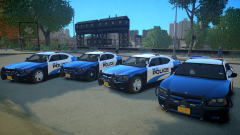
Chargers to go with the Rx2700 pack. Download here: -
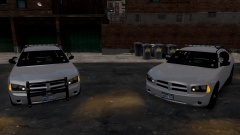 Looks awesome in the video. I really like the back.
 -
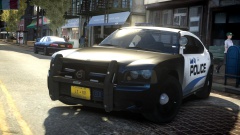 Sick shot. Looked real in the thumbnail.
 -
-
 I was going to do more of my Lin3s but whatever lmao.
 -
-
-
Check it out here: '?do=embed' frameborder='0' data-embedContent>>
-
I had to. Lmao
-
From the album: Foward's Releases
PM me if you want to know where to get it. -
It is fine. Just wanted to let you know.
-
No one has that model pretty sure.
-
============================================================ 2010 Dodge Charger Rx2700 x4 ============================================================ --This pack includes 4 2010 Dodge Chargers outfitted with Code3 Lighting-- Feel free to message me or comment on the download if there are any concerns/problems with this mod. I am not responsible for anything that happens to your game. Model Overview: Name: 2010 Dodge Charger Rx2700 x4. Version: 1.0 Light Bar: Code 3 Rx2700 Other Lighting: Code 3 Equipment: Antennas, Go Rhino Wrap, Whelen Siren Speaker, Console. Multiple Liveries: Yes Optimized For: Charger:[police, police2, noose, fbi] Status: Open Credits: -Model is original Dodge Charger by EA Games, modified for and converted to GTAIV by Lex91. -Modified to 2006 Dodge Charger Police Package by Lt.Caine, modified to 2010 Dodge Charger Police Package by deco. -Taillights from NFS MW 2012. -Wheels made by GerryStudio, Edited & converted for GTA IV by Bxbugs123, Rim textures by Bxbugs123. -Code 3 Rx2700 by Hilth0, stands by Matthias. -Code 3 XT6 Mini LED by Master Yoda, Mapped by Foward. -Code 3 XT6 Series by Bxbugs123, edited by Foward. -Antennas, Havis Console, Whelen Siren Speaker by deco. -Go Rhino CVPI Wraparound by Bxbugs -5 Spoked Alloy Rims by RSocialClubTV, edited to Charger by NickieB Additional Notes: Liveries by Foward Assembled by Foward ========================================================================================== INSALLATION INSTRUCTIONS - SparkIV (by Aru) is required for installation. - Before proceeding, locate and BACKUP your "vehicles.img" file located in your "...Grand Theft Auto IVpcmodelscdimages" directory. - Depending on what vehicle you plan on replacing, either preserve the names of the files provided or rename them according to the vehicle you intend to replace (all the while preserving the “.wft
- 12 comments
- 6 reviews
-
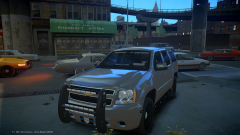
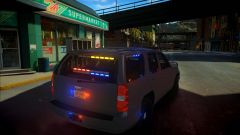
The Tahoe looks awesome lmao.
-
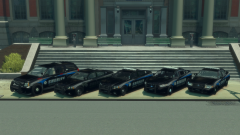 I really like the skins on those vehicles.
 -
I have a tip for you. I would attach all the miscs into one EXCEPT misc_q. It will cause RC20 sometimes if you have to many miscs.
-
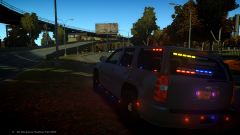 yea right hahah.
 -
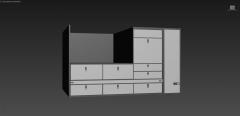 What vehicle is this going in?
 -
I will be releasing this soon. PM me for details.
-
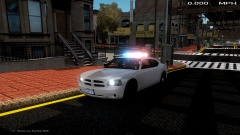 I like the rear lights.
 -
Lmao!!
-
From the album: Foward's WIP
Will be released somewhere. -
 I don't want to add them.


