




Pavy
Members
-
Joined
Everything posted by Pavy
-
That charger used to be on this site but it got taken down of an unknown reason. So it's not possible to get. Here is the Civilian version https://www.gta5-mods.com/vehicles/forgiato-widebody-hellcat-charger
-
Thank you for all your hard work and modifications over the years.
-
.thumb.png.03c1a452252b3157ce295ebdda1f37f9.png) Bad comparison. Artists create music from scratch. You create this vehicle based off something that's already out there. If you want to use your analogy, you are copyrighting a song 🙂 What. You are correct but you have to label it Fictional since you are adding made-up stuff for it.
Bad comparison. Artists create music from scratch. You create this vehicle based off something that's already out there. If you want to use your analogy, you are copyrighting a song 🙂 What. You are correct but you have to label it Fictional since you are adding made-up stuff for it. -
I'll never understand why people always resort to saying "go make the vehicle yourself if you don't like it" If the guy is offering you constructive criticism, you simply take it and either improve or leave it alone. Based on the comments you should label the vehicle as fictional. It can't be part fiction and part non-fiction. Its either real or made-up.
-
It's definitely good looking. You have great liveries for a beginner. I recommend you browse the textures section and look at the top rated/most downloaded textures and get a good Read.
-
Oh this website isn't affiliated with Fivem. You'd have to go to their support forums.
-
-
-
Why is Gta 5 Downloading an update? Now you have a whole new problem. Open program files / rockstar games Delete the social club folder. http://patches.rockstargames.com/prod/socialclub/Social Club Latest Setup.exe Rightclick - run as admin. (it should install without errors/issues - if any - restart pc, try again) Try gtav.
-
Rename the folder back To Grand Theft Auto 5 and do the alternative fix.
-
I told you already, Ragepluginhook can't start gta. Your folder name is called Grand Theft Auto 5. It needs to be called Grand Theft Auto V Please tell me if the alternative fix helped you.
-
An alternative fix would be to Start GTA 5 first, when the game window pops up click start ragepluginhook.exe so it can hook on to it. Please make sure gta 5 is in windowed mode when you do this. Renaming the folder would not fix your issue. You have to go into registry and do other things. It would be better to uninstall and reinstall the game properly. Please do the alternative fix if you don't wish to reinstall.
-
An alternative fix would be to Start GTA 5 first, when the game window pops up click start ragepluginhook.exe so it can hook on to it. Please make sure gta 5 is in windowed mode when you do this.
-
Anyways Like I said your folder can't be called Grand theft auto 5 that is not the real name. Rage needs the folder to be labeled Grand Theft Auto V
-
Ragepluginhook can't start gta. Your folder name is called Grand Theft Auto 5. It needs to be called Grand Theft Auto V I see in your windows explorer you already have a separate gta folder. so you have 2?Screenshot your gta 5 main folder. Just the main directory.Is It steam Edition or Rockstar Edition?Where did you buy GTA V from?

From the album: New York City/State Police Vehicles
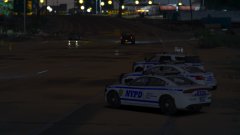
From the album: New York City/State Police Vehicles

From the album: New York City/State Police Vehicles
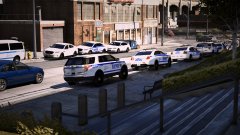
From the album: New York City/State Police Vehicles
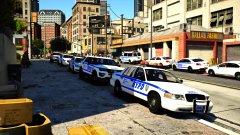
From the album: New York City/State Police Vehicles
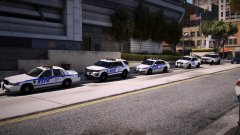
From the album: New York City/State Police Vehicles


.thumb.png.03c1a452252b3157ce295ebdda1f37f9.png)

