




Pavy
Members
-
Joined
Everything posted by Pavy
-
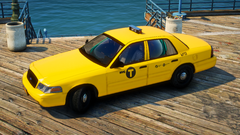
From the album: New York City/State Police Vehicles
-
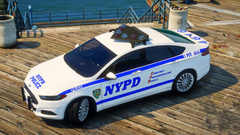
From the album: New York City/State Police Vehicles
-
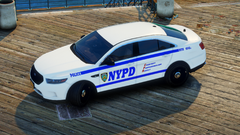
From the album: New York City/State Police Vehicles
-
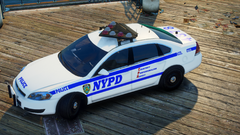
From the album: New York City/State Police Vehicles
-
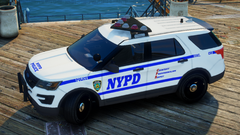
From the album: New York City/State Police Vehicles
-
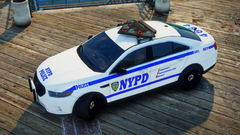
From the album: New York City/State Police Vehicles
-
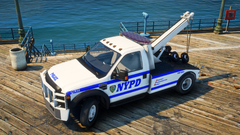
From the album: New York City/State Police Vehicles
-
Open ragepluginhook.ini ,the configuration file, and set plugin from 10k to 60k PluginTimeoutThreshold=60000 Rename your mods folder to mods_ and try again
-
Upload file:lspdfr/data/duty_selection.xml
-
You didn't reinstall lspdfr correctly. I still see custom station locations. The stations file only has 11 stations, while you have over 28
-
Please rename the scripts folder to scripts_ and try again
-
Can you screenshot your main gtav directory please
-
Hello your RAGENativeUI is outdated. Please update to 1.9.2 https://github.com/alexguirre/RAGENativeUI/releases There's also a different error with lorecallouts but lets see if the update will fix it, upload rph again if still crashes
-
What locations? Send a picture of what the uniform looks like ingame
-
Step by step howd you install it? What are you missing?
-
Keeps mods disabled. Verify integrity of game files, and don't load any plug-ins besides Lspdfr nothing else. If it happens again send log
-
Try setting this setting to false Main.PreloadAllModels = false located in Grand Theft Auto V\lspdfr\spdfr.ini file Also, try putting the game in windowed mode.
-
Provide the latest RPH log please
-
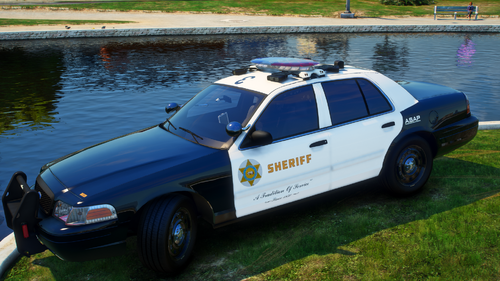 This is for people who enjoy pictures attached to their cars via Add-On spawner. Looks something like this in-game The images are 4k, but the ones on LSPDFR are 1080p because of image limits. If you would like a pack done, send me a message. Installation For Addon: Drag and drop into your main GTAV folder. Installation For Replace: If you use these vehicles as replace, instead of addons, simply rename the image files to that vehicle model. e.g. lasd1>police In UserDLC/LASD by LAPD Code 3.list open that with notepad and rename as well. Required Files: https://www.gta5-mods.com/scripts/add-on-vehicle-spawner By @Lapd Code 3
 -
Reinstall LSPDFR and replace all files if asked
-
Create a video of the issue please
-
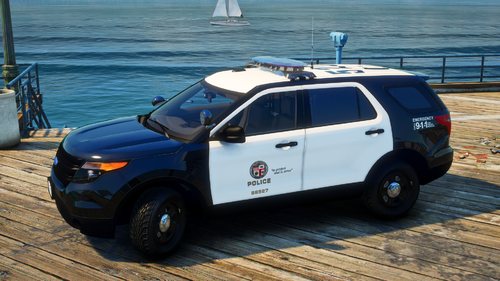 This is for people who enjoy pictures attached to their cars via Add-On spawner. Looks something like this in-game The images are 4k, but the ones on LSPDFR are 1080p because of image limits. If you would like a pack done, send me a message. Installation For Replace: If you use these vehicles as replace, instead of addons, simply rename the image files to that vehicle model. e.g. police71>police In UserDLC/LSPD Tactical Donut.list open that with notepad and rename as well. Installation For Addon: Drag and drop into your main GTAV folder. Required Files: https://www.gta5-mods.com/scripts/add-on-vehicle-spawner By @Tactical Donut
 -
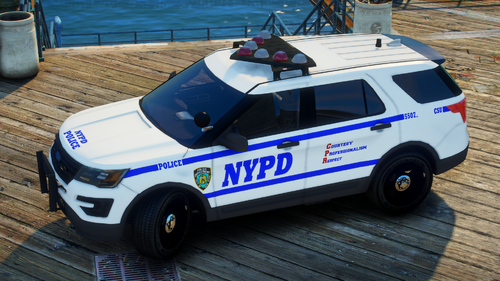 This is for people who enjoy pictures attached to their cars via Add-On spawner. Looks something like this in-game The images are 4k, but the ones on LSPDFR are 1080p because of image limits. If you would like a pack done, send me a message. Installation For Replace: Drag and drop into your main GTAV folder. It will replace images for the default police vehicles if you have any already. Installation For Addon: If you used these vehicles as addons, instead of replace, simply rename the image files to that vehicle model. e.g. police>nypd1 In UserDLC/NYPD Walters.list open that with notepad and rename as well. Required Files: https://www.gta5-mods.com/scripts/add-on-vehicle-spawner By @Walters
 -
Rename mods to mods_ and see if the problem is still there.
-
Please download and install the 4 files, you may have some already but just replace it. https://github.com/alexguirre/RAGENativeUI/releases main directory https://www.gta5-mods.com/misc/gta-5-gameconfig-300-cars openiv mods https://www.gta5-mods.com/tools/heapadjuster main directory https://www.gta5-mods.com/tools/packfile-limit-adjuster main directory



