


Sheriff Van Dyck
Members
-
Joined
-
Last visited
Everything posted by Sheriff Van Dyck
-
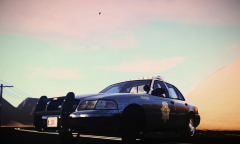
From the album: Patrolling Streets
This is how the LCHP shall be!! On a real old and classic highway! -
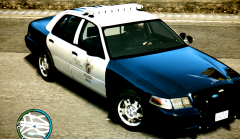
From the album: Patrolling Streets
Reported abandoned Taxi -
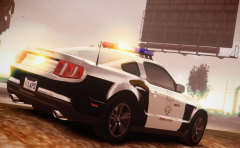 no dude :( i would like this model on ELS
 -
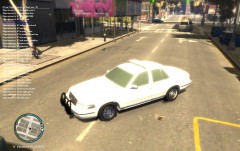
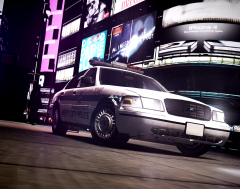 Yea dude, and u can get it on GPM. '98 CVPI
 -
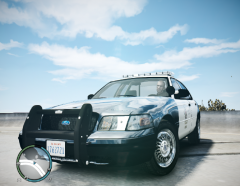 This one is right here on the site, and for the wheels, i've med it editing the wtd file.
 -
Hi to all. I have a very annoying problem and hope you can help me. I have GTA 1.0.7.0 and LCPDFR RC2-R2, and have modded cars too (vehicles.img=120Mb, not a big deal). So, with modded cars we need to fix some things in the traffic, so i've tried with every kind of traffic fixes and commandlines, but i always get the same problem: missing textures. Officers, this is very very annoying, i just can't play in any way because of that bug, even none of the cars that i've added are bigger than 3mb and even on the lowest settings, i have a high-end pc, i give it a clean every week inside and outside and inside the software, got drivers on date every time, i don't have any kind of weird programs at all, and i see on youtube videos and in some pictures around here that people have the same game as me, with more or less heavy modded vehicles and also LCPDFR, but all i can see is that they can play normally, without problem. So please please please, help me on this one by telling me what can i do, its getting me very sad that i can't play with happiness my favourite game being a cop that is my biggest dream :( PD I can actually play any other game without problems (very good) like Mafia II, CoD MW3, BF3, etc, and here you got my PC specs: Motherboard: Gigabyte GA-870A-USB3 Processor AMD Phenom II X3 720 Black Edition @2.80Ghz (No O.C) OS Windows 7 Ultimate 32bits 4GB DDR3 Corsair (I cant see very well but i guess it says 1333 or 1666mhz or something) Nvidia ZOTAC GeForce GTS 450 iGB 128BIT DDR5 HDD Seagate 500Gb Pixxo Jaguar 600watts 1x fan Gigabyte piano style Case with 2x cooler fans
-
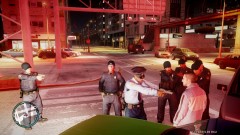 Don't you hate when a lot of cops appears from anywhere around you? I do sometimes LOL Can you provide me a link to those cop models with the hat? They look really cool :)
 -
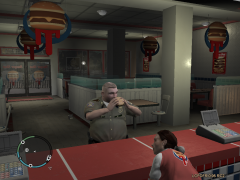 hahah LOL! Dude where can i find that fat police man?
 -
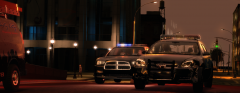 I just loved this shot. Where do you get that charger and that impala? Can you provide me a link to it? i love thah lightbar
 -
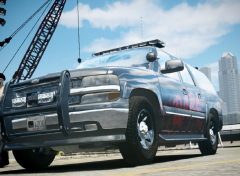
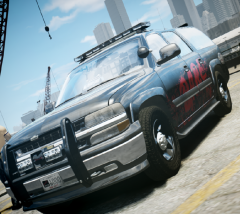
This is great! Tahoe doesn't fit in my game, feel like something is missing, but this seems to be what i'm looking for! btw, looks like the SA one hahah
- 9 comments
- 5 reviews
-
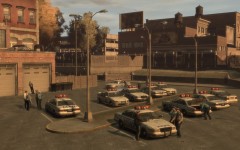 This is a great and awesome picture, looks fantastic. It would be great if this kind of things were happening in the game without snt... :(
 -
-
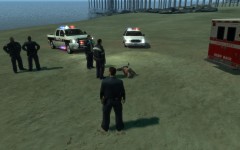 Shit me neither!!
 -
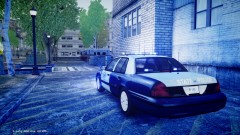 How do you guys can play without the missing textuesbug :( It's really annoying
 -
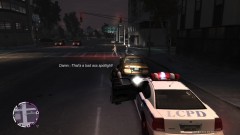 Dude, this scipt crash into my game. I think it is because in my vehicles.ide i put i.e. the name of POLICE to VOODOO to have independence radio on it and on the other police cars too, i tried changin the values on the ini but it doesn't work. What can i do if i don't want to change the values on the ide?
 -
So, whats up guys? You see, i'm new at th GTA IV Multiplayer, (not in the game, in wich i got a lot of time) I see this MP in IV is way too different from SAMP..So, can somebody please tell me how do i join a server? How can i play with other people? i.e. If i want to join a role play server, playing a cop or lcpdfr, how can i do that? Thanks a lot you guys, cheers.
-
Eagle, don't be rude this is for create new skins for the police cars, it's not a custom paintjob LOL
- 12 comments
- 6 reviews
-
-

- 1
-
-
Wow man thanks for this, it's too tired doing own skins from templates coming within cars rar...this is gonna save me a lot of time, tell me if you want any of my skins. Thanks!!
- 12 comments
- 6 reviews
-
 Thanks sameer, i always appreciate your coments! keep it cool sheriff !
 -
 Hey dude if you wish i can give my copy of the original vehicles.ide (the one i did backup) and for putting a radio on the police just change the name from POLICE on the "game name" column to any other car you want (ex patriot)
 -
Thanx man!!
-
 That's no cool
 -
 hahahahahaha
 -
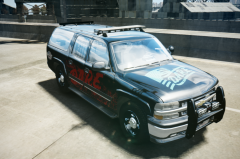 I'm on Icenhancer 1.2 provided on the Gta IV Real mod.
 -
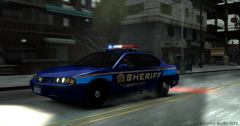 Wonderful car...

