


Sheriff Van Dyck
Members
-
Joined
-
Last visited
Everything posted by Sheriff Van Dyck
-
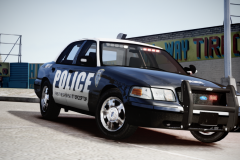
From the album: Patrolling Streets
im gonna kick some asses!!! -
Police asks you for a coke its z-44 on mine HHAHAHAHAHAHAAH
-
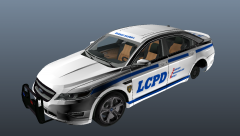 sht dude, if i had knowledge on this kinda things i will be doing a dodge intrepid police car !!
 -
Yes, it does but not in a big size, maybe about 5% but u wont see it. Anyway you need to config the ini file for your pc to run it the best way. here's a page for you to configure it yourself very easy. http://gtabay.cba.pl/index_dokumentacja_gta4_en.htm it applies for both ENB and Icenhancer. Try it and let me know
-
Yea thanks guys, it's finally my fix, idk if all pc's behave the same way in the game so i hope this could be a fix for you too. And @scottN check what i did and what they told me to do, it's very useful and for me, it fixed the bug.
-
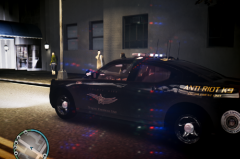 Yea sure dude, im on my way
 -
Hi guys!! I just wanted to say THANK YOU to all of you who helped me getting this issue fixed. I tried the things you suggested me, found a pair of traffic fixes wich are working fine (my traffic density is set to 1, and it spawns cars like it was on 100), installed patch 1060 and then 1070, installed an ENB for 1070 (Thanks to Powler for that) and even i still use the high settings withouth a drop of FPS, and somehow (idk how but...) i've unlocked one plus core of my processor (AMD Phenom II X3 720 Black Edition), now it says X4 and it's @2.82Ghz, and what's better is that i have no overheating thanks to god...oh and don't forget the almighty commandline. XD PLEASE if i can help anyone having this issue please let me know, i'm very grateful with your help. Oh and all credits go to all of you. Here are the final results, i'm so glad. Game was first like this: And after 6 days of headaches and a bunch of cigarretes and coffee :@ its now like this: At night shift (wich is my favourite) Light traffic (Now my traffic is more realistic in day/night times, and at dawn/sunrise) Now i can go trough heavy traffic on noon and evening without any issues. Oh and i've got a beautiful sunrise that makes me smile like i do on real life for that, it looks wonderful Thanks to all of you, and please admins, keep this thread open, so if anybody has the same problem, can find help here. Thanks a lot guys, and keep it cool. If i get buggy again (hope don't) ill let u know. THANK YOU!!!! (sorry if im being weird, i'm feeling very happy)
-
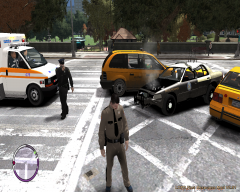 What's that ped model bro?
 -
Yea sure dude.
-
haha this is great...seems like friday nights party are over!!! But i can't stop a vehicle pressing Alt + G, even changed my button for the horn to something else but it doesn't work, everything else is fine. Script crashed after 20 minutes.
- 24 comments
- 16 reviews
-
-

- 1
-
-
![International JERR-DAN Wrecker / LCPD [WIP]](//s3-gallery.int-cdn.lcpdfrusercontent.com/gallery/album_657/sml_gallery_8683_657_259851.jpg) DAFUQ did i just see!! Would this work as a towtruck with vhd towing service mod?
DAFUQ did i just see!! Would this work as a towtruck with vhd towing service mod? -
-
You're welcome. If i can help you on any other thing just let me know. ;)
-
Yes sir you can, Vista asks you for at least 512 MB ram, and Win7 asks you for 1Gb and at least 1Ghz processor. I suggest you run Home Premium or that Ultimate, both works fine on laptops. Any problem just let me know, i'm engineer and i like to help other people as well.
-
I remember reading in a post that the msvrd100.dll is the cause of textures missing (wich i dont think so because with or without it i have it) and that 1.0.7.0 patch causes it. I do agree that because i was first on 1.0.4.0 and game was beautiful, but the bad thing is that i can't use lcpdfr on that patch, so i have an idea, but first i need to know if scripthook 0.5.1 (wich is on 1.0.7.0) works on 1.0.6.0 patch (or 1.0.0.6, idk if it's the same). Maybe if that .dlls work on that patch i think i can resolve my issue, do you know anything about it?
-
Oh yea i'm trying it. I've used a lot to see wich works better, and before installing each one i put back in the original files from my backups, i've found one that works fine, it's more stable but sometimes textures will miss after about 40 minutes. It happens with every enb/ice. I really don't know what could be the main problem. Maybe i will try to save some money and buy another video card to have two instead of one and get +4GB of ram so i can have 8Gb hoping this could solve the bug. I think it's because of low memory and/or not enough RAM cache. I use two ram cards one is Corsair and the other it's Kingston i guess but with other name, both are at the same GHZ and capabilities, do you think that could be a problem?
-
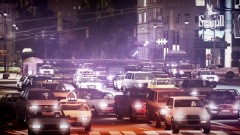 Wich traffic load do you use? I have aproblem with every single file i have. I will appreciatte if you could tell me.
 -
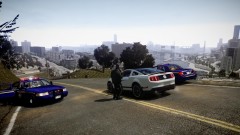 Bro, is there traffic activity over there?
 -
oh sorry to hear that bro, icenhancer it's great. You should take a look inside the iceconfig.ini and change some values. Here you are a page with all the help you may need editing your config file, at your own taste: http://gtabay.cba.pl/index_dokumentacja_gta4_en.htm
-
Ok i don't understand this LOL problem was gone, then returned, then gone...That's the story. Guess i'm gonna left the game the way it is now. DAFUQ!!
-
Thanks a lot dude!! Houston we got a problem... damn bug just returned again. Now, i'm pissed!
-
Be a macho and say viva la resistance!!! Just punch him on the face, don't let anybody scare you.
-
Hi, hope this can help you. Uninstall/delete any file of LCPDFR, run G17 Media Diagnostics Tool and see if there's any error info. Then right click on your GTA IV folder and uncheck "Read Only" and a windows will pop-up, select "Apply to all subfolders" -Ok- Download again your version of LCPDFR and right click once it's finished and "Run as administrator" It should works.
-
I hope that bro!! And im sure that if i need more help i can always came to here. And if it doesn't.... i will send a lot of private messages to you! hahaha LOL i'm kiddin. Thanks again my friend :)
-
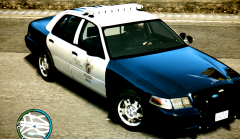 Oh don't worry . If you want i cn send you one or two ;) And you're welcome lynyrd ;) And please, don't put attention to my "new" user name. I'm angry cause i changed in the wrong section :(

![International JERR-DAN Wrecker / LCPD [WIP]](http://s3-gallery.int-cdn.lcpdfrusercontent.com/gallery/album_657/sml_gallery_8683_657_259851.jpg)
