


NickieB
Members
-
Joined
-
Last visited
Everything posted by NickieB
-
I know you are having issues with the crashing and I'm sorry. I worked with my buddy Nutt to try and prevent this when it was released but obviously some still had issues. Its hard to when you ask 4+ experienced modders for help and get no replies or any help. We had another project come up (our 2012 Charger, you can see it in the "Content" section) and we put that as a priority so this and the cvpi are on hold. We haven't forgot about those of you having issues with this car and/or my CVPI. We intend to address the crashing issue, we just have other things we are working on first. Just keep watch and whenever we fix it I will upload the new version.
- 38 comments
- 14 reviews
-
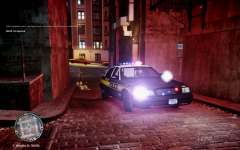 This is the car it looks closest to but he may have something exclusive he used in the screen shot because I've never seen that car before.
 -
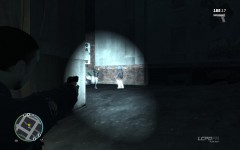 I think the police car is parked behind him giving the effect that its coming from the gun...
 -
-
Lol, glad you like it!
-
Caprice was the first thing that came to my mind
-
-
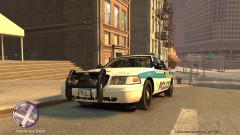 Its a BXbugs model. GPM Is down right now so there is no link at this time
 -
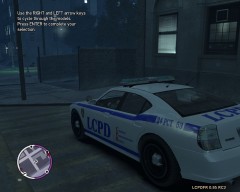 looks like you sort of got things working. Tail light and light bar textures look a little off.
 -
I'm not trying to use it in IV, i'm just trying to get it so I can open it in zmodeler. I import the textures and then when I import the car it comes in like in the picture.
-
I'm trying to import a car from san andreas and when I do it comes in all stretched out. Some parts are okay but the interior is done for. Any idea why this is? Picture: http://www.4shared.com/photo/u-zeVnJh/Untitled_2.html
-
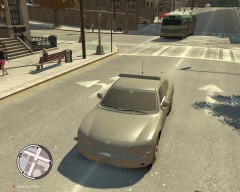 Dhruv - its probably just a texture change... They look like the normal wheels on the unlocked chargers
 -
"hi how r u you can make too mauh a nice police car plz" Oh boy, I'll attempt to translate - " Hi, how are you? Can you please make me a nice skin?" Or maybe he meant he wants you to make him a entire model out of the goodness of your heart. Love it when people do that. When I released my first model, I had 5+ Pm's within a hour of release. All of them pretty much telling me(not asking, telling) that I was going to make a model to their request and specification. Needless to say my signature got changed pretty quick to what you see now. Sorry for ranting, lol he probably just wants a skin
-
^^LOL I know, when I saw this a few days ago when he posted I just shook my head. Not even sure what went wrong here. No .WTD? Imported "skin" wrong? lol keep trying man
-
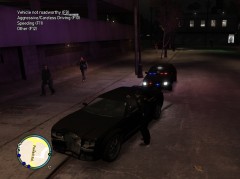
From the album: Random
Pulled over the PMP-600 for no headlights and significant damage to the front end. The LCPD is loving their recently purchased unmarked cvpi's -
Both skins look great and the other one you uploaded. Finally some high quality skins, some stuff lately has been mediocre
- 2 comments
- 1 review
-
We are looking into it, those of you who have problems will have PM with a new tester version soon. Just be patient please
- 38 comments
- 14 reviews
-
Lol I know its a christmas tree but I like cars like that. It originally wasn't going to have a lot but after I got started, someone suggested I add this and that and it ended up with a lot lights more than planned....(cough cough..Nutt) :) but If people don't like it they don't have to download it. I'm working on some cars now that don't have quite so any lights on them
- 38 comments
- 14 reviews
-
-

- 1
-
-
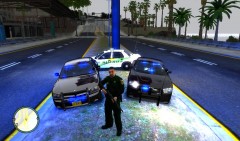 Lookin good man, glad to see your enjoying the car
 -
Exactly what Nutt said. Its hard to try and fix something when you just say it crashes. Post your error. Also hard when it works for myself and my tester and 55+ other people. We are trying though...
- 38 comments
- 14 reviews
-
-
- 1
-
-
Thanks Dhruv, a lot of work went into that car. Watch out for more models soon!
- 38 comments
- 14 reviews
-
":( It's me again, and you can probably tell what i'm gonna say. It crashes the game. :(" We tested it more times than I could count and got it to working order. We are continuing to improve and work on this model so check back for a update soon. @Slimory - Thanks, that was Nutt's idea to put that on there. I wasn't to crazy about it at first but now I like it. Think it looks great on there. Did you have any issues with the car?
- 38 comments
- 14 reviews
-
There will be no alloy wheels at this time. Like Dhruv said there are currently no alloys released to put on it. Thanks guys for clearing up the "open" mod issue. Back on topic now.
-
US Gov/Slicktop Charger V1.0 by NickieB/Natedogg89 ~ Any issues please PM or comment. ~ Special thanks to Nutt for helping me throughout the entire project, taking the pictures, ideas, and beta testing the car. I really appreciate your help!! ~ Wig-Wags will be added in future versions ~ Thanks for downloading! I know my last release had issues with crashing but this time we did hours of testing to try and avoid this. ***Rear text advisor if BEST displayed using ELS Secondary H-01/H-02/H-03*** CREDITS - Model is original Dodge Charger by EA Games, modified and converted to GTAIV by Lex91, modified to marked police version by Lt.Caine. - Wheels made by Lt.Caine - Main Textures by Lt.Caine - Police Console, Laptop by PFC Barefoot, Modified to fit by Natedogg89/NickieB - Rear Window Police Bars by Scyattica. Modified to fit by Natedogg89/NickieB - Pushbar, Whelen XT6 Series Lighting by BxBugs123, modified extensivly by Natedogg89/NickieB - Text Advisor, Antennas by Yakadafi - Spotlight by Cj24 - US FP BRA Skin by Nutt - Nutt for beta testing and all his help
- 38 comments
- 14 reviews
-
Yup, the original IV handling lines will work or I personally use SgtKanyo's handling lines. Can be found on here or GPM, I can't remember - Download pending approval....

