


OfficeMerc105
Members
-
Joined
-
Last visited
Everything posted by OfficeMerc105
-
-
Why use State Trooper lic plates on a sheriffs department vehicle??
-
Liberty City Would be a local department and you used the presidents seal on the hood??? Ever seen the rug in the presidents office???
- 10 comments
- 3 reviews
-
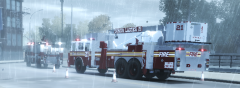 Was this model ever released?? And I mean the whole model not just the skin.
 -
![[WIP] 2013 Ford F450 - FDNY ambulance](//s3-gallery.int-cdn.lcpdfrusercontent.com/gallery/album_547/sml_gallery_2101_547_3870.png) What is your youtube name and did you ever release this veh on sat??
What is your youtube name and did you ever release this veh on sat?? -
Will you add the link when released to this posting??
-
Sorry miss read the post
-
1- Ruger SR9 with flashlight if possible. 2-https://www.google.com/search?q=ruger+sr9&tbm=isch&tbo=u&source=univ&sa=X&ei=V9r6UqmuN6jN0QHc9IGQCw&ved=0CC4QsAQ&biw=1024&bih=587 3- If you could but not needed
-
-
-
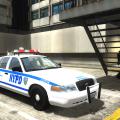 What are you talking about? The first and third pic are the same car RMP 2807 and it has the Highway markings and the second is a diffrent skin for another highway patrol car RMP 2825. The only diffance is
- 36 comments
- 12 reviews
-
You could try and shrink the side text to fit it between the lights. Dallas is also covered above the windsheild
-
I've never been to France. This looks great but I don't understand why they have a full light bar on the rear and just two little lights on the roof in front with some grill lights and nothing on the sides of the body????
-
Ok I lived in Suffolk County in Long Island NY before moving to VA, lived in the 4th pct. while the image does need to be cleaned up it's not a direct copy from a picture because the badge between Suffolk and Police is missing. Try adding the badge and pulling the front half of the skin from Police back alittle to line it up with the wheel well. I would leave out the Unit number ( COPE-61 which is 6th pct speacil unit or the 116 which is
- 6 comments
- 2 reviews
-
It looks great but Mustu is right, it's a security vehicle so should have the yellow lightbar. But nice looking vehicle, I think it would fit the mall theme perfectly.
- 5 comments
- 2 reviews
-
-

- 1
-
-
-
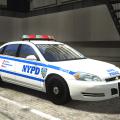 Here's a suffolk county Highway car with there type of highrise bar, not sure who makes this model but would look cool on an NYPD car.
- 24 comments
- 16 reviews
-
Are you going to do one of the older CVPI highway cars with the Mcdermott Highrise Lightbar.
- 24 comments
- 16 reviews
-
Skin looks nice with 1 issue. This is a sheriff car but you used the Police patch on the sides and plate.
- 12 comments
- 4 reviews
-
I've been playing GTA 4 with LCPDFR through steam with little to no problems. Now out of nowhere I log into windows live the screen goes black after a few seconds I get a blue box with the message import not supported. I've deleted the game and reinstalled it twice, second time I thought to try the game before reinstalling LCPDFR and still getting the same message. No one I've spoken to has any idea what this could be. All my other games are working fine and there hasn’t been any new downloads of anything into the computer. ANYONE HAVE ANY IDEAS??????????
-
-
If this was City Of Liberty Police I'd say ya but not for the State Police.
-
-
-
I also live in VA and while the car looks great may I make one change. The patch is a liberty PD patch, this is a STATE POLICE veh and really should have it's own patch. Since you did the car based on VA state police I would change the lettering on the VA patch and use that for the car. I think that would look cool. Even more if you could do the gray uniforms and use that new patch.

![[WIP] 2013 Ford F450 - FDNY ambulance](http://s3-gallery.int-cdn.lcpdfrusercontent.com/gallery/album_547/sml_gallery_2101_547_3870.png)
