Cyan
Management Team
-
Joined
Everything posted by Cyan
-
Files are approved when your file has been checked. This time varies based on moderator availabilities.
-
Please post in a supported language or include a translation. Topic closed.
-
Your topic has been moved to LSPDFR 0.4 Support. Please post in the correct location in the future.
-
Adding a performance-based ranking that would be calculated based on your stats is on our timeline 😃
-
Your topic has been moved to LSPDFR 0.4 Support. Please post in the correct location in the future.
-
This topic has been moved to the appropriate forum. Please post in the correct location in the future.
-
Simply do not run RAGEPluginHook.exe and LSPDFR and RPH will not be started.
-
Your topic has been moved to LSPDFR 0.4 Support. Please post in the correct location in the future.
-
Your topic has been moved to LSPDFR 0.4 Support. Please post in the correct location in the future.
-
This topic has been moved to the appropriate forum. Please post in the correct location in the future.
-
Your topic has been moved to LSPDFR 0.4 Support. Please post in the correct location in the future.
-
This topic has been moved to the appropriate forum. Please post in the correct location in the future.
-
Your topic has been moved to LSPDFR 0.4 Support. Please post in the correct location in the future.
-
Your topic has been moved to LSPDFR 0.4 Support. Please post in the correct location in the future.
-
Your topic has been moved to LSPDFR 0.4 Support. Please post in the correct location in the future.
-
Your topic has been moved to LSPDFR 0.4 Support. Please post in the correct location in the future.
-
Your topic has been moved to GTA V Support, this is not LSPDFR related. Please post in the correct location in the future.
-
This topic has been moved to the appropriate forum. Please post in the correct location in the future.
-
-
This topic has been moved to the appropriate forum. Please post in the correct location in the future.
-
Your topic has been moved to LSPDFR 0.4 Support. Please post in the correct location in the future.
-
Your topic has been moved to LSPDFR 0.4 Support. Please post in the correct location in the future.
-
-
Your topic has been moved to LSPDFR 0.4 Support. Please post in the correct location in the future.
-
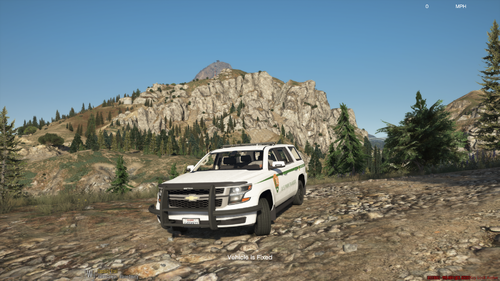 Please see VirusTotal results at the top of the file before submitting a report or comment about a virus in this file. If your AV is kicking off, it's a false positive.