



Illusionyary
Members
-
Joined
-
Last visited
Everything posted by Illusionyary
-
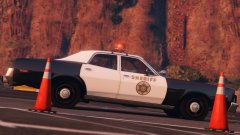
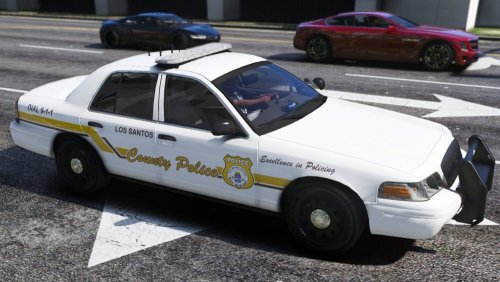 It just looks like a 6 year old came up with it (the badge) imho. It's too plain for the livery. Regardless, it's accurate to the real thing so ¯\_(ツ)_/¯
- 7 comments
- 2 reviews
-
-

- 2
-
-
Hm, I see. You've done a very good job at recreating it though. Shame that badge just doesn't work in my opinion :<
- 7 comments
- 2 reviews
-
I like the overall design but I feel the badge looks a little too basic and detracts away from the design.
- 7 comments
- 2 reviews
-
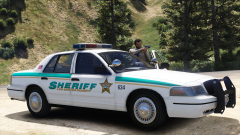
From the album: GTA V Illusions
-
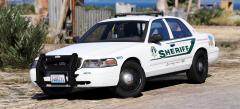 Hey glad you like it.
 -
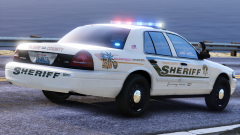 Square721 BdEx BT. I'll just upload the PSD for the skin to make things easier. Forza Sheriff1.psd
No worries, glad you like it. Yeah, here's a PSD for it. WA-SA License Plate.psd
Square721 BdEx BT. I'll just upload the PSD for the skin to make things easier. Forza Sheriff1.psd
No worries, glad you like it. Yeah, here's a PSD for it. WA-SA License Plate.psd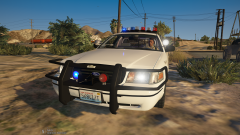 owo I like the look of the rambar lights, I don't think anyone has done round lights like that on the CVPI before.
Hey thanks~ Guess I'm putting it on a Caprice too.
Send me the car with templates then.
owo I like the look of the rambar lights, I don't think anyone has done round lights like that on the CVPI before.
Hey thanks~ Guess I'm putting it on a Caprice too.
Send me the car with templates then.
From the album: GTA V Illusions
Works on the new Forza Horizon 3 CVPIs, I can reformat to the standard templates too if need be.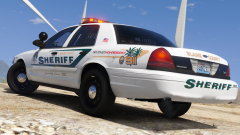
From the album: GTA V Illusions
Been a long time since I've made a police car skin.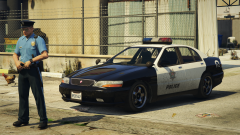 The car itself doesn't look too bad Policified (Bravado badges though?) but the lightbar just looks silly.
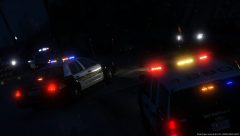 Los Santos is the city, not the State D:It's definitely not comic sans, lol. Bebas looks very similar, albeit a bit thicker than the sample you provided but you can change that by using inner strokes and such to make it appear thinner.
 gib
gib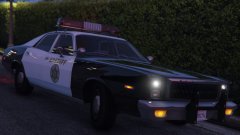 Nice.
Nice.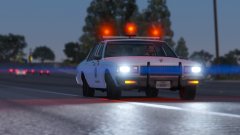 Please release it with my skin too, it looks great.I didn't notice it was Ethan until I heard Hila talk, they're great. Love h3h3.h3h3 in the background

Account
Navigation
Search
Configure browser push notifications
Chrome (Android)
- Tap the lock icon next to the address bar.
- Tap Permissions → Notifications.
- Adjust your preference.
Chrome (Desktop)
- Click the padlock icon in the address bar.
- Select Site settings.
- Find Notifications and adjust your preference.
Safari (iOS 16.4+)
- Ensure the site is installed via Add to Home Screen.
- Open Settings App → Notifications.
- Find your app name and adjust your preference.
Safari (macOS)
- Go to Safari → Preferences.
- Click the Websites tab.
- Select Notifications in the sidebar.
- Find this website and adjust your preference.
Edge (Android)
- Tap the lock icon next to the address bar.
- Tap Permissions.
- Find Notifications and adjust your preference.
Edge (Desktop)
- Click the padlock icon in the address bar.
- Click Permissions for this site.
- Find Notifications and adjust your preference.
Firefox (Android)
- Go to Settings → Site permissions.
- Tap Notifications.
- Find this site in the list and adjust your preference.
Firefox (Desktop)
- Open Firefox Settings.
- Search for Notifications.
- Find this site in the list and adjust your preference.