




Illusionyary
Members
-
Joined
-
Last visited
Everything posted by Illusionyary
-
My computer is beast. Lol.
-
Happy New Year! Oh wait, New Years was last night. SHIT!
-
http://www.youtube.com/watch?v=_y2hZ8dPdqo I was chasing this guy, then Traffic Control System gave me an error and spawned 50 cop cars from no-where and they all started to chase this guy I was pursuing. Lol. P.S. I only shot the man because my friends told me to. I was showing them the mod.
-
It was real, it was the Phoenix Police Scanner.
-
Wow that's scary. I remember seeing something like this on COPS. In fact here is the video of a Kansas City officer being shot at.
-
This one features a different lightbar, a Whelen Edge while the other one was a Whelen Freedom, yes they look identical but uh yeah lol.
- 21 comments
- 12 reviews
-
That was some great driving. The emergency services down here in Australia often drive like this. I have seen Ambulances going completely the wrong direction down a highway to get past traffic jams many times. However the Aussie police in most states have banned officer's from driving V8's since they crash them to much. Now we've just got V6's. Lol.
-
Really? I see, hmm, sorry I don't know then, this has never happened to me before. However I'm sure someone else can help you.
-
Start a new game and save that, or download a save-game.
-
If LCPD:FR didn't install one for you then yes.
-
Remove Xlive from your GTA folder, then go in-game and pull up the phone and select multiplayer. Once you've joined or created a session you can do whatever the hell you like.
-
Xlive is usually the suspect when it comes to multiplayer. Also, LCPD:FR isn't completely stable with multiplayer yet so I'd probably wait until RC2 comes out as that is supposed to be multiplayer stable.
-
They added that in 0.95 RC1, it's not there normally lol.
-
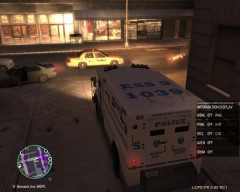 "That'sssss a nice truck you've got there, ssssshame if something were to happen to it."
 -
What the hell? That's weird, have you tried it without the fire truck?
-
Well first you edit it a bit (add camera angles, effects, ect.) then you choose what "p" settings you want. (I'd suggest 1080P) and click export to gallery. It can be found here: I don't know how you upload it to Social Club, I've tried multiple times and it's just failed. Just upload it to YouTube instead.
-
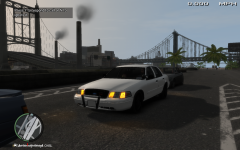 It's low profile apart from the pushbar lol.
 -
Do you have number lock enabled?
-
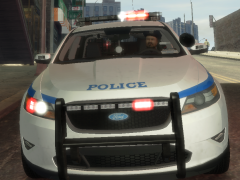 Uhhh that's not a Fusion lol. I think the title is messed up.
 -
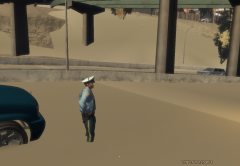 Looks like a graphics glitch. Did it load later?
 -
What type of ram bar do you want? Could you post a reference picture so I can tell PoliceWag :)
-
Sorry, my inbox was full, deleted them all now. Is this about the Portland Police Charger? That is not my model, It's by PoliceWag but I can ask him if he wants to add a rambar to it. (I'm GPMSharpCommand)
-
This is just part of the mod trying to be realistic. Most call outs are Code 4 by the time the dispatcher sends the call out to you. (Code 4 = Suspect Down, Suspect Arrested) You could always try disabling the call outs by using F8 and then enabling them again.
-
No idea what the heck your talking about. Read this: http://hub.lcpdfr.com/lcpdfr/wiki/keys :whistling:
-
There has been alot of forums on the "Alt + P" doesn't work. Try searching over those forums and see if there is any support in them. Also why is "Cannot find the specified model" (找不到指定的模块) writen in Chinese?


