




Illusionyary
Members
-
Joined
-
Last visited
Everything posted by Illusionyary
-
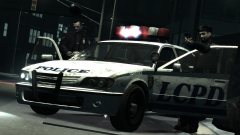 "My hat!" :O
 -
SEXY! +1
-
It does, but it's no where near powerful enough to run the game.
-
You've really gotta put a hell of a lot of money into these things. I figured I got a little ripped off with my computer as it costed $2000 (Australian Dollars) but it can run GTA IV very nicely. Everything on high and still get 60 FPS.
-
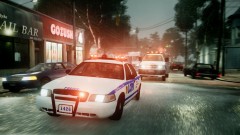 How do you take these epic screenshots?
 -
I haven't seen many rare cars here in Australia (Since I never get off my computer, lol). However would Dubai count as my country? I was there for 16 months back in '08 and saw a lot of rare cars. Hell, I saw a stainless steal Rolls Royce! I would of like'd to of posted a shot of it but the flash ruined everything because it just reflected back off the car. Lol.
-
It's got only one call-out as far as I know. So I don't recommend the Paramedic mod.
-
I like Christmas Tree cop cars but only if they are marked. I hate Xmas Tree unmarked cars...
-
Bad Boys? Lol.
-
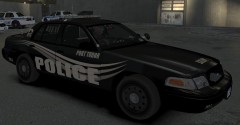 Cool skin.
 -
-
This is weird, you must have installed something wrong, I've never had any problems with Dsound.
-
Try what Iconography said. :)
-
I am sorry, I am stumped once again. However I am sure someone else will help you.
-
Hmm, I see, now er what LCPD:FR version are you using? 0.91? 0.95? 0.95 RC1? Or older? You've got a lot of errors in that log however I can not identify them since I can only tell you the obvious. :P EDIT: Yes I believe so. I'm not sure exactly what these are but they seem bad. Do you have .NET Framework 4 installed?
-
Hello, I've also had this problem before but it seemed to go away with RC1 (For me anyway). Also, what game version do you have and could you please use this tool: and paste the results of it here. :)
-
I'm sorry I can't be of more help but I am completely stumped. EDIT: Yeah I suppose. I attached the .dll files you wanted at the bottom of this post. I'll send you a link. http://www.mediafire.com/?u1i34u33wpiw24y
-
Hmm, that can't be the problem, I am stumped on this one. Try reinstalling the game then install LCPD:FR to the new freshly installed game.
-
This seems awfully strange to me. And I don't understand why this isn't working for you, apart from LCPD:FR and ELS, do you have any other mods installed?
-
Please use English on this forum, however, try running the game as a administrator. EDIT: Also, what is your game version? EDIT 2: Tom H basically translated what I said into German so thank you for that. :)
-
Okay, try running the game as an administrator, Right click, and run it as an administrator.
-
Okay, what version of LCPD:FR are you using? If it is 0.91, the scripthook and dsound are out-dated.
-
Okay, can you give me a step by step guide on how you installed the mods? (As in Scripthook, Dsound, ELS and anything else in your main folder, Not car mods though)
-
Well it says there that you don't have an asi-loader installed. You'll have to install DSOUND again and see if it works. :)
-
Hi, can you please specify what this error is and how you receive it? We haven't got much to work on at this point.

